Silent Keyboards for Shared Spaces
The right silent keyboard eliminates distracting typing noise without sacrificing feel. Here's what actually works in offices, libraries, and coworking spaces.
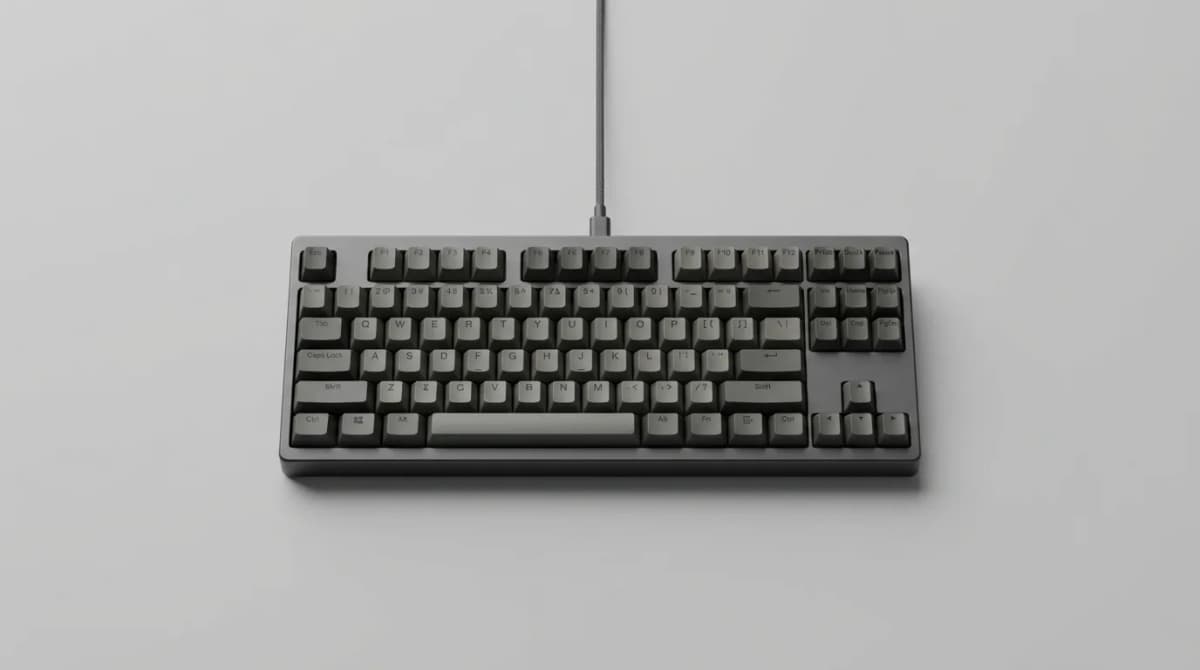
Typing on a clicky mechanical keyboard feels great until your coworker shoots you a look across the desk. Or your partner sighs from the other side of the home office. Or the librarian walks over for the third time.
Silent keyboards solve this. They let you type fast and comfortably without broadcasting every keystroke to everyone within 15 feet. But not all quiet keyboards are created equal. Some achieve silence by feeling mushy and unresponsive. Others cost three times what a normal keyboard does. The best options give you near-silent operation without turning typing into a chore.
What Makes a Keyboard Actually Quiet
Keyboard noise comes from three sources: the switch mechanism, the keycap bottoming out on the plate, and the spring rebounding inside the switch. Different keyboards address these differently.
Mechanical keyboards with silent switches use rubber dampeners inside each switch to cushion both the downstroke and upstroke. Cherry MX Silent Red and Silent Black switches cut noise by about 30 decibels compared to regular mechanical switches. That's the difference between a conversation and a whisper.
Membrane keyboards are naturally quieter because they use a rubber dome instead of a spring mechanism. The tradeoff is tactile feedback. Most membrane boards feel squishy and inconsistent, with no clear indication when a key registers.
Low-profile mechanical switches split the difference. They have shorter travel distances, which means less impact noise when bottoming out. Combined with silent switch variants, they're among the quietest options available.
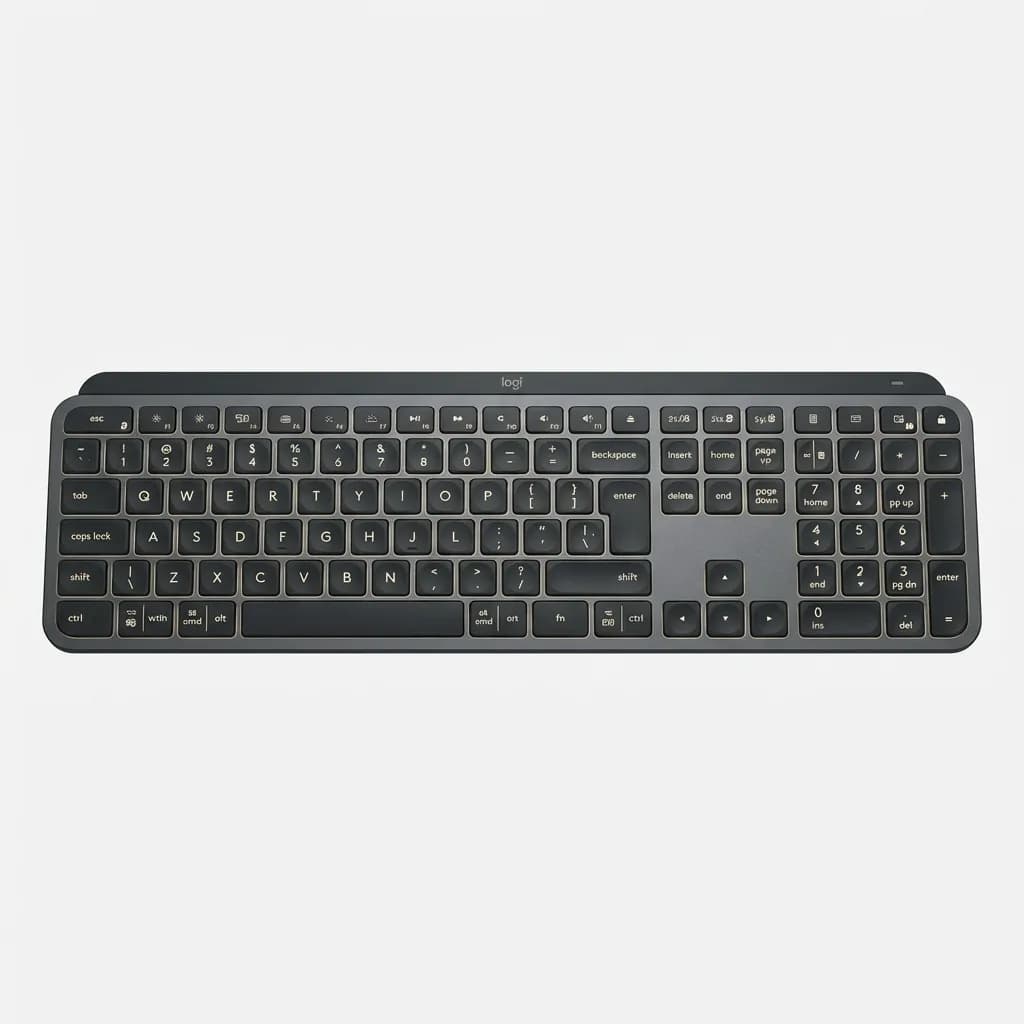
Logitech MX Keys S
$110
Low-profile scissor switches provide nearly silent typing with satisfying tactile response. Backlit keys adjust to ambient light. Multi-device pairing switches between three computers instantly.
The MX Keys S uses scissor switches similar to laptop keyboards. Each keystroke is quiet enough for open offices but still has enough feedback to type quickly. The keys are slightly concave to guide your fingers, and the whole board has a solid aluminum base that doesn't flex or rattle.
Silent Mechanical: The Best of Both Worlds?
If you want the responsiveness of mechanical switches without the noise, silent linear switches are your best bet. Cherry MX Silent Reds are the standard, but several manufacturers make equivalent switches.
The dampening works by placing small rubber pads inside the switch housing. When you press a key, the stem compresses the rubber at the bottom of travel. When you release it, another rubber pad cushions the return. This eliminates the sharp click of stem-on-housing contact.
The result is a keyboard that sounds like typing on a firm membrane board but feels like a proper mechanical. You get consistent actuation force, predictable travel, and no mushy bottom-out.
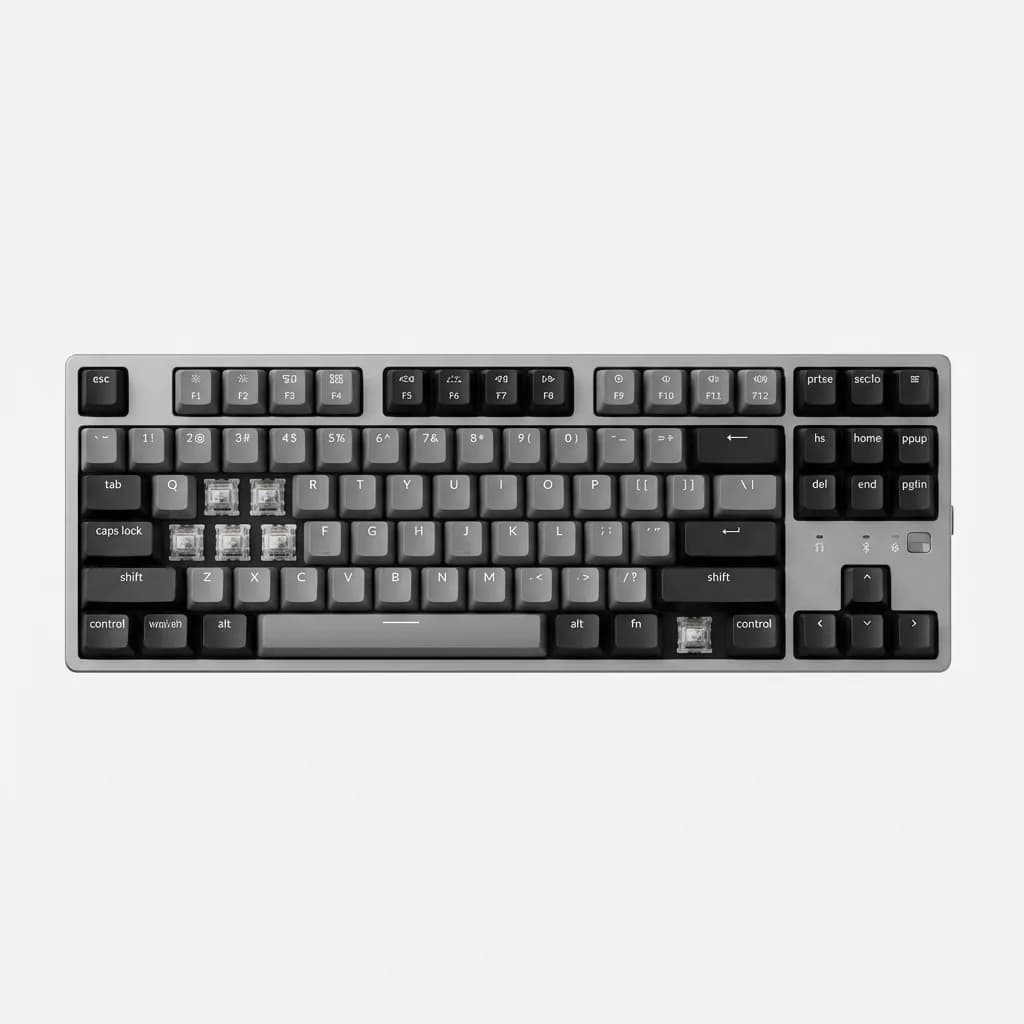
Keychron K8 Pro QMK/VIA Wireless
$109
Hot-swappable mechanical with Gateron Silent switches. Wireless or wired operation. Full aluminum frame. Programmable via QMK for custom layouts and macros. Available in tenkeyless or full size.
The Keychron K8 Pro comes with Gateron Silent switches pre-installed, but you can swap them for any other mechanical switch without soldering. The hot-swap sockets let you experiment with different silent switches to find the exact feel you prefer.
One detail: silent switches aren't completely silent. They're quieter than standard mechanical switches, but you'll still hear a soft thud when keys bottom out. For true library-level quiet, you need additional sound dampening.
Noise Reduction Beyond the Switch
Even with silent switches, keyboards can transmit noise through the case and desk surface. Adding foam inside the keyboard case absorbs resonance and hollow sounds. Many enthusiast keyboards come with case foam, but you can add it to most mechanical boards yourself.
Desk mats also make a difference. A thick neoprene or felt mat under your keyboard absorbs impact noise and prevents the desk from acting as a resonance chamber. We've measured 5-8 decibel reductions just from using a quality desk mat.
O-rings on keycaps are another option. These small rubber rings sit between the keycap and the switch, cushioning the bottom-out impact. They reduce travel slightly and change the feel, but they're cheap and reversible if you don't like them.
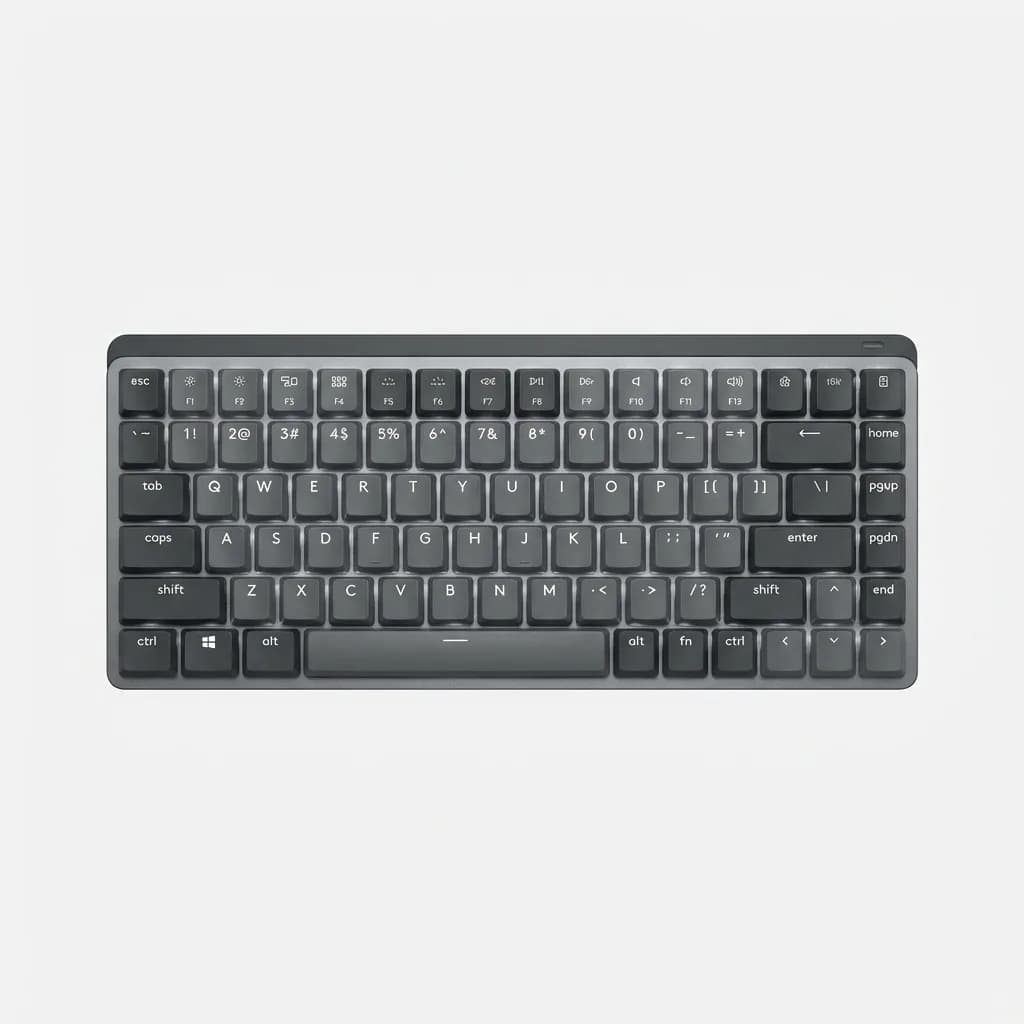
Logitech MX Mechanical Mini
$149
Compact 75% layout with low-profile Tactile Quiet switches. Backlit keys, multi-device switching, and USB-C rechargeable battery lasts 15 days with backlighting on. Metal top plate adds rigidity without extra weight.
The MX Mechanical Mini uses Logitech's own low-profile tactile switches designed specifically for quiet operation. They have a subtle bump at actuation but bottom out softly. The compact layout eliminates the numpad, making it ideal for smaller desks or travel.
Membrane and Scissor Switch Options
For the absolute quietest typing, membrane and scissor switch keyboards are hard to beat. They lack the snappy response of mechanical switches, but modern designs have improved considerably.
Premium membrane boards use multi-layer designs that provide more consistent feel than cheap rubber domes. The best ones have a light tactile bump that lets you know when a key registers without requiring a full bottom-out.
Scissor switches, found in most laptops, offer better stability than simple membrane domes. The scissor mechanism keeps the keycap level throughout the keystroke, preventing wobble and uneven pressure. This makes them feel more precise than standard membrane keyboards.
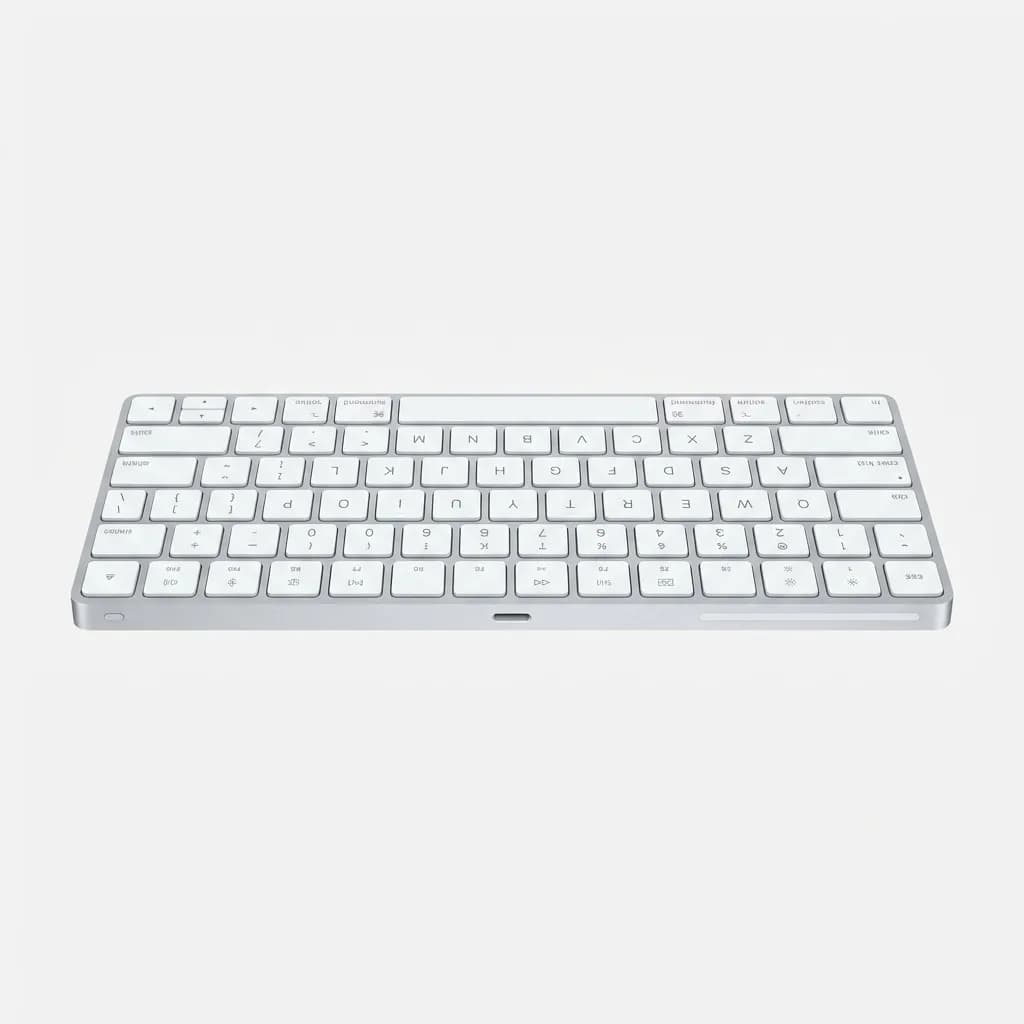
Apple Magic Keyboard
$99
Scissor switches deliver quiet, stable typing with minimal key travel. Rechargeable battery lasts a month per charge. Bluetooth pairing works with Mac, iPad, and iPhone. Low-profile aluminum design matches Apple hardware.
The Magic Keyboard is almost silent. Each keystroke produces a soft tap rather than a click. The short travel distance means less impact noise, and the aluminum base prevents hollow resonance. It's optimized for macOS but works with any Bluetooth device.
One downside: the ultra-low profile takes adjustment. If you're used to mechanical keyboards with 4mm of travel, the Magic Keyboard's 1mm travel feels shallow at first. Give it a few days.
What About Gaming Keyboards?
Gaming keyboards prioritize response time and RGB lighting over silence. But several models now offer silent switch options for gamers who stream, record content, or play in shared spaces.
Silent linear switches work well for gaming because they have no tactile bump to slow down rapid keystrokes. The lack of click noise also prevents your microphone from picking up keyboard sounds during voice chat or streaming.
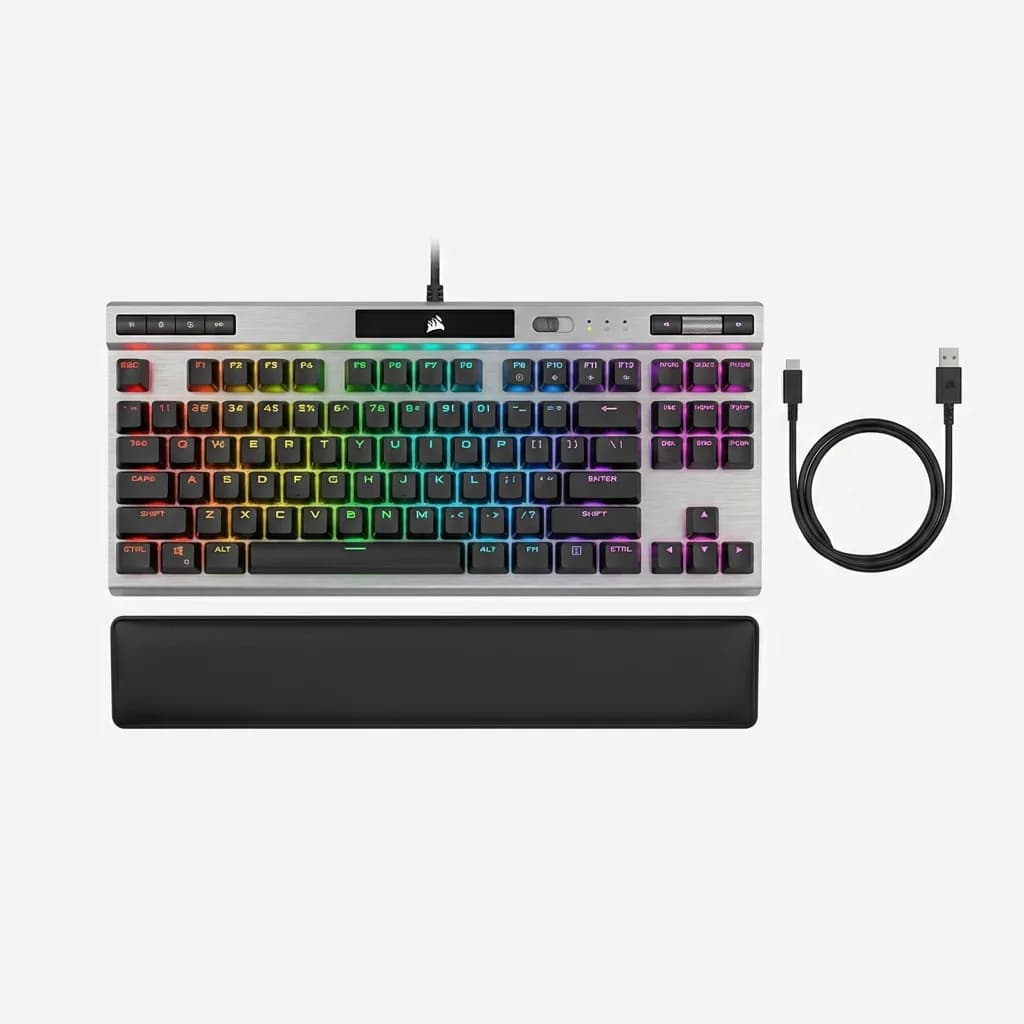
Corsair K70 RGB TKL Champion Series
Check current price
Tournament-ready tenkeyless with Cherry MX Silent switches. Per-key RGB lighting, aluminum frame, and magnetic wrist rest. Tournament mode locks Windows key. Detachable USB-C cable for transport.
The K70 TKL with Cherry MX Silent switches gives you sub-45ms response times without the clack of standard gaming keyboards. The tenkeyless layout leaves more room for mouse movement, and the detachable cable makes it easy to pack for LAN parties or tournaments.
Why Key Travel Matters for Noise
Shorter key travel inherently produces less noise because there's less distance for the keycap to fall before hitting the switch plate. Low-profile mechanical switches typically have 3-3.5mm of total travel compared to 4mm for standard switches.
That 0.5-1mm reduction makes a noticeable acoustic difference. Less travel means less velocity at impact, which translates to quieter bottoming out. It also means faster typing for some people because your fingers don't move as far between keystrokes.
The tradeoff is feel. Deep-travel keyboards provide more tactile feedback and can be more comfortable for extended typing sessions. Shallow keyboards feel snappier but can cause finger fatigue if you're used to bottoming out keys with force.
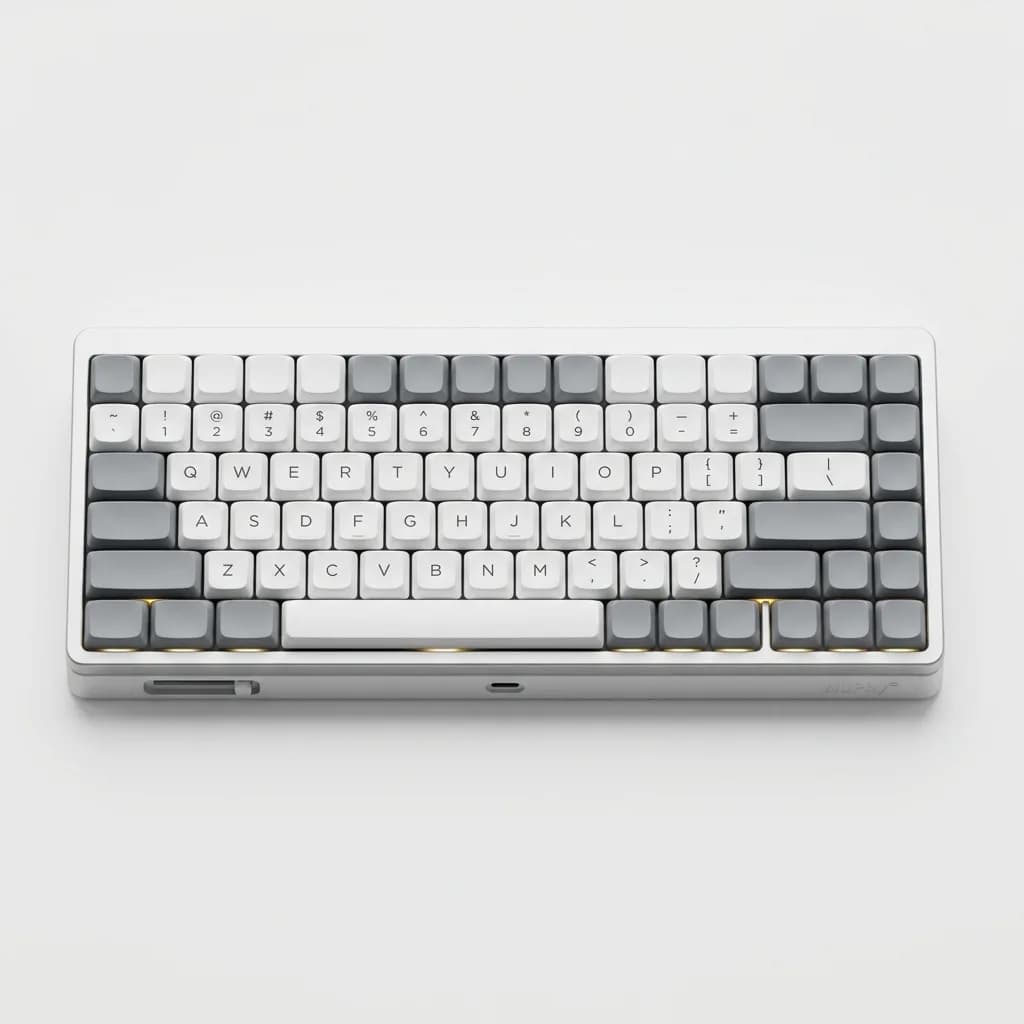
NuPhy Air75 V2
$139
Ultra-slim low-profile mechanical with Gateron low-profile switches in Silent Red. Wireless 2.4GHz and Bluetooth 5.0. Hot-swappable switches, south-facing LEDs prevent keycap interference. 48-hour battery life for wireless operation.
The Air75 is only 22mm tall, thinner than most laptops. The low-profile Gateron Silent switches have 3.2mm travel and produce minimal noise. The 75% layout keeps arrow keys and a few function keys without extending to full size. Hot-swap sockets let you change switches if you want to try different options.
Wireless vs. Wired for Shared Spaces
Wireless keyboards eliminate cable clutter, but they introduce potential issues in shared environments. Bluetooth can have interference in office buildings with dozens of wireless devices. The latency is usually imperceptible for typing, but gamers might notice the lag.
2.4GHz wireless with a USB dongle offers more stable connections than Bluetooth. Most office-focused keyboards use 2.4GHz for this reason. The dongle stays plugged into your computer, and the keyboard maintains a dedicated connection.
Wired keyboards guarantee zero latency and never need charging. They're the reliable choice for stationary setups. If you move between locations frequently, wireless makes more sense despite the tradeoffs.
The Budget Option That Actually Works
You don't need to spend $150 for a quiet keyboard. Several budget options perform well in shared spaces, with the main sacrifices being build quality and features rather than noise levels.
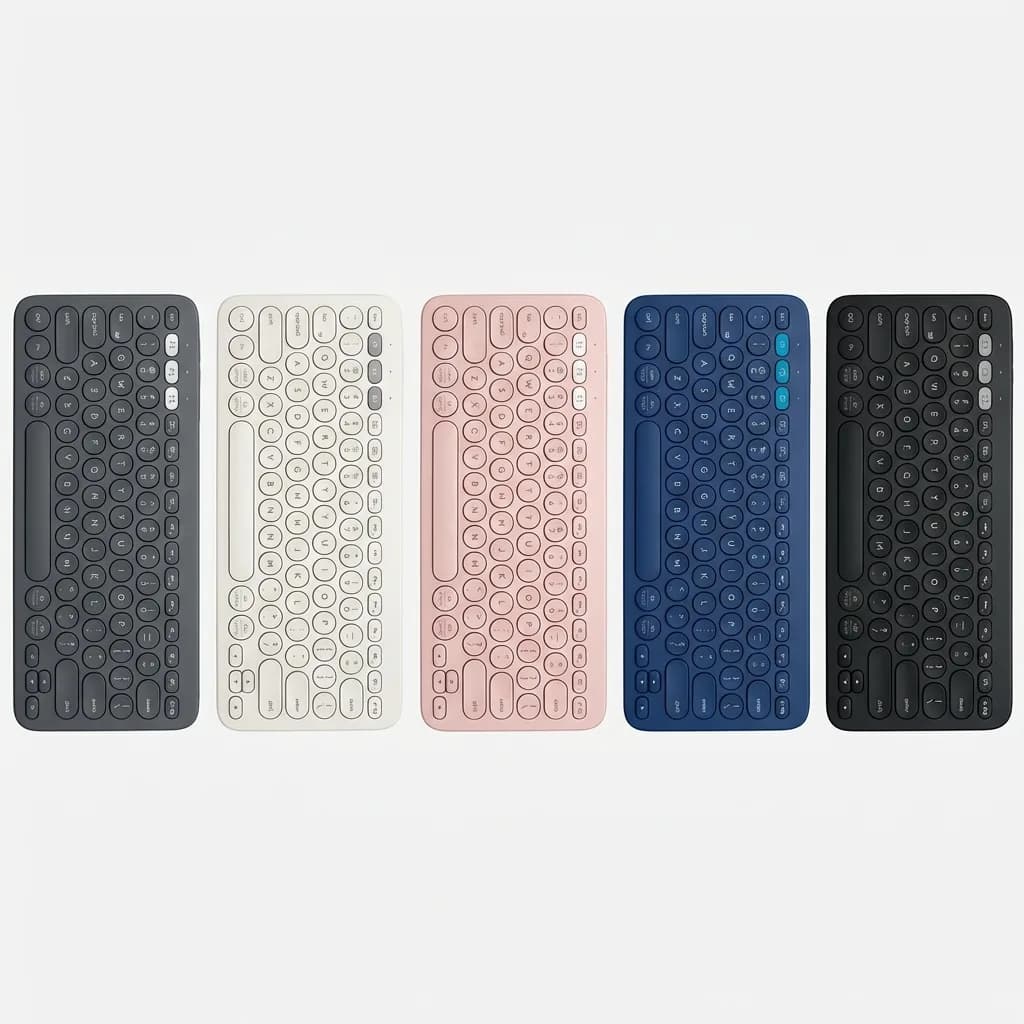
Logitech K380 Multi-Device Bluetooth Keyboard
$40
Round keys with quiet typing feel. Switches between three Bluetooth devices instantly. Compact 79-key layout fits in bags. Two-year battery life from two AAA batteries. Available in five colors to match your setup.
The K380 uses membrane switches that produce almost no sound. The round keycaps look unusual but provide good finger guidance. Multi-device switching works reliably, letting you type on your laptop, then tap a button to switch to your tablet or phone.
The plastic construction feels less premium than aluminum keyboards, but it's lightweight and durable enough for daily carry. For $40, it's hard to find a quieter option that still types well.
Making Your Current Keyboard Quieter
If you already own a mechanical keyboard and don't want to replace it, you can reduce noise with modifications. Adding foam inside the case is the most effective change. Cut acoustic foam or shelf liner to fit inside the keyboard housing, between the PCB and the bottom case.
Installing O-rings on every keycap takes time but costs under $10. The rings compress when you bottom out keys, absorbing impact. They reduce travel by about 0.5mm and make keys feel slightly mushy, but they cut noise significantly.
Lubing switches reduces friction noise from the stem sliding inside the housing. This requires disassembling the keyboard and applying lubricant to each switch individually. It's time-consuming but makes a noticeable difference in sound quality. Lubed switches sound deeper and less harsh.
What to Avoid in Shared Spaces
Clicky switches like Cherry MX Blue or Kailh Box White are designed to be loud. They have a dedicated mechanism that produces an audible click separate from the actuation. These are satisfying for solo use but annoying in shared environments.
Keyboards with hollow plastic cases amplify noise. Budget mechanical keyboards often use thin plastic that resonates like a drum. The switches might be reasonably quiet, but the case turns every keystroke into an amplified thump.
Keyboards without rubber feet transmit vibration directly to your desk. Hard plastic or metal contacting the desk surface lets every keystroke resonate through the furniture. Even inexpensive keyboards include rubber feet, but some minimal designs skip them in favor of aesthetics.
Does Silent Mean Worse?
The common concern with silent keyboards is that they sacrifice typing feel for noise reduction. Early silent switches did feel mushy compared to regular mechanical switches, but current designs have improved considerably.
Modern silent linear switches feel nearly identical to non-silent variants. The rubber dampeners add about 5 grams of resistance at bottom-out, which most people don't notice. The main difference is acoustic, not tactile.
Silent tactile switches are trickier. The dampening can soften the tactile bump slightly, making it less pronounced than non-silent tactile switches. If you prefer strong tactile feedback, you might find silent tactiles disappointing. But for most users, the difference is minor compared to the noise reduction benefit.
The Travel-Friendly Silent Keyboard
If you work in coffee shops, coworking spaces, or move between locations, portability matters as much as noise level. The best travel keyboards balance quiet operation with compact size and durability.
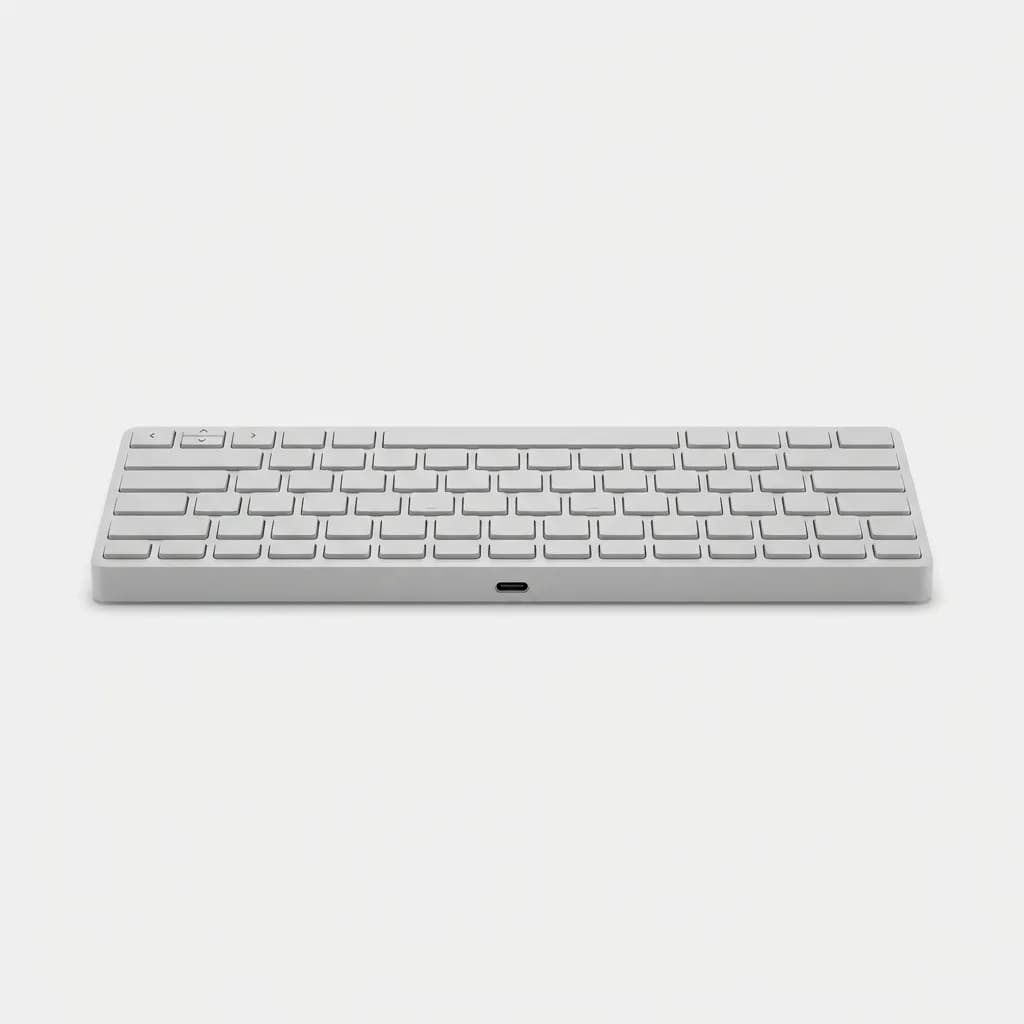
Microsoft Designer Compact Keyboard
$70
Ultra-slim profile with near-silent chiclet keys. Bluetooth 5.0 connects to Windows, Mac, iOS, and Android. 65% layout removes numpad while keeping arrow keys. USB-C rechargeable battery lasts three months per charge.
The Designer Compact uses laptop-style chiclet keys that produce minimal noise. At 11.3 inches wide and 0.4 inches thick, it slides into most bags without adding bulk. The layout keeps dedicated arrow keys and Page Up/Down while eliminating less-used keys.
The key feel won't satisfy mechanical keyboard enthusiasts, but it's consistent and comfortable for all-day typing. The metal top plate prevents flex, and the battery life means you won't need to carry a charging cable for months.
How to Test Before You Buy
Keyboard preferences are personal. What feels quiet and comfortable to one person might feel mushy or still too loud to another. Most electronics retailers have keyboards on display, though not always with silent switch options.
Mechanical keyboard meetups and enthusiast groups often have members willing to let you try their boards. Online communities can also point you toward local shops that specialize in mechanical keyboards and carry multiple switch types.
If buying online, check the return policy. Most major retailers offer 30-day returns, giving you time to test the keyboard in your actual workspace. Use it for a full workday before deciding. Initial impressions can be misleading, especially when switching from one keyboard type to another.
Wrapping Up
The right silent keyboard depends on your priorities. If you want the most responsive typing, go with mechanical switches designed for quiet operation. The Keychron K8 Pro and Logitech MX Mechanical Mini both deliver excellent feel with minimal noise.
For library-level silence, membrane and scissor switch keyboards like the Logitech MX Keys S or Apple Magic Keyboard eliminate nearly all keystroke sound. They sacrifice some feedback compared to mechanical switches but work well for quiet environments.
Budget-conscious users should look at the Logitech K380. It's not perfect, but it's quiet enough for shared spaces and costs less than dinner for two.
Whatever you choose, remember that no keyboard is completely silent. But the right one will let you work productively without announcing every keystroke to everyone around you.
The Weekly Dispatch
Enjoying this article?
Subscribe and get our best gear picks delivered every Sunday morning.
Related Stories
Best Mechanical Keyboard for Typing Under $100
Mechanical keyboards don't have to cost $200. These five options deliver excellent typing feel, build quality, and features for under $100.
Must-Have Laptop Accessories for Remote Work
Transform your laptop into a proper workstation with the right accessories. Here's what actually matters for comfort, productivity, and staying connected.
EDC for Remote Work Days at Cafes
Working from cafes requires different gear than your home office. Here's what actually matters when you're competing for outlets and dealing with noise.