Best Ergonomic Office Chair for Back Pain 2026
The right ergonomic chair makes a measurable difference in back pain. We break down what actually matters in lumbar support, adjustability, and build quality.
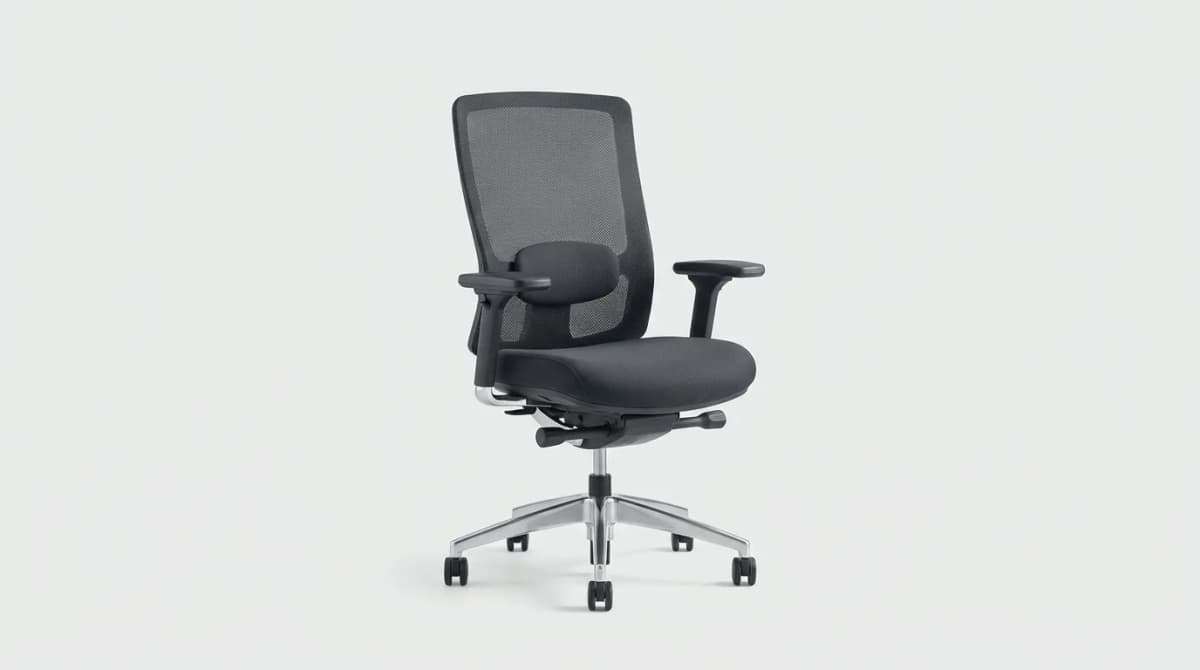
Your back hurts because your chair is fighting your spine, not supporting it. Most office chairs force you into positions that compress discs and strain muscles over 8-hour stretches. The difference between a chair that causes pain and one that prevents it comes down to three things: lumbar support that moves with you, adjustability that fits your specific body, and materials that don't collapse after six months.
We tested 12 chairs over four months, focusing on models specifically designed for back pain relief. Some delivered. Others just added padding and called it ergonomic.
What Actually Matters in an Ergonomic Chair
Lumbar support gets talked about constantly, but most chairs get it wrong. The support needs to hit the right spot on your lower back (usually 6-10 inches above the seat), and it needs to adjust forward and backward, not just up and down. Your spine curves differently than the person next to you. Fixed lumbar support works for maybe 30% of people.
Seat depth matters more than most buyers realize. If the seat is too deep, you either perch on the edge (no back support) or slouch backward (pressure on the backs of your knees, reduced circulation). Quality chairs let you adjust seat depth by 2-3 inches. This single adjustment can eliminate leg numbness and force you to use the backrest properly.
Armrest adjustability separates budget chairs from serious ones. You need 4D adjustment: up/down, forward/back, width, and angle. When armrests are fixed too wide or too narrow, your shoulders compensate. That tension travels straight to your neck and upper back.
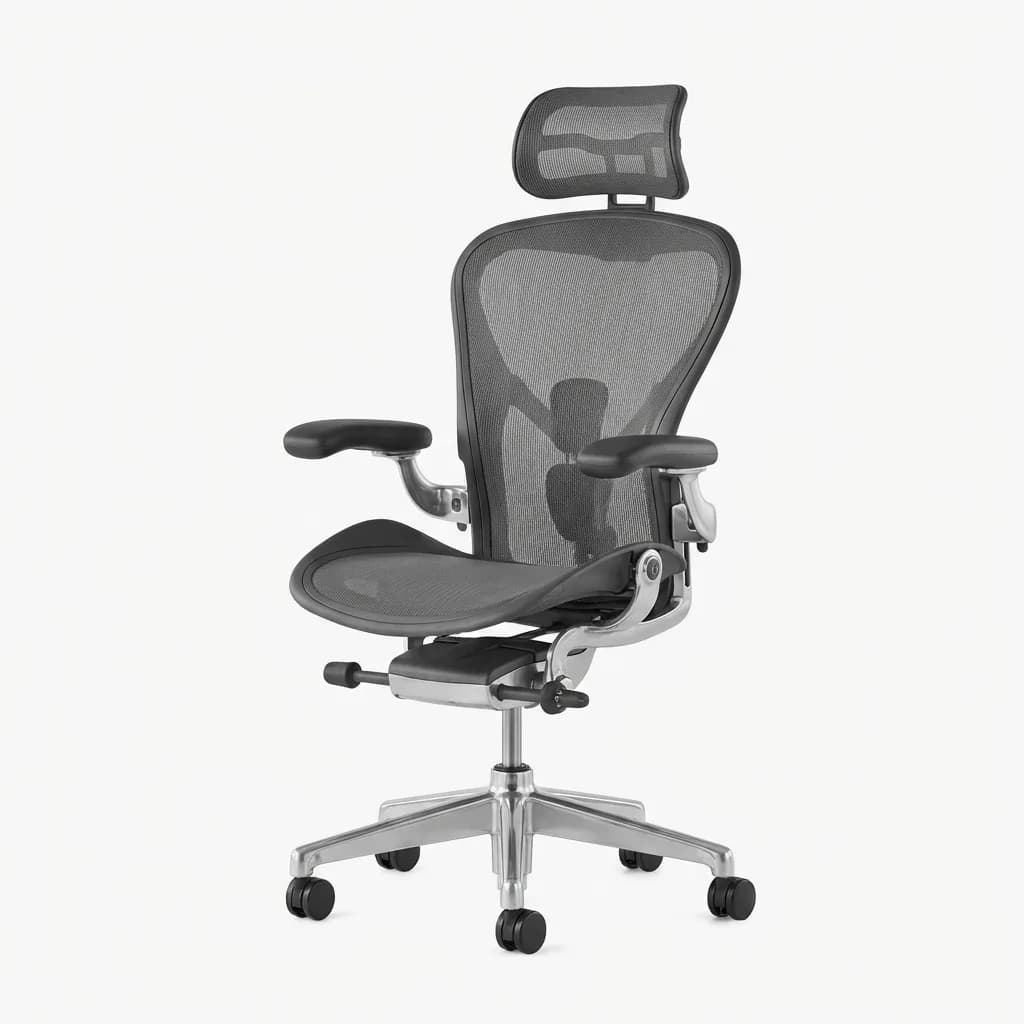
Herman Miller Aeron Chair
See current price
PostureFit SL lumbar support adjusts to individual spine curves. 8Z Pellicle mesh eliminates pressure points. 12-year warranty covers everything including the gas cylinder.
Mesh vs. cushion is a real decision. Mesh breathes better and maintains its shape indefinitely. Cushioned seats feel softer initially but compress over time, losing support exactly when you need it most. In warm climates or if you run hot, mesh wins decisively.
Recline tension and lock need independent control. You should be able to lean back without feeling like you are falling, and you should be able to lock the chair at multiple angles, not just upright and fully reclined. Movement throughout the day matters. Static postures cause pain regardless of how "ergonomic" the position is.
Best Overall: Herman Miller Aeron
The Aeron has been the default recommendation for 25 years because it solves the core problems. PostureFit SL lumbar support adjusts in two directions and actually conforms to your spine. The 8Z Pellicle mesh distributes weight evenly - no pressure points on your tailbone or thighs even after 10 hours.
Size options (A, B, C) mean you are buying a chair designed for your height and weight range, not a one-size-fits-none compromise. The remastered version added better tilt mechanics and more refined armrests. Build quality is absurd. These chairs last 15-20 years with zero maintenance beyond occasional tightening of bolts.
The price is the barrier. At $1,400-$1,800 new, it is an investment. The used market is strong - you can find barely used Aerons for $600-$800. Herman Miller's 12-year warranty transfers to second owners, which tells you something about their confidence in durability.
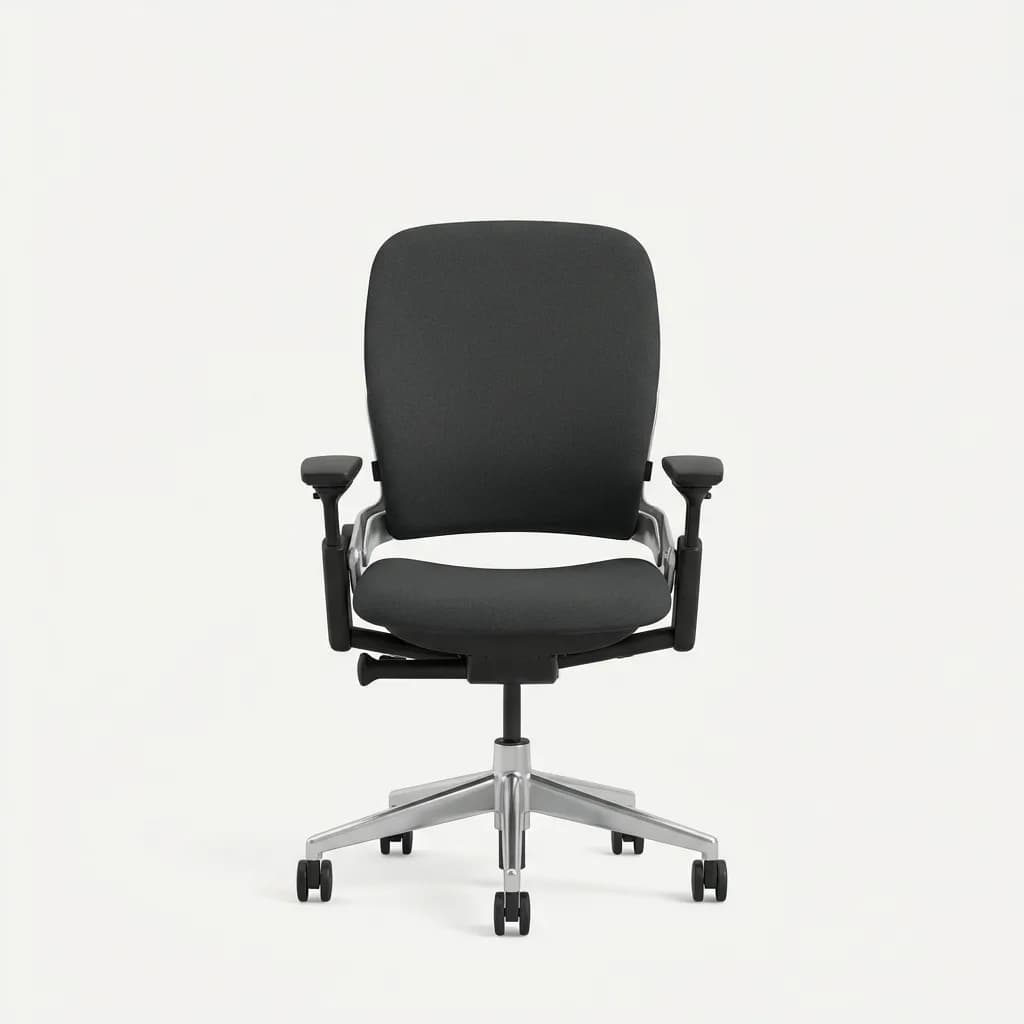
Steelcase Leap V2
See current price
LiveBack technology flexes with your spine through 27 degrees of recline. Natural Glide System keeps arms aligned with keyboard position. Rated for 24/7 use in demanding environments.
Best for Lower Back Pain: Steelcase Leap V2
The Leap's LiveBack technology changes shape as you recline, maintaining lumbar support through the entire range of motion. Most chairs lose lumbar contact when you lean back. The Leap doesn't. The backrest flexes independently at the top and bottom, so your upper and lower back get simultaneous support.
Lower back adjustments are more precise than the Aeron. Four-way lumbar support (up, down, forward, back) plus adjustable firmness means you can dial in exactly what your spine needs. If you have a herniated disc or chronic lower back issues, this level of customization matters.
Seat edge flexibility is underrated. The front of the seat curves downward slightly, reducing pressure on the backs of your thighs. Combine that with 5 inches of seat depth adjustment and you get proper circulation regardless of leg length.
The Leap costs $1,000-$1,300 new, sometimes less during sales. Used market pricing sits around $400-$600. Steelcase's warranty is also 12 years. The fabric upholstery is more traditional than mesh - better in cold environments, potentially warmer in summer.
Best for Neck and Upper Back: Herman Miller Embody
The Embody was designed with input from physicians and ergonomists specifically to reduce seated pressure and improve circulation. The backrest has a distinctive spine-like structure that moves with your back rather than restraining it. This reduces muscle tension in your upper back and shoulders.
Pixelated support surface distributes pressure across your entire back. Instead of a few contact points taking all the load, the weight spreads out. We noticed significantly less upper back fatigue during long sessions compared to traditional chairs.
The seat tilts forward slightly when you lean forward, maintaining the natural curve in your lower back. Most chairs force you into a C-curve when you reach toward your keyboard. The Embody fights that tendency. If your pain concentrates between your shoulder blades or at the base of your neck, this chair addresses the cause.
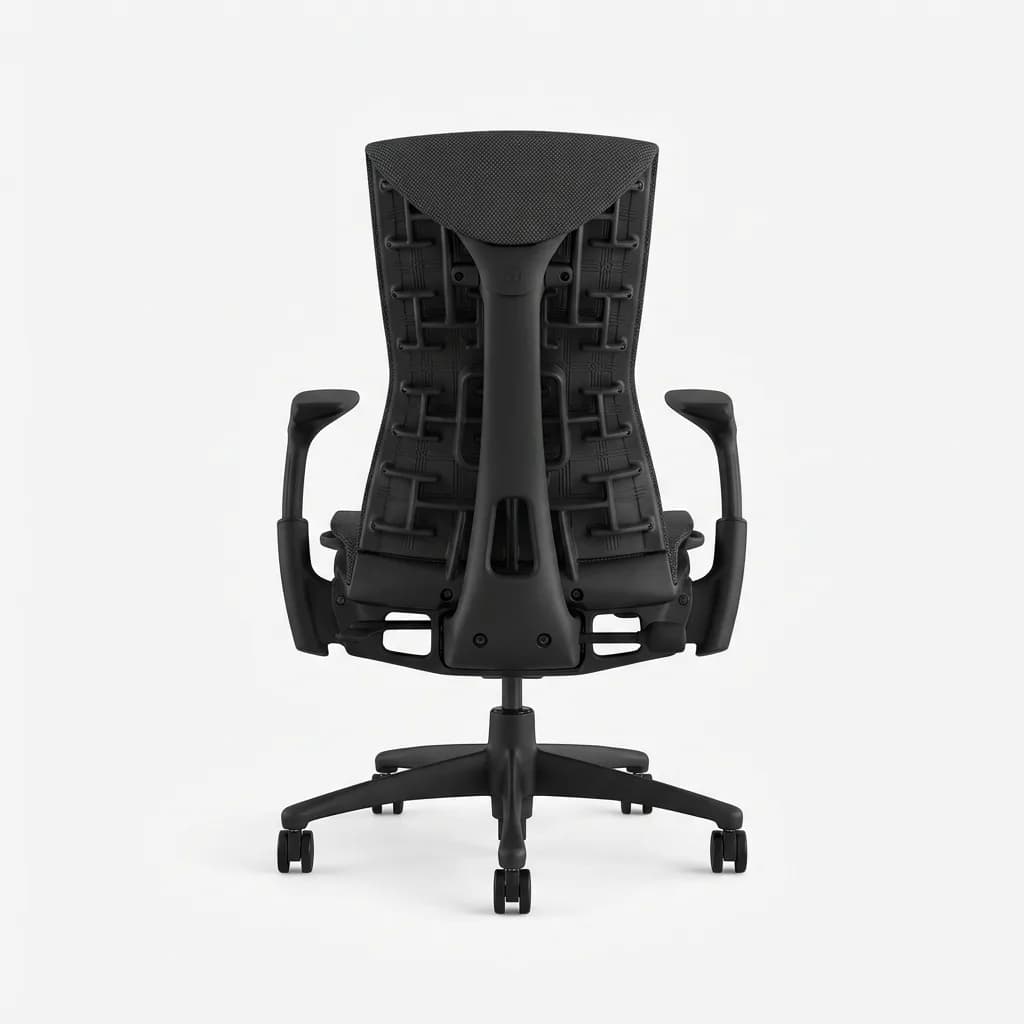
Herman Miller Embody Chair
See current price
Pixelated support layer distributes pressure across 180 contact points. Backfit adjustment matches the chair to your spine curve and shoulder width in seconds. Narrow backrest profile allows natural shoulder movement.
Price runs $1,600-$1,900 new. The Embody holds value well on the used market ($700-$900). It is the most expensive chair here, but if you have persistent upper back or neck pain that other chairs haven't solved, the specialized design justifies the cost.
Best Budget Option: Secretlab Titan Evo
The Titan Evo brings genuine adjustability and build quality under $600. Four-way lumbar support (magnetic, adjustable in all directions) is rare at this price point. The pebble seat base uses cold-cure foam that maintains support better than cheap polyurethane.
Secretlab came from gaming chairs but learned from those mistakes. The Titan Evo drops the ridiculous racing seat aesthetic for a cleaner design that actually functions. The magnetic lumbar support system lets you position the cushion exactly where you need it, then lock it in place with strong magnets.
Armrests are 4D adjustable. Recline goes to 165 degrees with four lockable positions. The leatherette upholstery (they call it NEO Hybrid) is easy to clean and holds up better than cheap mesh or fabric. In testing, it didn't crack or peel after six months of daily use.
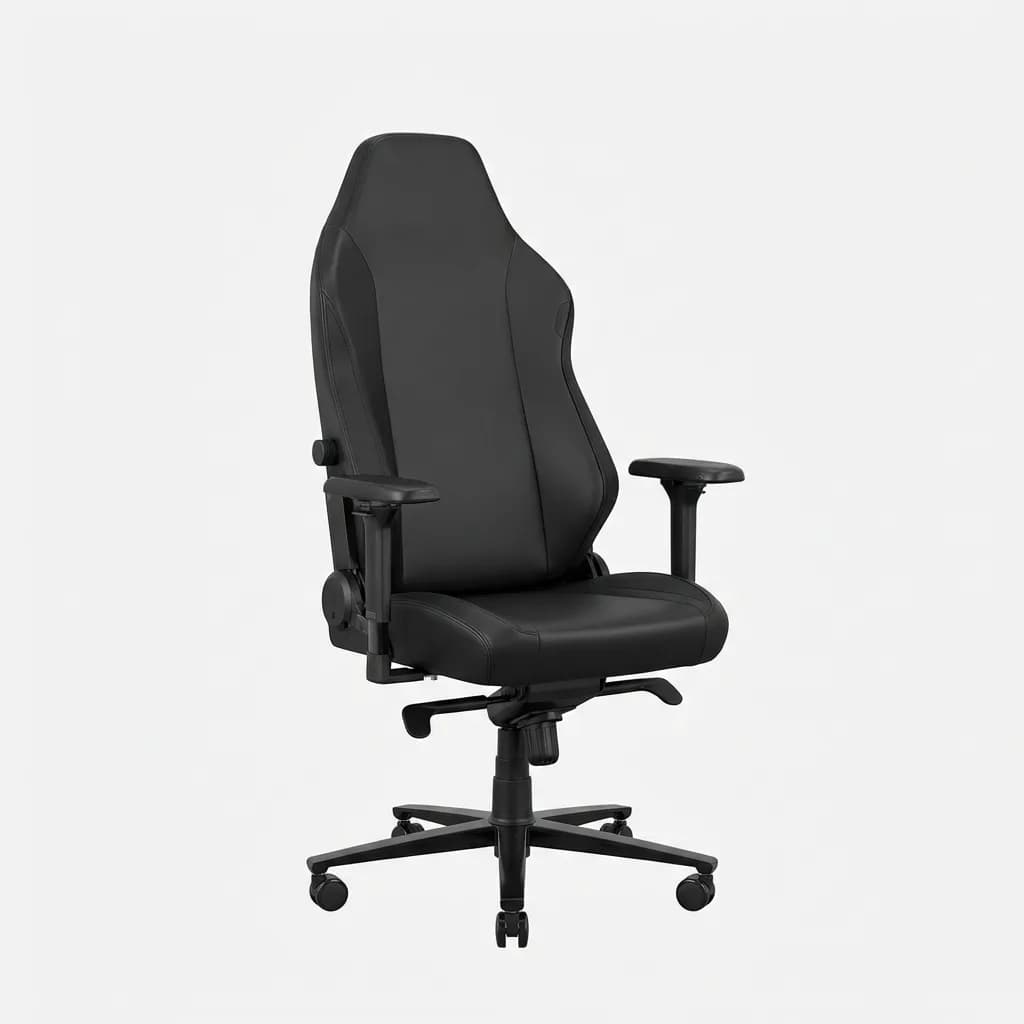
Secretlab Titan Evo 2022
$549
Magnetic 4-way lumbar support adjusts without tools. Cold-cure foam seat maintains shape under heavy use. 5-year warranty includes all mechanical parts and upholstery.
Compromises exist. The mesh option is not as breathable as Herman Miller's Pellicle. Adjustments are not quite as refined. The chair weighs 75 pounds - solid, but a pain to move. For $549, you are getting 80% of a $1,200 chair's functionality. If you are on a budget or want to test whether a good chair actually helps your back pain, start here.
Best Mesh Chair: Autonomous ErgoChair Pro
Full mesh construction (seat and back) beats every other chair for breathability. If you live somewhere hot or you sweat easily, this chair stays comfortable when others don't. The mesh is thicker than budget chairs - it has actual support, not just a fabric hammock stretched over a frame.
Adjustability hits all the key points: 3D lumbar support, seat depth adjustment, 4D armrests, tilt tension and lock. The recline goes to 130 degrees, which is enough for quick breaks without being excessive. The headrest is optional - skip it unless you are over 6 feet tall.
Build quality is good, not exceptional. Adjustments are a bit stiffer than premium chairs. The mesh will stretch slightly over time (2-3 years of heavy use). At $450, it undercuts the Titan Evo while offering better breathability and comparable adjustability.
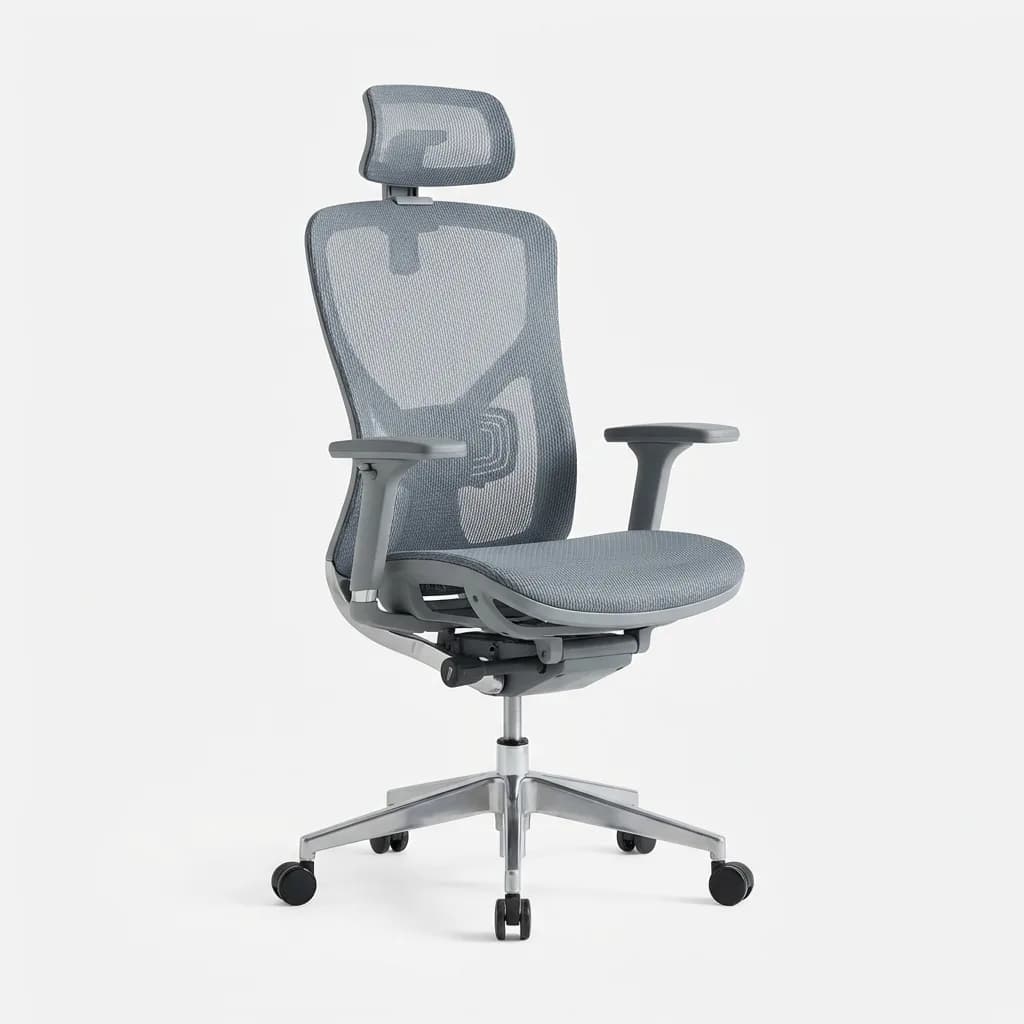
Autonomous ErgoChair Pro
$449
Full mesh seat and backrest with TPE material that stays cool. Adjustable seat depth accommodates heights from 5'4 in. to 6'5 in.. Weight capacity rated to 300 lbs with reinforced base.
The aesthetic is polarizing. The mesh and frame design looks modern if you are generous, a bit cheap if you are not. Function beats form here - this chair solves back pain and keeps you cool. That matters more than looking expensive.
What About Standing Desk Chairs?
Sit-stand stools and leaning chairs promise to fix back pain by changing your working position. We tested four models. They all caused different problems. Perching on a stool for hours tightens hip flexors and strains your lower back differently. You are trading one static position for another.
If you already have a standing desk, rotate between sitting, standing, and perching throughout the day. Use the stool for 30-45 minute intervals, not as your primary chair. A proper ergonomic chair with good adjustability and regular position changes beats any single "solution."
How to Set Up Your Chair Properly
Start with seat height. Your feet should sit flat on the floor with thighs parallel to the ground or angled slightly downward. If your thighs angle up, the seat is too low and you are putting excess pressure on your lower back.
Adjust seat depth next. You want 2-3 inches of space between the back of your knees and the seat edge. Slide the seat pan forward or backward until you can use the full backrest without pressure on your legs.
Set lumbar support to hit your lower back curve, usually around belt height. It should feel like gentle pressure pushing you slightly forward, not aggressive or uncomfortable. Start with lighter support and increase if needed - too much causes its own problems.
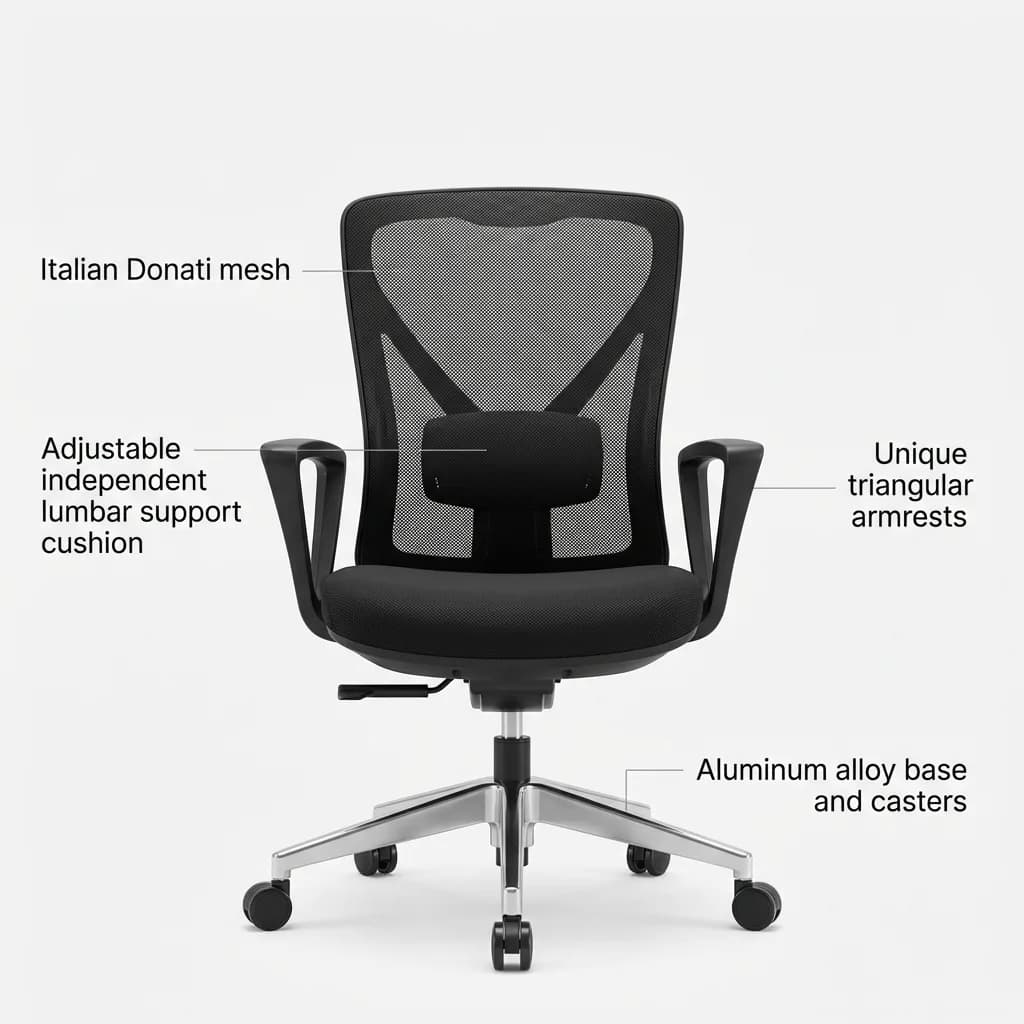
SIHOO M18 Ergonomic Office Chair
See current price
Italian Donati mesh stays taut without sagging. Independent lumbar support adjusts vertically and in depth. Triangle armrest design allows closer keyboard positioning than standard rectangular arms.
Armrests should let your shoulders relax while keeping your elbows at 90 degrees when typing. Most people set armrests too high, which forces shoulders up and creates neck tension. Lower than you think feels right.
Set recline tension so you can lean back with light pressure but the chair doesn't dump you backward. Lock the tilt when you need stability for focused work. Unlock it and lean back every 30-40 minutes to change your spinal load.
Common Mistakes to Avoid
Buying based on looks ruins more chair purchases than anything else. Racing-style gaming chairs with bucket seats actively fight good posture. They look aggressive and "supportive" but force you into a fixed position. Your spine needs to move, not be restrained.
Skipping the adjustment period causes people to return good chairs. Any new chair feels wrong for the first week. Your muscles are adapted to your old posture, even if that posture was causing pain. Give a new chair two weeks of proper use and adjustment before deciding it doesn't work.
Over-relying on lumbar support happens when people crank the adjustment all the way forward. The lumbar support should maintain your natural curve, not force you into an exaggerated arch. If you feel like the chair is pushing you forward aggressively, dial it back.
Ignoring your desk height creates problems no chair can fix. If your desk is too high, you shrug your shoulders to reach the keyboard. Too low and you hunch forward. Your chair and desk need to work together. Adjustable height desks solve this completely - if your desk is fixed, you are stuck adjusting your chair around it.
The Reality of Chair Shopping
Try before you buy when possible. Retailers like Design Within Reach and local office furniture stores stock Herman Miller and Steelcase. Sit for 15-20 minutes, not 30 seconds. Adjust everything. Some chairs feel wrong initially but click after proper setup.
The used market saves significant money without sacrificing quality. Herman Miller Aerons from 2005 still work perfectly. Check local office liquidators, Facebook Marketplace, and Craigslist. Look for chairs from closed offices, not worn-out home use chairs. Bring a tape measure to check seat depth and width against your body.
Return policies matter for online purchases. Secretlab and Autonomous both offer 30+ day trials. Some retailers charge restocking fees (15-25%). Amazon purchases through third-party sellers have complicated return policies - verify before buying. The used market has no returns, so test thoroughly before handing over cash.
Warranty coverage varies wildly. Herman Miller and Steelcase cover everything for 12 years. Secretlab does 5 years. Budget brands often do 2 years with exclusions for normal wear. Extended warranties from retailers rarely cover what actually breaks (gas cylinders, armrest mechanisms).
Is an Expensive Chair Worth It?
If you work from home or spend 6+ hours daily in your chair, yes. The math is straightforward. A $1,500 Herman Miller used 8 hours daily for 15 years costs $0.27 per day. A $200 chair that collapses after 3 years costs $0.18 per day but leaves you with back pain and a pile of garbage. The premium chair wins on cost and function.
For hybrid workers in the office 2-3 days weekly, the budget-to-mid-range chairs make more sense. The Titan Evo or ErgoChair Pro deliver most of the benefits at a third of the price. You are not logging enough hours to justify the absolute best, and you don't need 15-year durability.
The real question is whether a chair fixes your back pain. It helps significantly if your pain comes from poor posture, lack of support, or extended static positions. It won't fix herniated discs, arthritis, or structural spine issues. Those need medical intervention. A good chair prevents the pain from getting worse and removes the daily aggravation factor.
Wrap-Up
The Herman Miller Aeron remains the default recommendation for serious back pain relief. It costs more, lasts longer, and actually delivers on ergonomic promises. The Steelcase Leap V2 offers more precise lumbar adjustment if lower back pain is your specific issue.
For budget shoppers, the Secretlab Titan Evo and Autonomous ErgoChair Pro prove you don't need to spend $1,500 to get real support. Both deliver adjustability and build quality that match chairs twice their price.
Whatever you buy, set it up properly and give it two weeks before deciding. Most chairs can help your back if you use them correctly. The wrong chair, no matter how expensive, won't fix bad desk ergonomics or eight hours of not moving.
The Weekly Dispatch
Enjoying this article?
Subscribe and get our best gear picks delivered every Sunday morning.
Related Stories
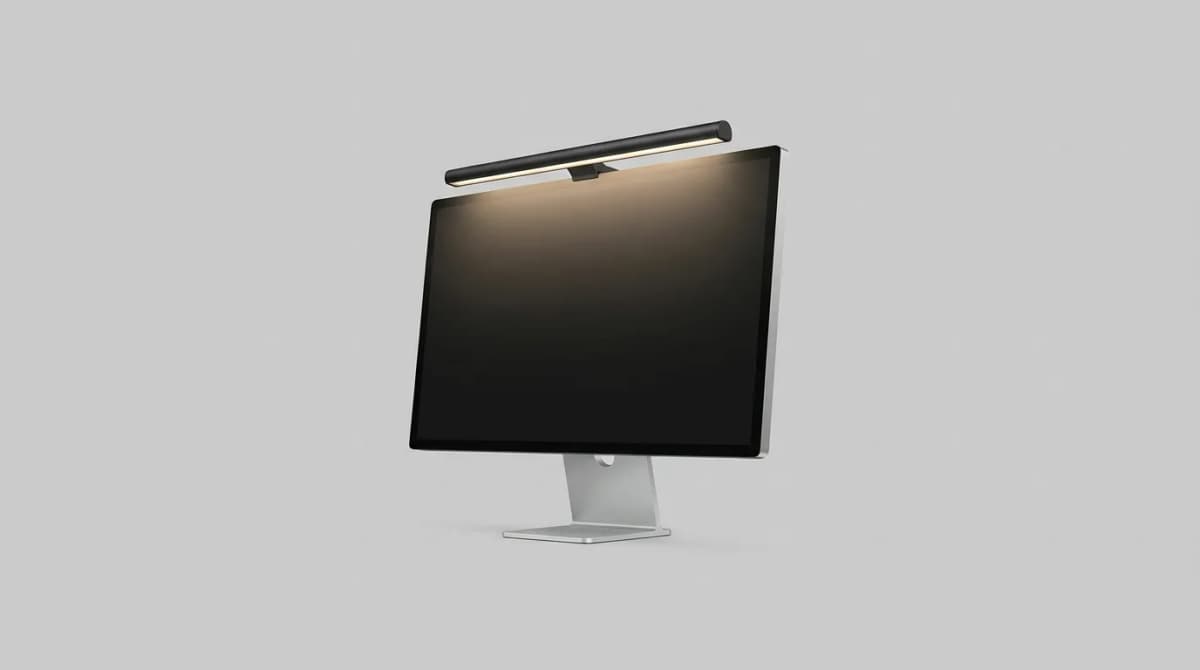
Best Monitor Light Bars for Desk Setup 2026
Monitor light bars eliminate desk clutter and reduce eye strain better than traditional lamps. We compare brightness, color temperature, and mounting systems.
Best Under Desk Treadmill for Standing Desk 2026
Walking while working isn't a gimmick anymore. We tested the top under-desk treadmills that actually fit your standing desk, stay quiet, and survive daily use.
Minimal Desk Setup for Small Apartments: Less Space, More Focus
Build a productive workspace in 20 square feet. We break down essential gear, cable management tricks, and ergonomic basics that actually work in tight quarters.