How to Pack a One Bag Tech Kit
Stop overpacking cables and chargers. This guide shows you how to build a minimal tech kit that covers every scenario without weighing down your bag.
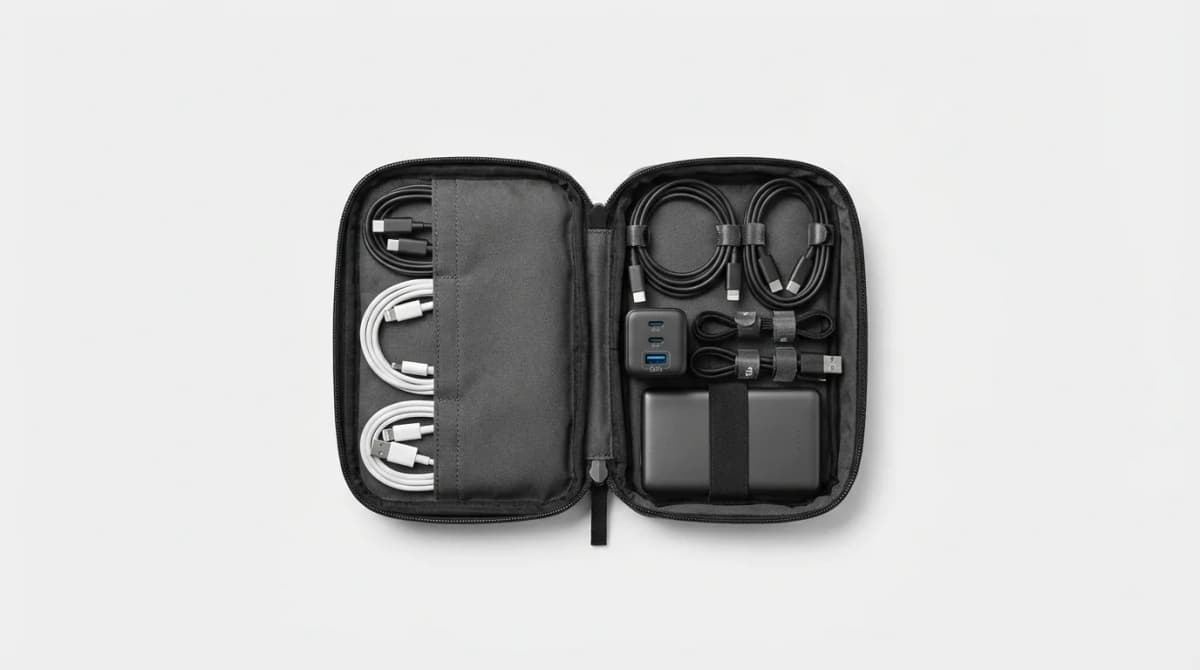
Your phone dies during a layover. You need to charge three devices but only have one outlet. Your laptop cable is at the bottom of your bag, tangled with headphones and a mouse cord you haven't used in months.
The problem isn't that you packed too little tech. It's that you packed too much of the wrong stuff.
A proper one-bag tech kit is about redundancy where it matters and ruthless elimination everywhere else. The goal is simple: handle every realistic scenario without carrying duplicates, adapters you'll never use, or cables "just in case."
Start with a single multi-port GaN charger
Forget packing separate chargers for your phone, laptop, and tablet. One multi-port GaN charger replaces all of them.
GaN (gallium nitride) technology shrinks charger size by 40-50% compared to traditional silicon chargers while delivering the same wattage. A 100W GaN charger is smaller than the brick that came with your laptop but can power your laptop, phone, and earbuds simultaneously.
Look for at least three ports: two USB-C and one USB-A. The USB-A port handles older devices and accessories. Total wattage matters - 65W is the minimum if you're carrying a laptop that charges via USB-C, but 100W gives you headroom for fast-charging multiple devices at once.
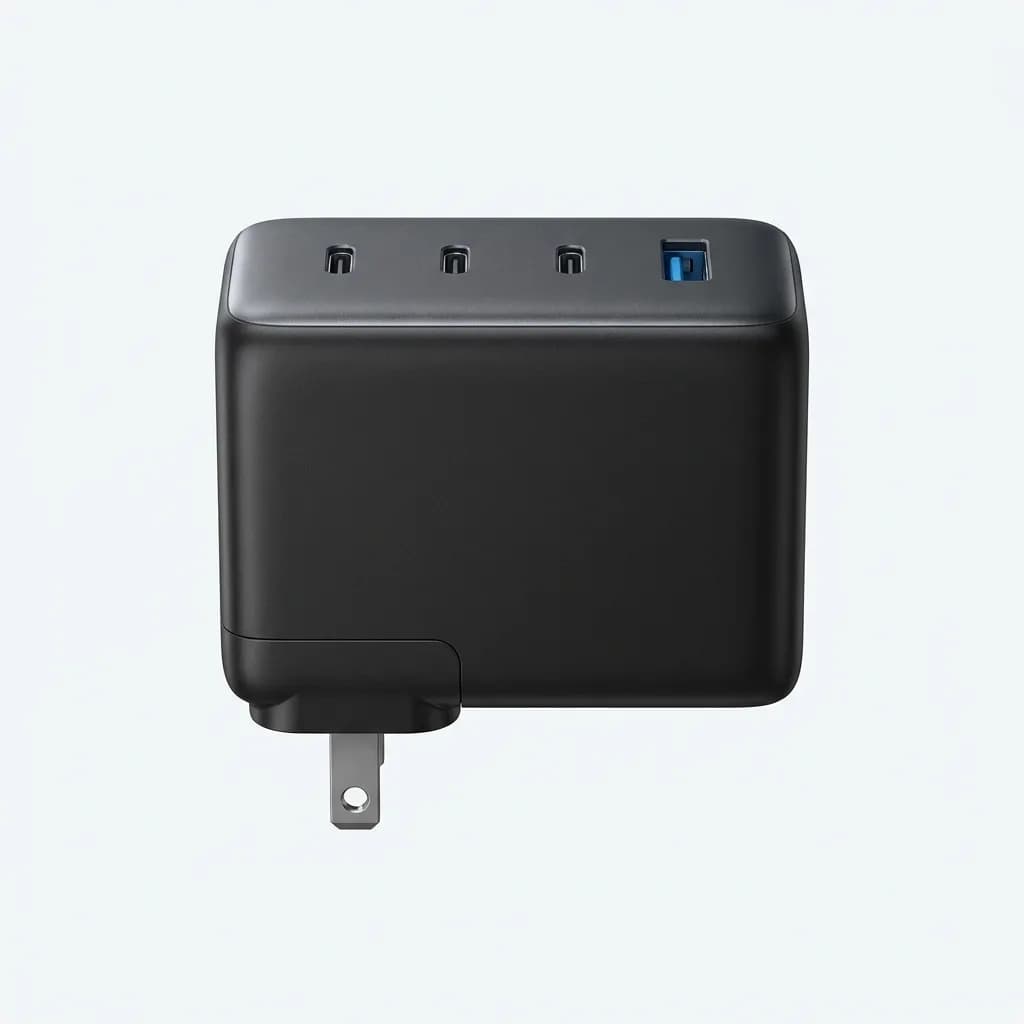
Anker 747 GaN Prime 150W Charger
$110
Four ports (three USB-C, one USB-A), 150W total output, compact foldable design. Powers a 16-inch MacBook Pro at full speed while charging two other devices.
The Anker 747 is overkill for most people, but if you're carrying a high-wattage laptop plus multiple devices, it's the only charger you need. The foldable prongs are a small detail that makes a big difference in a packed tech pouch.
For lighter setups, a 65W three-port charger covers a laptop, phone, and one extra device. Anything less than 65W and you'll be waiting hours for your laptop to charge.
Carry only the cables you actually use
Every cable in your kit should serve a specific, non-redundant purpose. Start by listing your devices. Then eliminate.
If you carry a phone, earbuds, and a laptop that all charge via USB-C, you need two USB-C to USB-C cables. Not three. Not four. Two. One charges your laptop. One charges everything else while the laptop cable is in use.
Keep one cable short (3 feet) for charging from a portable battery in your pocket. Keep one longer (6 feet) for reaching awkward airport outlets or hotel desk setups.
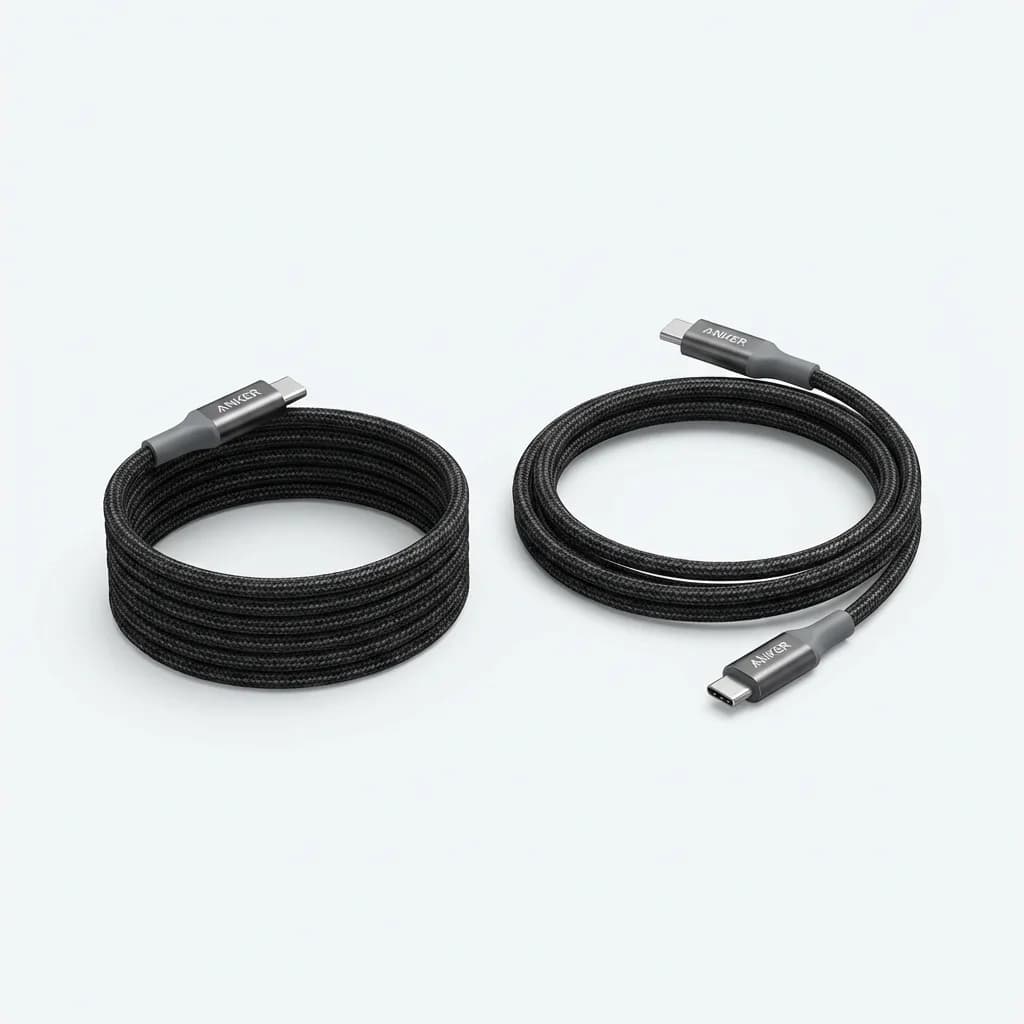
Anker 765 USB-C to USB-C Cable (2-Pack)
$18
6-foot length, 140W power delivery support, reinforced strain relief. Handles laptop charging and data transfer at USB 3.2 speeds.
If you still carry a device with Lightning (older iPhones, AirPods), bring one USB-C to Lightning cable. If you have a camera, Kindle, or other micro-USB device, bring one USB-C to micro-USB cable. But don't pack multiples "just in case." If a cable fails mid-trip, you can buy a replacement anywhere.
The same rule applies to specialty cables. Bring your camera's USB cable only if you plan to transfer photos during the trip. Otherwise, pull the SD card and use a reader when you get home.
Add one portable battery for flexibility
A portable battery is your insurance against long travel days and limited outlet access. It's not about capacity - it's about having one charge available when you need it.
For one-bag travel, 10,000mAh is the sweet spot. That's enough to fully charge a phone 2-3 times or top up a laptop once. Anything larger adds weight and bulk without much practical benefit unless you're going off-grid for days.
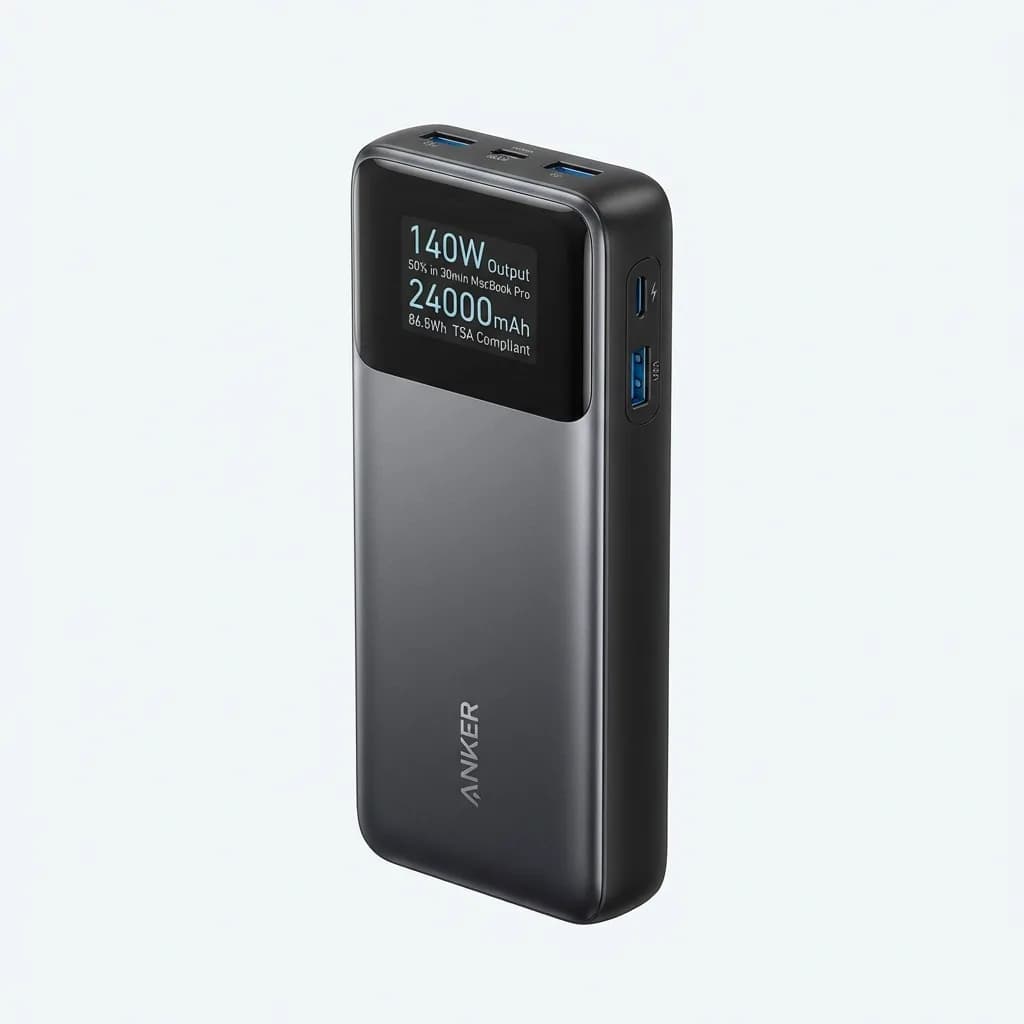
Anker 737 Power Bank (24,000mAh)
$150
140W output, charges MacBook Pro to 50% in 30 minutes, built-in display shows wattage and time remaining. TSA-compliant at 86.8Wh.
The Anker 737 is the maximum capacity allowed on most airlines (under 100Wh) and can charge a laptop multiple times. It's heavy at 1.4 pounds, but if your laptop battery is marginal or you work on long flights, it's worth the weight.
For lighter setups, the Anker Nano Power Bank (10,000mAh, built-in USB-C cable) weighs 7 ounces and fits in a jacket pocket. It won't charge your laptop, but it handles phones and tablets with no extra cables.
Use a tech organizer pouch to keep everything accessible
Loose cables at the bottom of your bag turn into a tangled mess. A dedicated tech pouch keeps everything organized and lets you pull out your entire kit at security without digging.
The best tech organizers have elastic loops for cables, a padded pocket for your charger, and mesh pockets for small items like SD cards and adapters. Size matters - too large and it wastes space, too small and you're forcing everything in.
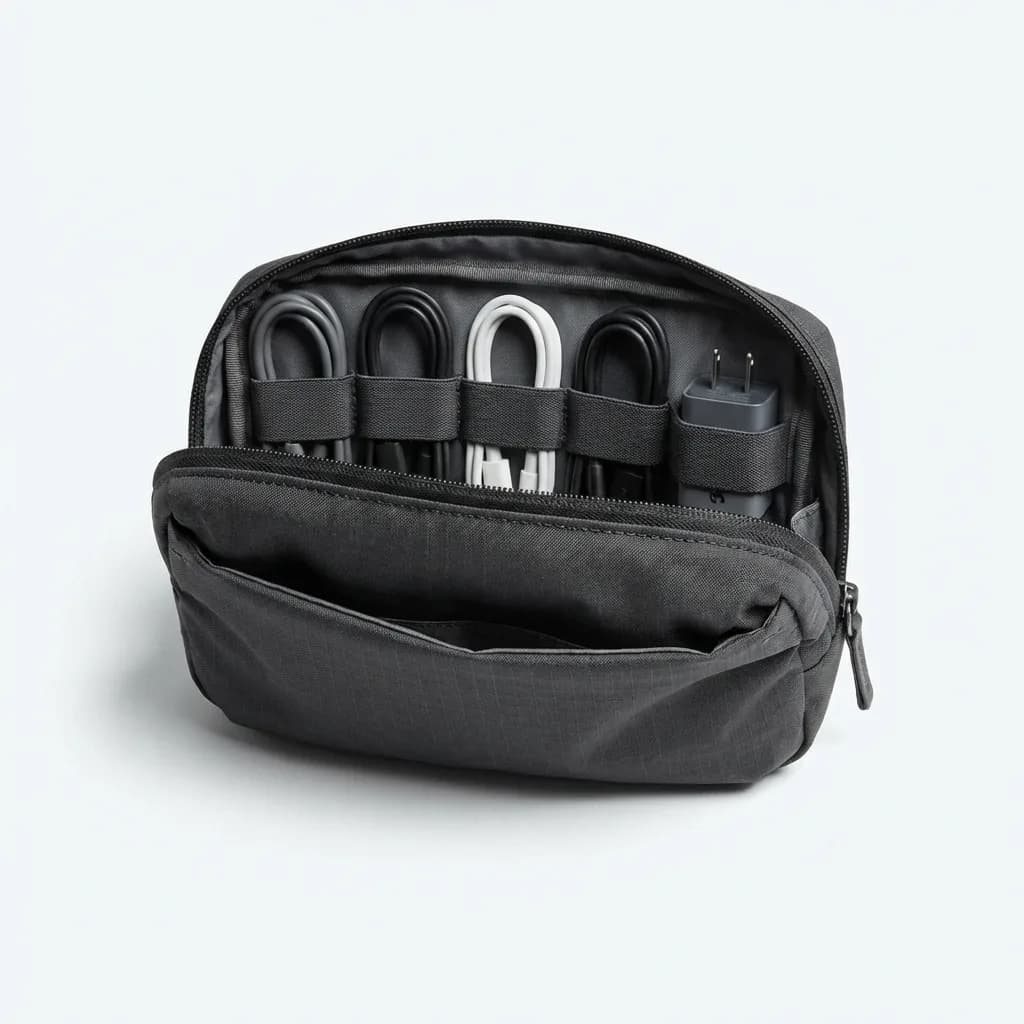
Bellroy Tech Kit Compact
$59
Recycled ripstop fabric, elastic cable loops, quick-access front pocket, compact 7.5 x 5 x 2 inch footprint. Fits a GaN charger and 5-6 cables comfortably.
The Bellroy Tech Kit is compact enough for a 20L travel bag but expands slightly when packed full. The fabric is water-resistant, which matters if you set it on a wet airport bathroom counter.
For ultra-minimal setups, the Muji nylon mesh cases work well and cost under $10. They don't have organizational features, but for two cables and a charger, you don't need them.
Plan for one point of failure redundancy
Redundancy doesn't mean packing duplicates of everything. It means identifying critical single points of failure and mitigating them.
Your charger is the most critical piece. If it fails, you can't charge anything. The solution isn't packing a backup charger - it's ensuring your portable battery can charge your laptop via USB-C. Most modern laptops support USB-C charging, so your battery becomes your backup charger.
Your laptop cable is the second point of failure. If you only have one USB-C cable and it breaks, you're stuck. That's why you carry two USB-C cables minimum. Not because you need both at the same time, but because one is your backup.
For international travel, bring one compact adapter that covers multiple plug types. The Epicka Universal Adapter fits 150+ countries, includes four USB ports, and weighs 4.4 ounces. Don't pack separate adapters for each region.
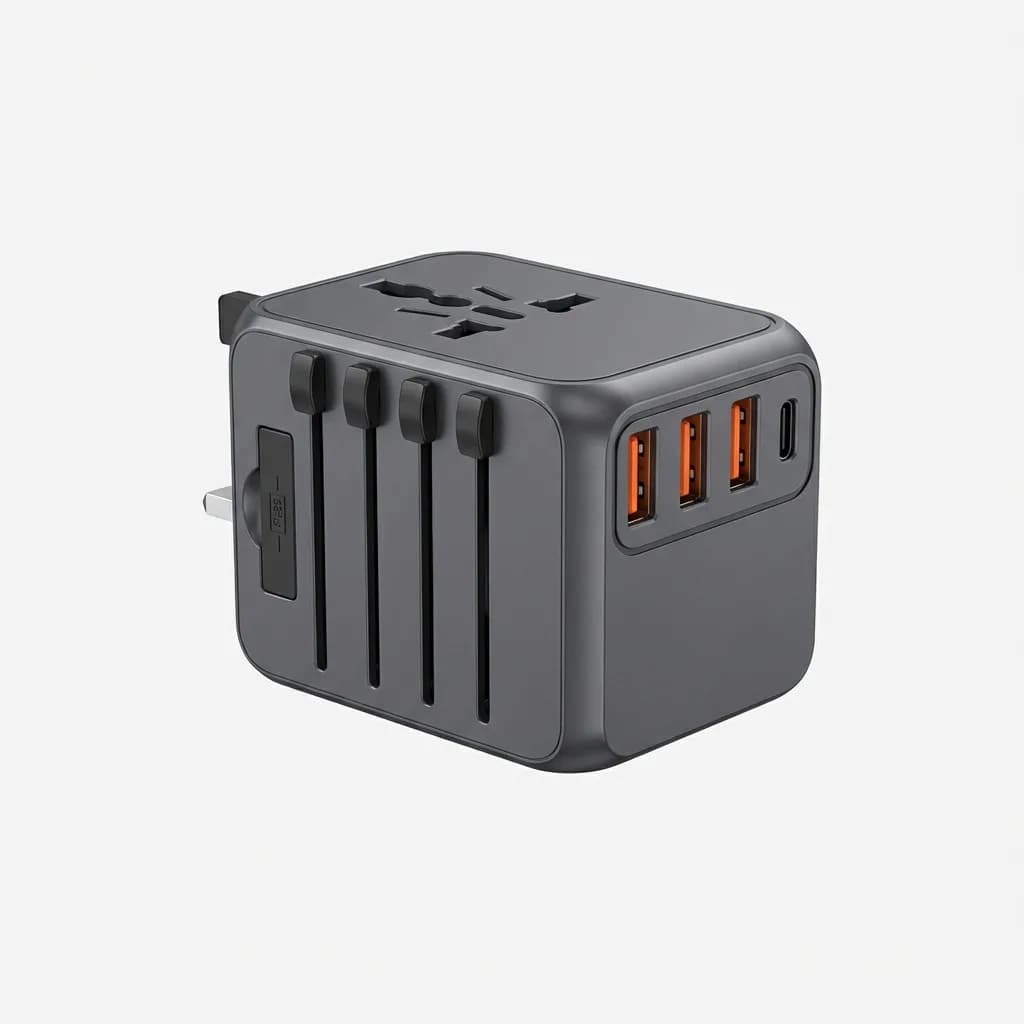
Epicka Universal Travel Adapter
$30
Covers 150+ countries, four USB-A ports, one USB-C port, built-in fuse protection. Compact slider design for UK, EU, AU, and US plugs.
If you're only traveling within North America or Europe, skip the universal adapter entirely. Your GaN charger already has the right plug or uses a simple removable plug adapter.
How to handle specialty devices
Cameras, e-readers, smartwatches, and other specialty devices complicate your kit. The rule is simple: if it charges via USB-C or USB-A, it fits into your existing cable set. If it needs a proprietary charger or cable, evaluate whether you need it on the trip.
Smartwatches with wireless charging (Apple Watch, Galaxy Watch) require their own charging puck. These are small and light, but they take up a cable slot. If your watch lasts 2-3 days per charge, consider leaving the charger at home for trips under a week.
Cameras are trickier. Most mirrorless cameras charge via USB-C now, but older DSLRs require proprietary chargers. If your camera doesn't charge via USB, bring the charger only if you're shooting daily. Otherwise, charge the battery fully before you leave and bring a spare battery.
Kindles and e-readers charge so slowly via USB that they barely matter. Charge it before you leave and it'll last the entire trip.
What about data transfer cables?
Most people don't need high-speed data cables while traveling. You're not editing 4K video on a laptop in an airport lounge.
Standard USB-C cables handle charging and basic file transfers fine. If you need fast data transfer for photography or video work, bring one USB 3.2 Gen 2 cable (10Gbps speeds) and use it for data only. Keep your slower cables for charging.
The main reason to carry a high-quality USB-C cable is power delivery support, not data speed. A cheap cable might max out at 60W, which won't fast-charge your laptop. The Anker 765 cables handle 140W and USB 3.2 data speeds, so they cover both use cases.
Weight control: what actually matters
Every item in your tech kit has a weight cost. A full kit - charger, cables, battery, organizer, adapter - weighs 1.5 to 2.5 pounds depending on your choices.
For reference:
- GaN charger (65-100W): 6-10 ounces
- Portable battery (10,000mAh): 7-12 ounces
- Tech organizer pouch: 2-4 ounces
- Cables (4-6 cables): 3-6 ounces
- Universal adapter: 4-5 ounces
The biggest weight savings come from eliminating your laptop and using a tablet instead, but that's not realistic for most people. The second-biggest savings come from choosing a smaller portable battery or skipping it entirely if you'll have regular outlet access.
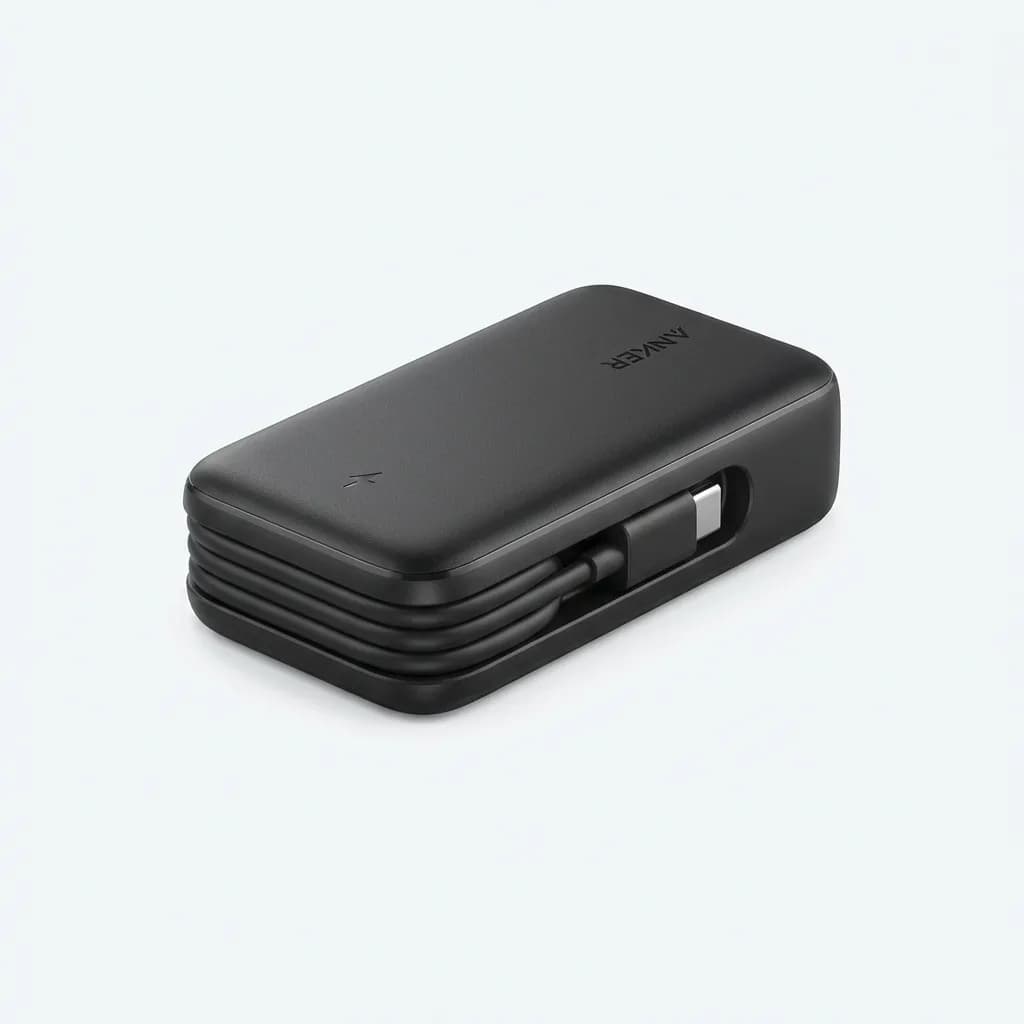
Anker Nano Power Bank (10,000mAh)
$40
Built-in USB-C cable, 30W output, compact 4.4 x 2.5 x 1 inch size. Weighs just 7.05 ounces and fits in a pocket.
The built-in cable on the Anker Nano eliminates the need to carry a separate short charging cable, saving both weight and space. For phone-only charging on the go, it's hard to beat.
Final kit configurations for different travelers
Here's what we recommend based on your device load:
Minimal setup (phone, earbuds, watch): 65W dual-port GaN charger, two USB-C cables, 10,000mAh battery with built-in cable, small pouch. Total weight: 14-16 ounces.
Standard setup (laptop, phone, earbuds, tablet): 100W three-port GaN charger, two 6-foot USB-C cables, one 3-foot USB-C cable, 10,000mAh battery, tech organizer pouch, universal adapter. Total weight: 24-28 ounces.
Heavy setup (laptop, camera, multiple devices): 150W four-port GaN charger, three USB-C cables, one micro-USB cable, 24,000mAh battery, medium tech organizer, universal adapter, camera charger. Total weight: 40-44 ounces.
The difference between a minimal and heavy setup is almost two pounds. That matters if you're one-bagging with a 20L pack.
Start with the minimal configuration and add only what you know you'll use. Don't pack for hypothetical scenarios. If you've never needed to charge four devices at once, don't bring a four-port charger.
Your tech kit should disappear into your bag and just work when you need it. That happens when every item earns its weight and nothing is there "just in case."
The Weekly Dispatch
Enjoying this article?
Subscribe and get our best gear picks delivered every Sunday morning.
Related Stories
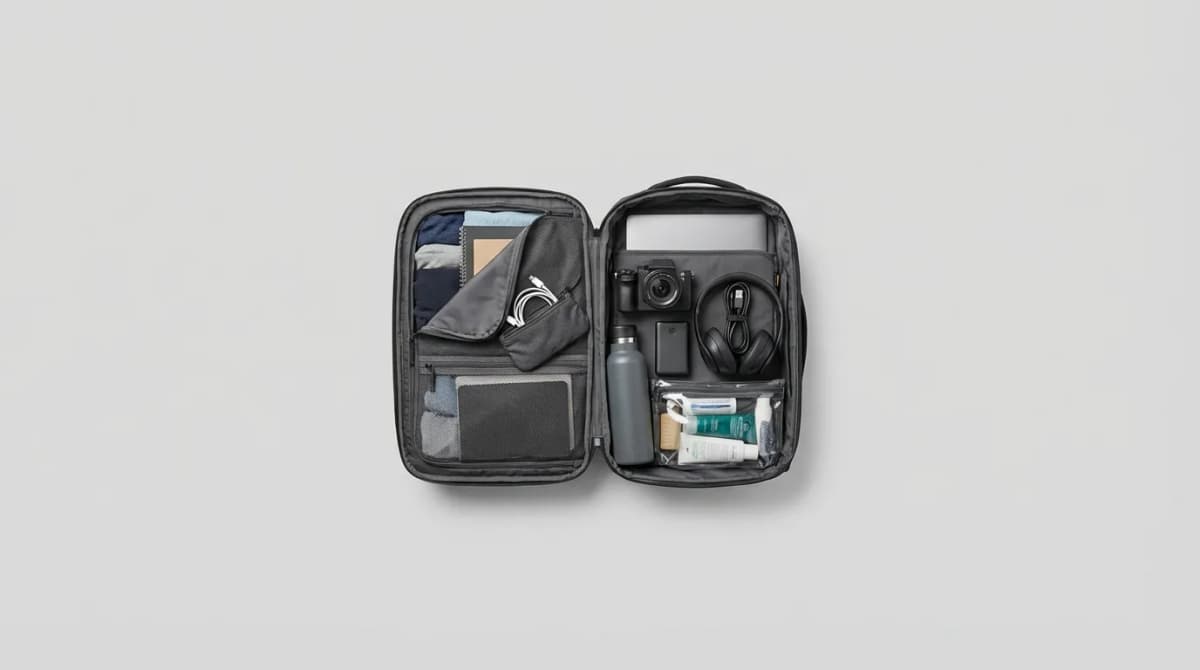
Carry On Only: Digital Nomad Packing Essentials
Everything you need to work remotely from anywhere, organized into a single carry-on. Tested weight strategies, capsule wardrobe basics, and tech that earns its space.
Laptop vs Tablet: Finding the Right Travel Computer
Choosing between a laptop and tablet for travel depends on what you do, not just what fits in your bag. Here's how to match your device to your actual workflow.

Carry On Packing List for Cold Weather Trips
Master cold weather travel with a carry-on. This list focuses on layering strategies, compact warmth, and versatile pieces that handle freezing temps.