Ergonomic Office Gear for a Healthy Workspace
Transform your workspace with ergonomic gear that prevents pain and boosts productivity. From chairs to keyboards, here's what actually works.
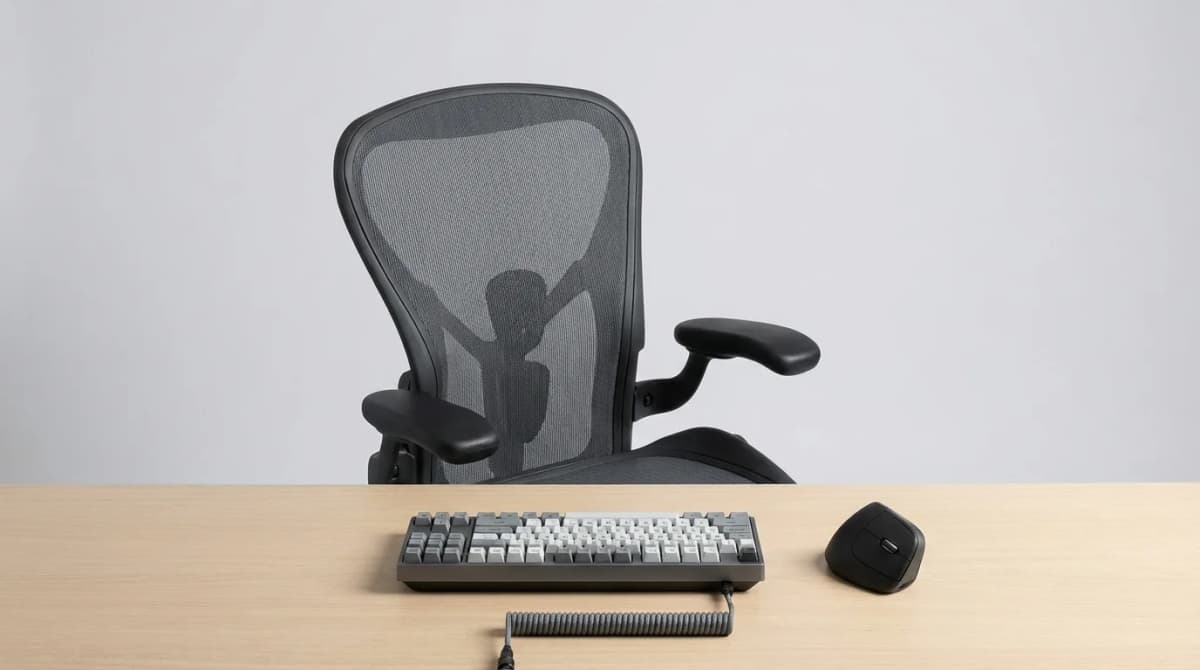
Your wrists ache after typing for an hour. Your neck is stiff by lunchtime. Your lower back screams by 3 PM. Sound familiar? These aren't just annoyances - they're warning signs that your workspace is working against you. The good news: a few targeted upgrades can eliminate most desk-related pain without breaking the bank or overhauling your entire office.
We've tested dozens of ergonomic products, and the difference between marketing hype and real relief is huge. Some "ergonomic" gear is just regular equipment with a premium price tag. Others genuinely change how your body feels at the end of a workday. Here's what actually matters.
The Chair Question: What Makes a Good Ergonomic Chair?
You'll see office chairs ranging from $150 to $1,500, all claiming to be ergonomic. The price gap isn't just branding. A proper ergonomic chair needs adjustable lumbar support (not just a pillow strapped to the backrest), seat depth adjustment (critical if you're short or tall), and armrests that move in multiple directions.
The Herman Miller Aeron gets the headlines, but it's not the only option. What matters more than brand is fit. A chair that's perfect for someone 6'2" will wreck the posture of someone 5'4". Sit depth is the most overlooked spec. Your thighs should rest on the seat with 2-3 inches of clearance behind your knees. Too much seat and you'll slouch forward. Too little and you'll perch on the edge, negating all the lumbar support.
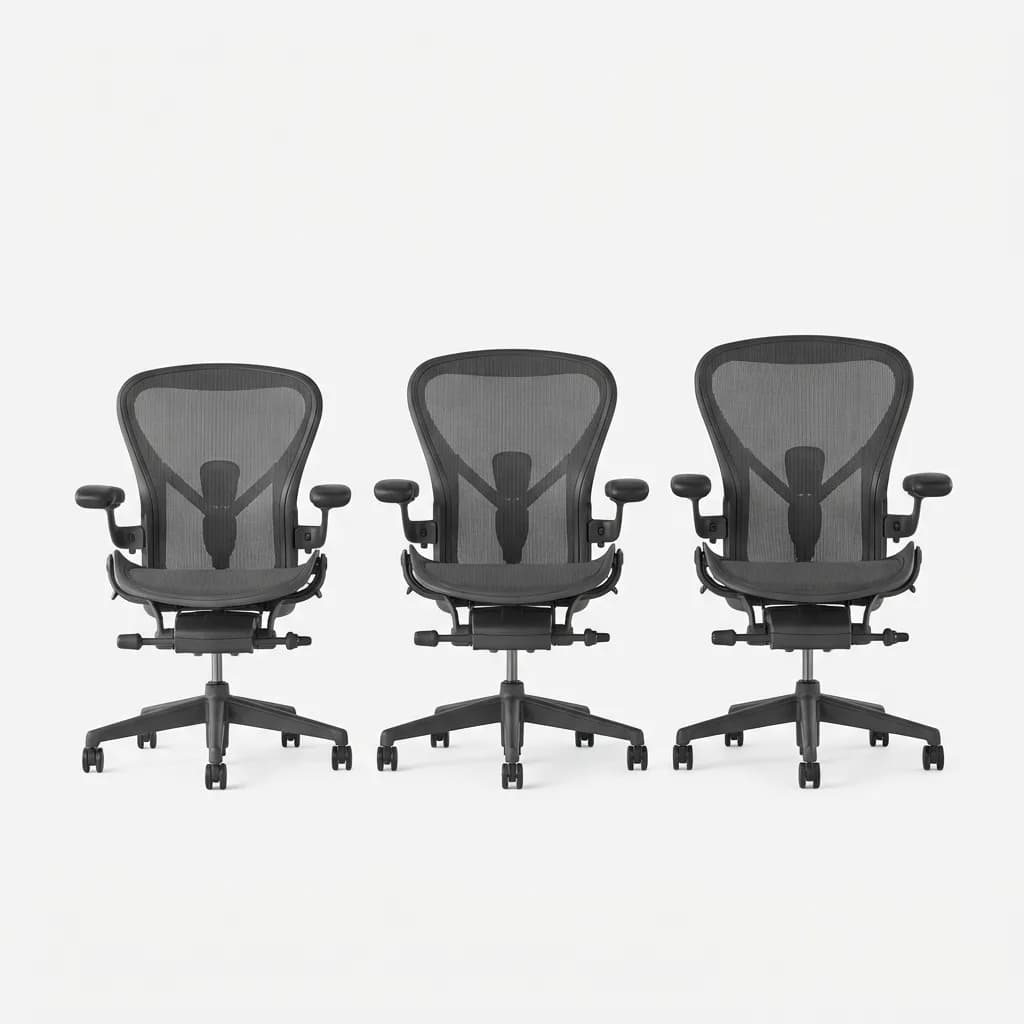
Herman Miller Aeron Chair
See current price
Highly adjustable mesh office chair with PostureFit lumbar support, adjustable arms, and tilt tension. Available in three sizes (A, B, C) for different body types.
Testing chairs is personal. If you can't try before buying, look for retailers with generous return policies. We found that most people notice whether a chair works within three days of full-time use.
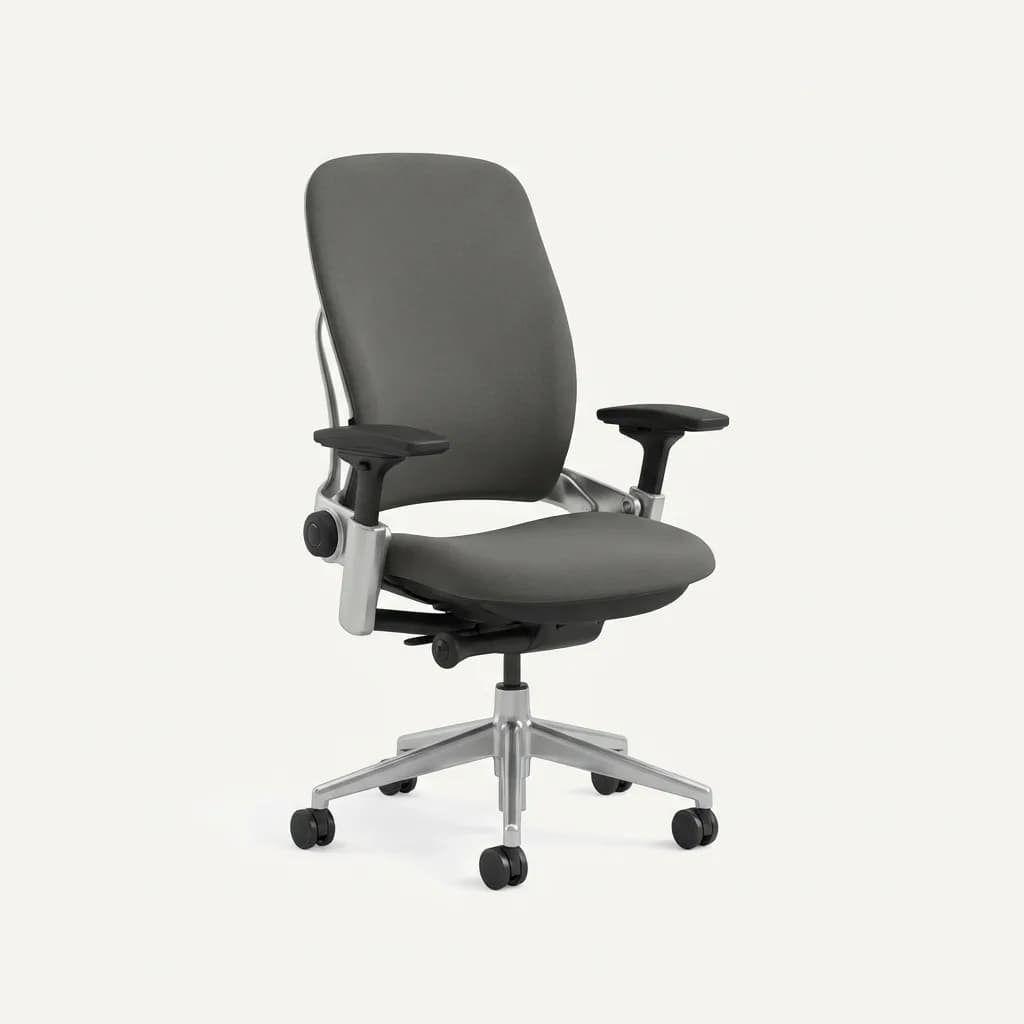
Steelcase Leap V2
See current price
Office chair with LiveBack technology that adjusts to your spine, four-way adjustable arms, and seat depth adjustment. Strong alternative to the Aeron with plusher cushioning.
Budget constraint? The Ikea Markus offers surprising value at around $200. It lacks fine adjustments but hits the basics - decent lumbar curve, appropriate height range, and a headrest. Not everyone needs the Aeron's 12-year warranty.
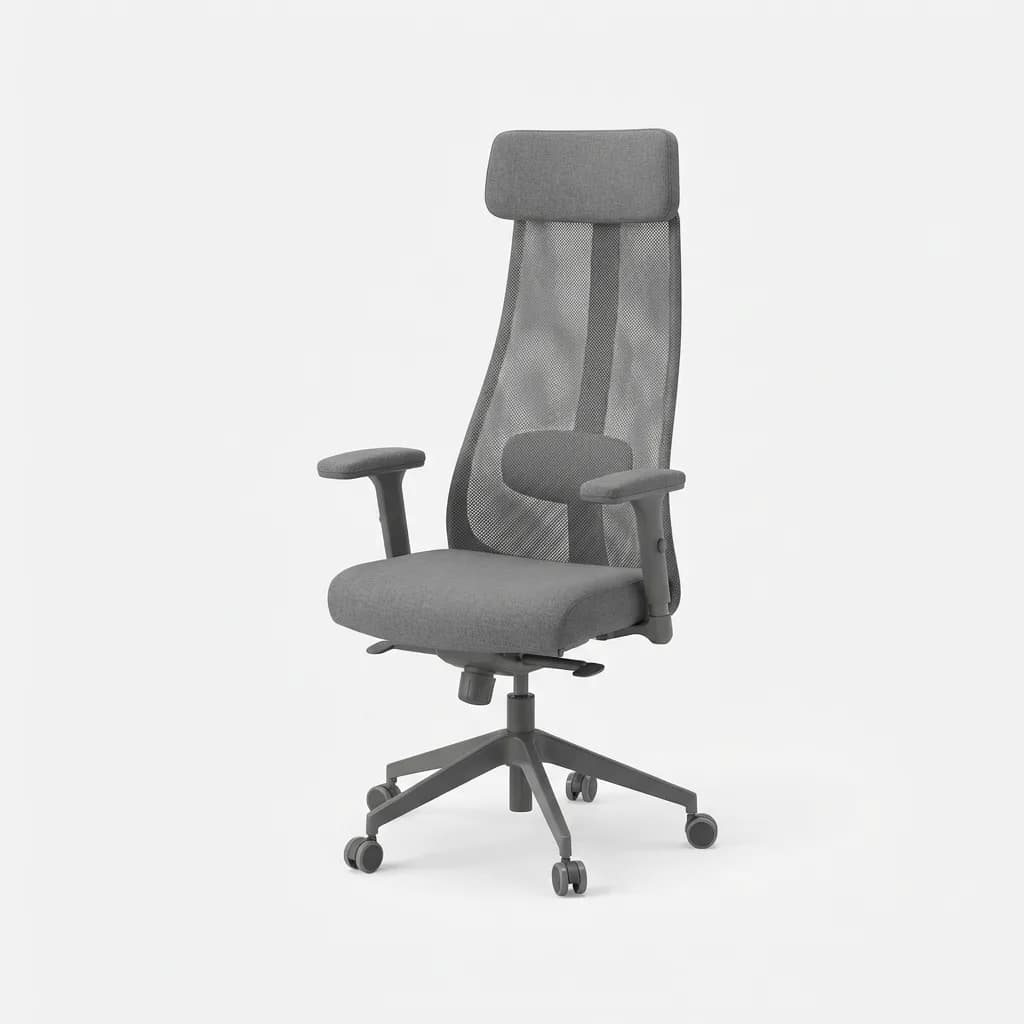
Ikea Markus Office Chair
$229
Budget-friendly ergonomic chair with built-in lumbar support, adjustable height, and optional headrest. Solid build quality for the price, though fewer adjustments than premium options.
Split Keyboards: Do They Actually Help?
Typing on a traditional keyboard forces your wrists into ulnar deviation - angling inward toward your pinky. Do that eight hours a day and you're grinding the tendons in your wrist tunnel. Split keyboards let your hands rest at shoulder width with neutral wrist alignment.
The learning curve is real. Expect your typing speed to drop 30-40% for the first week. By week three, most people return to their normal speed. By week six, many type faster because the layout reduces finger travel distance.
The Microsoft Sculpt Ergonomic Keyboard is the entry point. It's affordable, has a gentle learning curve (the split isn't extreme), and includes a separate number pad you can position anywhere. The downside? Membrane switches feel mushy compared to mechanical keyboards. But for $60, it's a low-risk way to test whether split layouts work for you.
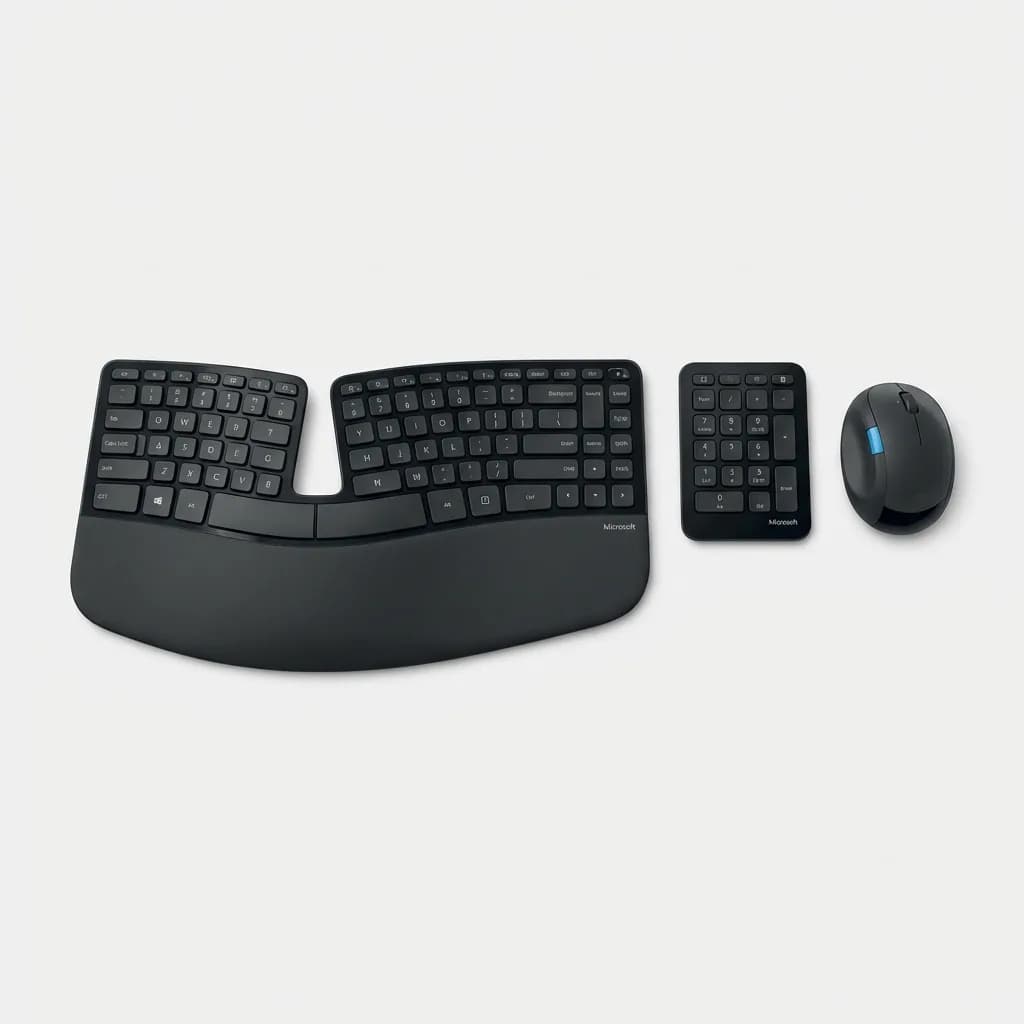
Microsoft Sculpt Ergonomic Desktop
$135
Split ergonomic keyboard with cushioned palm rest, separate numeric keypad, and included ergonomic mouse. Gentle 14-degree curve makes transition easier for split keyboard beginners.
For mechanical keyboard enthusiasts, the ZSA Moonlander takes customization to another level. Fully split (the halves are separate), ortholinear layout option, tenting adjustment up to 45 degrees. It's expensive at $365 and the ortholinear layout (keys in straight columns, not staggered rows) adds weeks to the learning curve. This is for people who type six-plus hours daily and want maximum wrist relief.
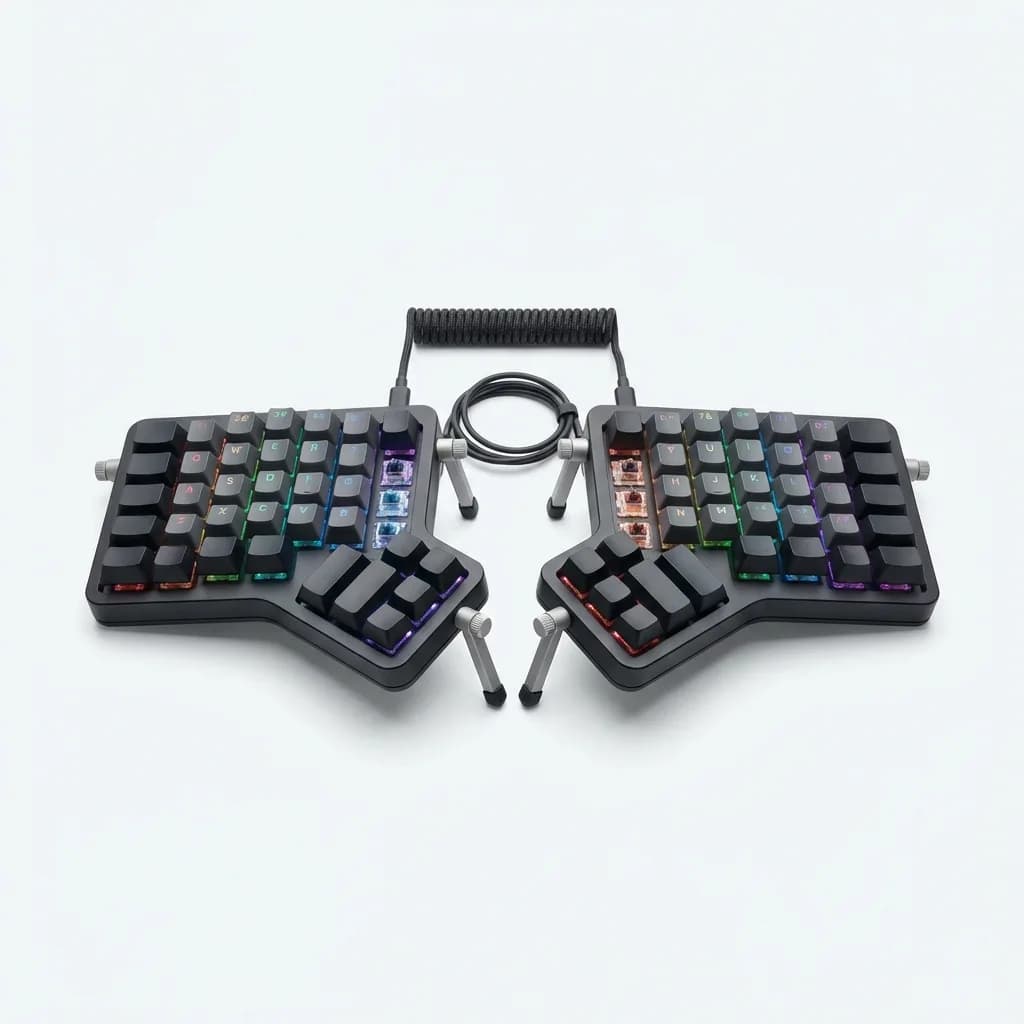
ZSA Moonlander Mark I
$365
Fully split mechanical keyboard with adjustable tenting, hot-swap switches, and RGB backlighting. Highly customizable through open-source firmware. Steep learning curve but maximum ergonomic benefit.
The middle ground? Kinesis Freestyle Pro. Split but retains traditional staggered layout. Mechanical switches (Cherry MX Browns standard). Compatible with optional tenting kit. Around $175. We've been using one for two years and still recommend it for developers and writers making the jump from traditional boards.
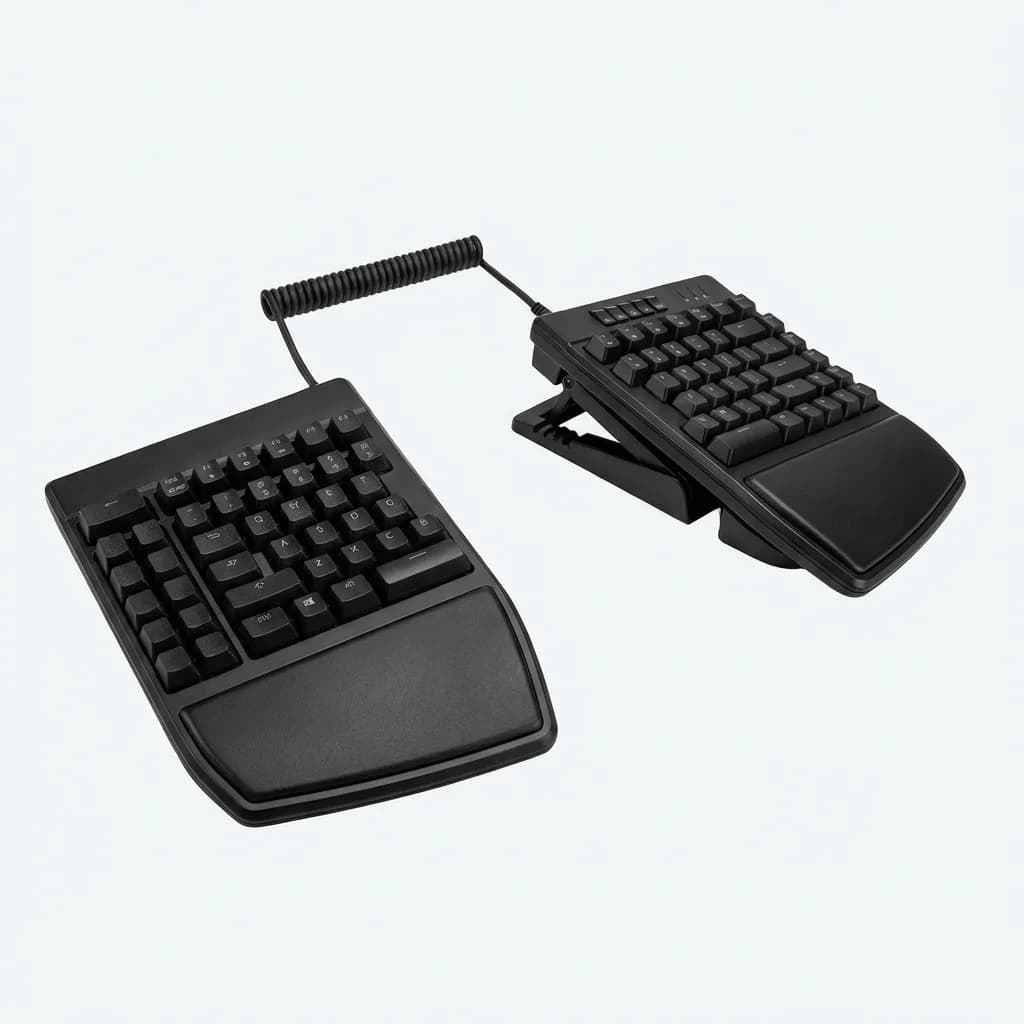
Kinesis Freestyle Pro
$179
Split mechanical keyboard with 9-inch separation, Cherry MX Brown switches, and traditional staggered layout. Optional VIP3 accessory kit adds tenting and palm supports.
Why Your Mouse Is Probably Hurting You
Standard mice force your forearm into pronation - palm facing down, radius bone crossed over ulna. Hold that position for hours and you're compressing nerves and stressing muscles. Vertical mice rotate your hand 90 degrees into a "handshake" position, eliminating forearm twist.
The Logitech MX Vertical is the best starting point. It's not fully vertical (57-degree angle), which eases the transition. Six buttons, precise 4000 DPI sensor, works on glass. We tested it for photo editing and found no loss in precision compared to our regular MX Master 3. Battery lasts four months on a charge.
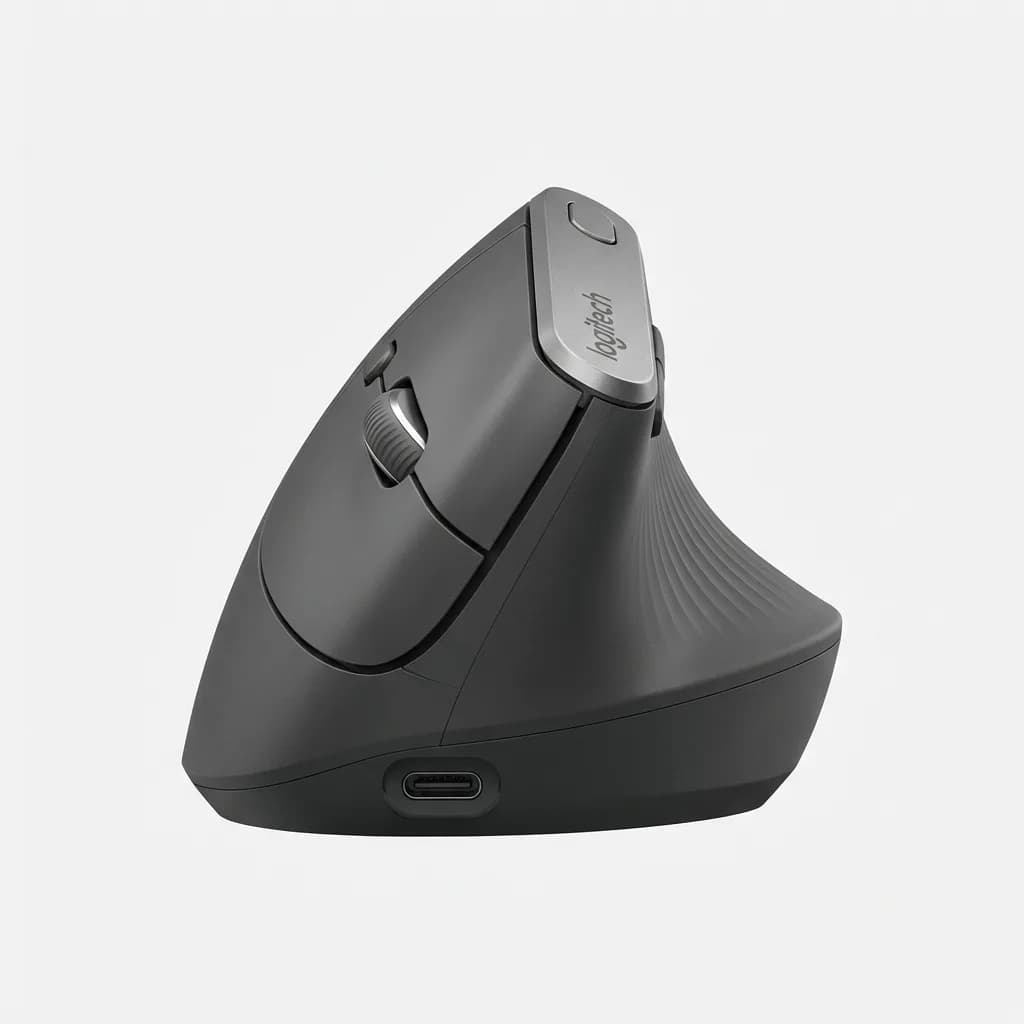
Logitech MX Vertical
$100
Vertical ergonomic mouse with 57-degree angle, 4000 DPI sensor, USB-C quick charging, and cross-computer control. Reduces wrist strain while maintaining precision for detailed work.
If the MX Vertical feels too aggressive, try the Anker Wireless Vertical Mouse. It's $25, gets the hand position mostly right (60 degrees), and uses standard AA batteries. Build quality isn't premium but it's a cheap test run.
For trackball fans, the Kensington Expert takes pressure off your wrist entirely. You move the cursor with your fingers, your hand stays stationary. Learning curve is steeper than switching to vertical mice - plan on a week of frustration. But once it clicks, many users never go back.
Monitor Height: The Overlooked Fix
Your monitor should sit so the top of the screen aligns with or slightly below eye level. Most people have their monitors too low, forcing their neck into constant forward tilt (tech neck). Twenty degrees of forward head tilt puts 40 pounds of force on your cervical spine instead of the normal 10-12 pounds.
Laptop users have it worst. The screen is too low by design. A simple laptop stand fixes this, but then your keyboard is too high. Solution: external keyboard and mouse, laptop elevated on a stand. The Roost Stand packs flat for travel and adjusts height from 8 to 12 inches.
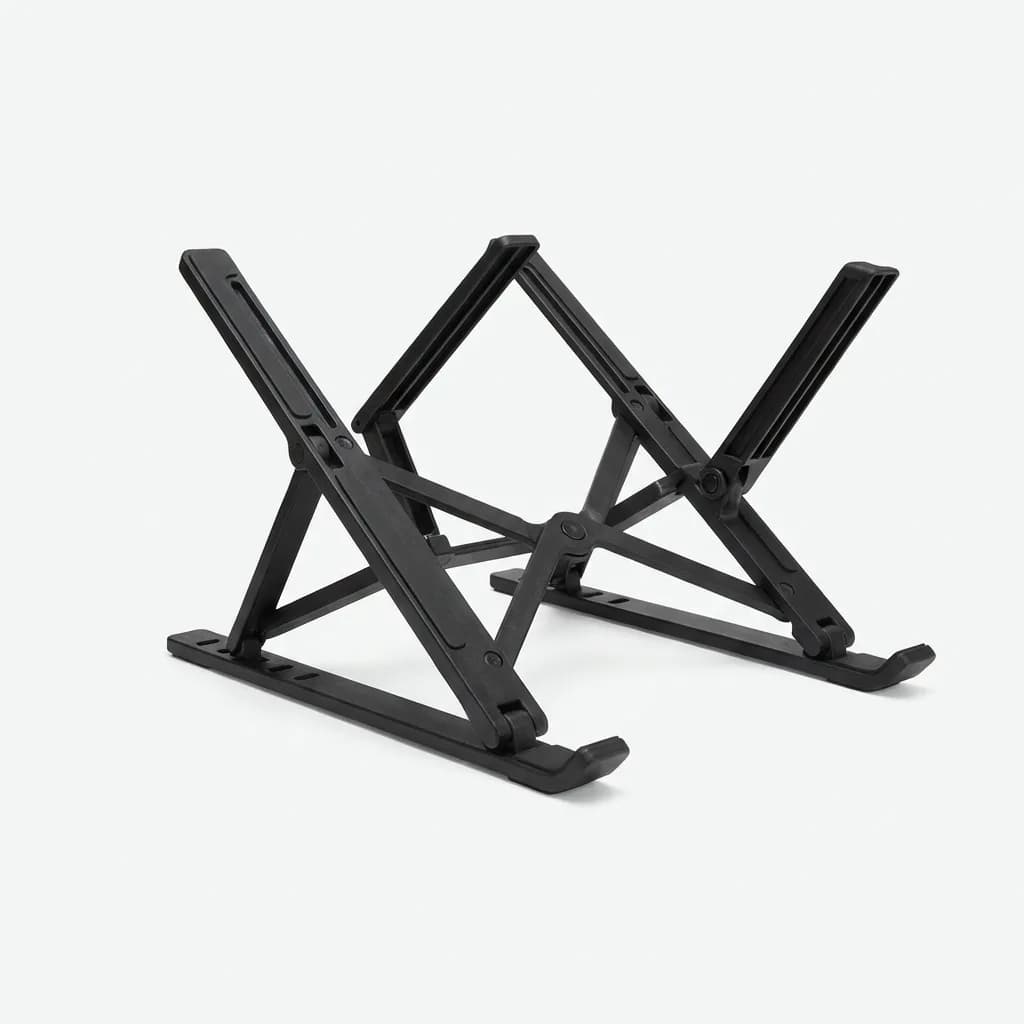
Roost Laptop Stand
$95
Portable adjustable laptop stand that weighs 5.9 ounces and folds flat. Raises laptop 8-12 inches for proper eye level, compatible with laptops up to 15.6 inches. Patent-pending design.
For desktop setups, skip the cheap monitor arms with 15 pounds of tension springs. They drift down over months. The Ergotron LX holds 25 pounds, adjusts smoothly, and has lasted three years in our testing with zero sag. Yes, it's $180. But you'll buy one instead of three cheap arms.
Standing Desks: What Actually Matters
Standing all day is as bad as sitting all day. The goal is variation - sit for 40 minutes, stand for 20, repeat. Electric standing desks make this practical. Manual crank desks sound economical but nobody bothers cranking them multiple times daily.
Stability matters more than price. Cheap desks wobble at standing height, making typing feel like working on a boat. The Fully Jarvis is the stability benchmark - minimal wobble even at 50 inches high, dual motors lift 350 pounds. Around $600 for a 60x30-inch top.
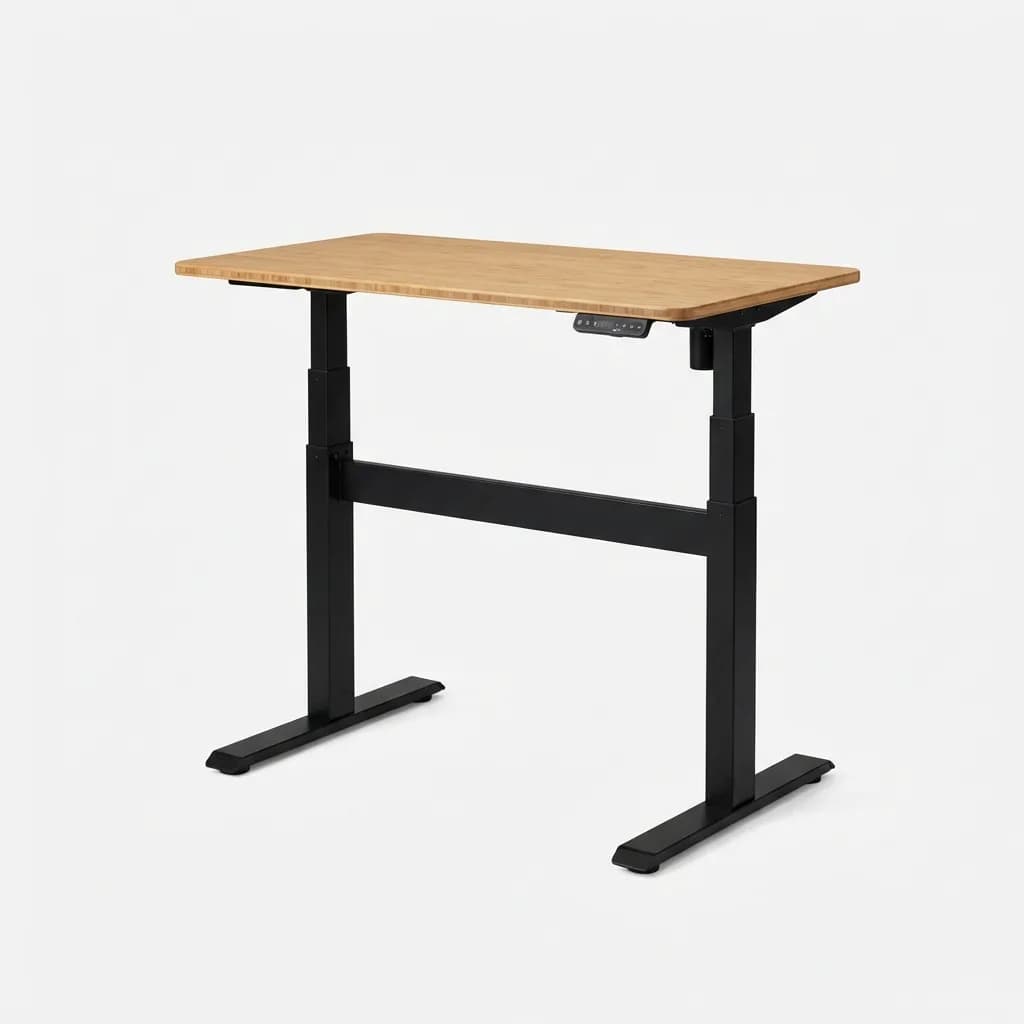
Fully Jarvis Standing Desk
$599
Electric standing desk with dual motors, programmable height presets (22.5 to 52 inches), and exceptional stability. 350-pound capacity. Bamboo, laminate, and hardwood top options.
Budget alternative: Flexispot E7 Pro. Quieter motors than the Jarvis, similar stability, about $450. We've been testing one for eight months with zero issues. The control panel is less polished but functionality is identical.
One mistake we see constantly: buying a standing desk, then using it at full standing height all day. Your elbows should bend 90 degrees whether sitting or standing. For most people, that's around 42-44 inches for standing height. Program that into your memory preset and use it.
The Missing Piece: Footrests and Movement
Static posture is the enemy, regardless of how ergonomic your setup is. Small movements throughout the day matter more than perfect positioning. A footrest encourages position changes - rest one foot, then the other, then both, then none.
The Humanscale FR300 is overbuilt (it's a metal platform, not rocket science) but the free-floating design lets you rock it, tilt it, and fidget naturally. Your feet stay engaged instead of planted.
Anti-fatigue mats serve the same purpose for standing. The Topo by Ergodriven has contoured surfaces - a hill to stretch your calves, a ridge for toe pressure, flat zones for regular standing. Sounds gimmicky but the variance keeps your feet and legs active.
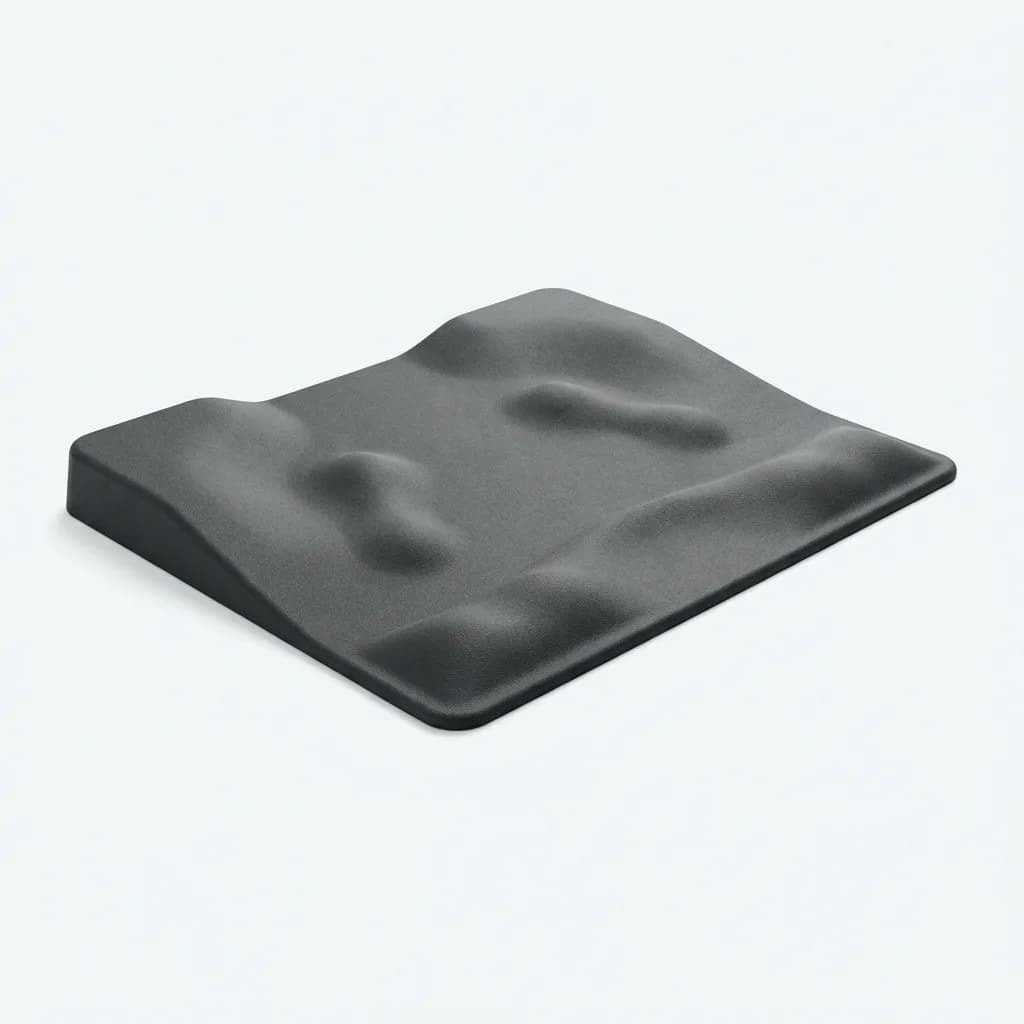
Ergodriven Topo Standing Desk Mat
$99
Anti-fatigue mat with calculated terrain features including inclines, declines, and massage mounds. 2.5-inch thick, 26 x 29 inches. Encourages movement and position changes while standing.
What About Wrist Rests and Back Cushions?
Wrist rests are controversial. Proper typing technique means floating your wrists above the keyboard, not resting them. But most people don't maintain perfect form for eight hours. A gel wrist rest provides somewhere to rest between typing bursts - just don't lean on it while actively typing.
Lumbar cushions for chairs without built-in support can help, but they're a band-aid. If your chair needs a separate cushion to feel supportive, you probably need a better chair. Temporary fix while you save up for the Leap or Aeron? Sure. Long-term solution? No.
The exception: car seat lumbar support. Most car seats have terrible lower back support. The Everlasting Comfort cushion has adjustable straps and dual foam layers. Helps on commutes over 20 minutes.
Putting It All Together: What to Upgrade First
Start with the gear you interact with most. If you type all day, keyboard and mouse come first. If you're in meetings and emails, chair is priority one. If you switch between tasks, monitor position affects everything.
For most office workers, this order makes sense: chair, then monitor height, then keyboard and mouse, then desk. That prioritizes the foundation (where you sit) and works up to the larger investment (the desk itself).
Don't upgrade everything at once. Your body needs time to adjust. New chair this month, keyboard next month, desk in three months. Changing too much simultaneously makes it hard to identify what's helping versus what's just different.
The total cost for a fully ergonomic setup runs $1,200-$2,000 if you buy quality gear. That sounds steep until you compare it to physical therapy bills or the productivity loss from working through pain. Spread the purchases over six months and most people find the investment manageable.
Common Mistakes That Undermine Ergonomic Gear
Having the right gear means nothing if your setup is wrong. Monitor too close (should be 20-28 inches away). Keyboard tilted up instead of flat or negative (positive tilt extends your wrist backward). Chair armrests too high (shoulders shouldn't shrug). Desk too high or low (elbows at 90 degrees).
The 20-20-20 rule helps even with perfect gear: every 20 minutes, look at something 20 feet away for 20 seconds. Screens lock your focus at a fixed distance. Breaking that every 20 minutes reduces eye strain and reminds you to shift position.
Lighting matters too but nobody talks about it. Glare on your monitor forces you to lean forward and tilt your head to see clearly. Position your desk perpendicular to windows, not facing them or with them directly behind you. If your monitor reflects overhead lights, you need bias lighting or a hood.
Bottom line: ergonomic gear works, but only if you use it correctly and give your body time to adapt. The first week with a split keyboard or vertical mouse feels awkward. Push through that adjustment period. The pain relief on the other side is real.
The Weekly Dispatch
Enjoying this article?
Subscribe and get our best gear picks delivered every Sunday morning.
Related Stories
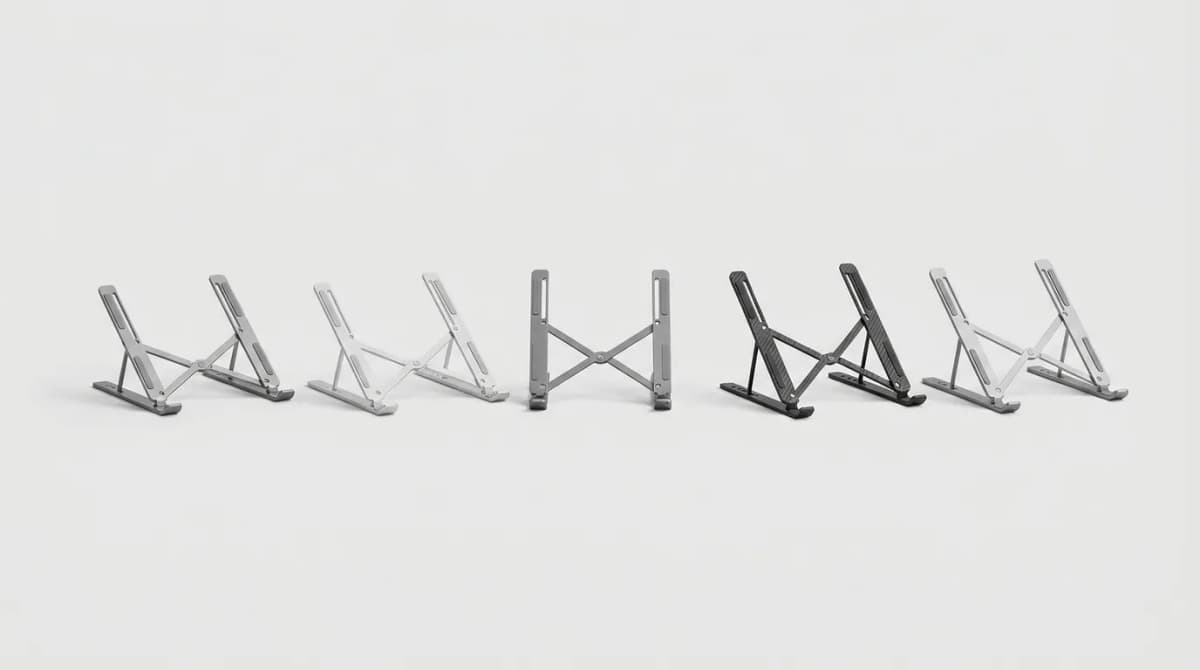
Best Portable Laptop Stands Under 1 Pound
Ultralight laptop stands that weigh less than 1 pound but still deliver stable ergonomic lift. We tested fold size, airflow, and real-world stability.

Mechanical Keyboards for the Discerning Typist
For those who spend hours at their keyboard each day, the tactile experience of typing can be transformative. Mechanical keyboards have evolved from a niche enthusiast hobby into a mainstream choice for anyone who values...
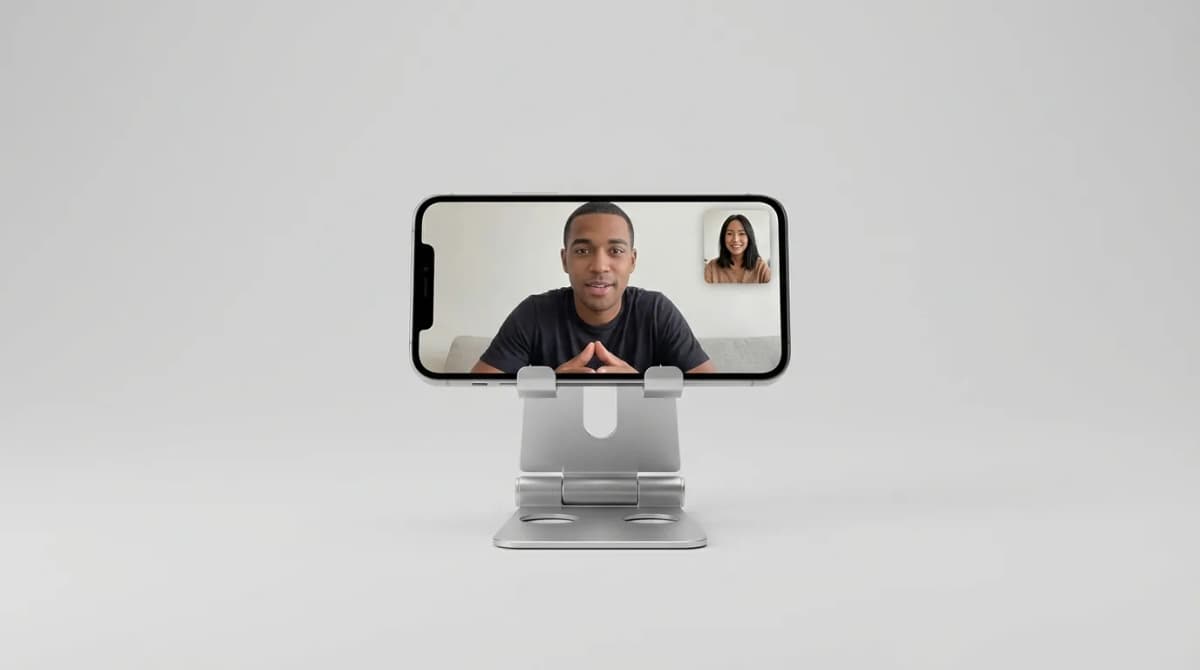
Best Phone Stands for Travel Video Calls
Portable phone stands make video calls possible from hotel rooms, coffee shops, and airports. We break down what separates stable designs from wobbly junk.