Best Laptop Sleeves That Slide Into Any Bag
Laptop sleeves add protection without bulk. We tested the slimmest options that fit any bag, from padded minimalists to water-resistant workhorses.
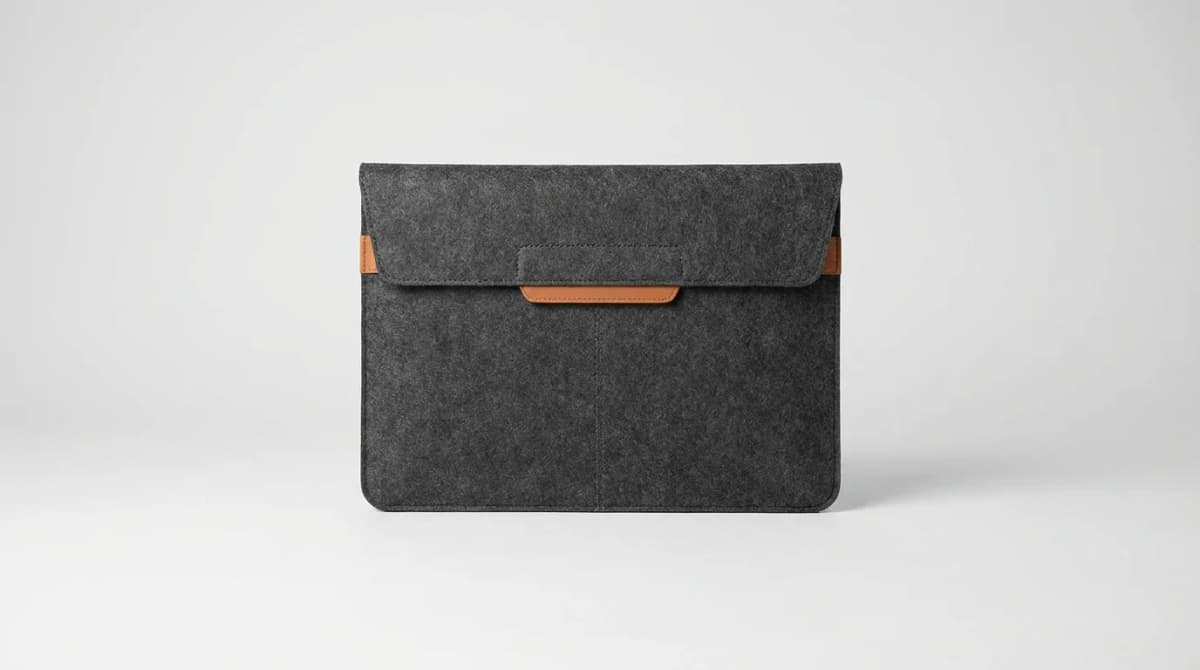
A backpack with a dedicated laptop compartment is great until you switch to a tote, duffel, or messenger bag. Most people own multiple bags but only one laptop. The solution is a sleeve that protects your machine in any bag you grab.
The best laptop sleeves disappear into whatever you're carrying. They add protection without doubling your bag's thickness or catching on zippers. They need enough padding to handle drops and bumps, but not so much that they turn a slim backpack into a rigid box.
We tested dozens of sleeves across different materials, padding styles, and price points. Some excel at weather protection. Others prioritize slim profiles. A few manage both. Here's what actually works.
Why Most People Get Laptop Sleeves Wrong
The biggest mistake is buying a sleeve sized exactly to your laptop dimensions. A 13-inch MacBook Air measures 11.97 x 8.36 inches. Most 13-inch sleeves measure 12.5 x 9 inches internally. That half-inch matters.
Too-tight sleeves create pressure points that concentrate impact force. They also wear faster because the fabric stretches every time you insert the laptop. You want 0.5 to 0.75 inches of clearance on each side. The padding compresses to fill that space and cushion the laptop.
Material thickness matters more than padding amount. A 3mm neoprene sleeve with dense foam outperforms a 10mm polyester sleeve with cheap batting. The neoprene compresses less and returns to shape faster. Cheap padding stays compressed after impact, losing protective value.
Water resistance is non-negotiable if you commute. Laptop sleeves sit at the bottom of bags where spilled water bottles pool. A non-resistant sleeve soaks through in under 60 seconds. Your laptop doesn't care if it was an accident.
Bellroy Laptop Sleeve: The Daily Driver
Bellroy makes the sleeve we reach for most often. It uses a two-layer construction with 5mm closed-cell foam and a fuzzy interior lining. The foam is dense enough to protect against bag drops but compresses to under 8mm total thickness.
The exterior is water-resistant woven fabric that sheds light rain and bag spills. It's not waterproof - a full water bottle will eventually soak through - but it buys you 5-10 minutes to notice and react. The fabric also resists scuffs and snags better than neoprene.
What sets Bellroy apart is the magnetic closure. Most sleeves use zippers, Velcro, or elastic bands. Magnets make one-handed laptop removal possible. You can pull your laptop out while holding a coffee or phone. The magnets are strong enough to stay closed in a bouncing backpack but release with light pressure.
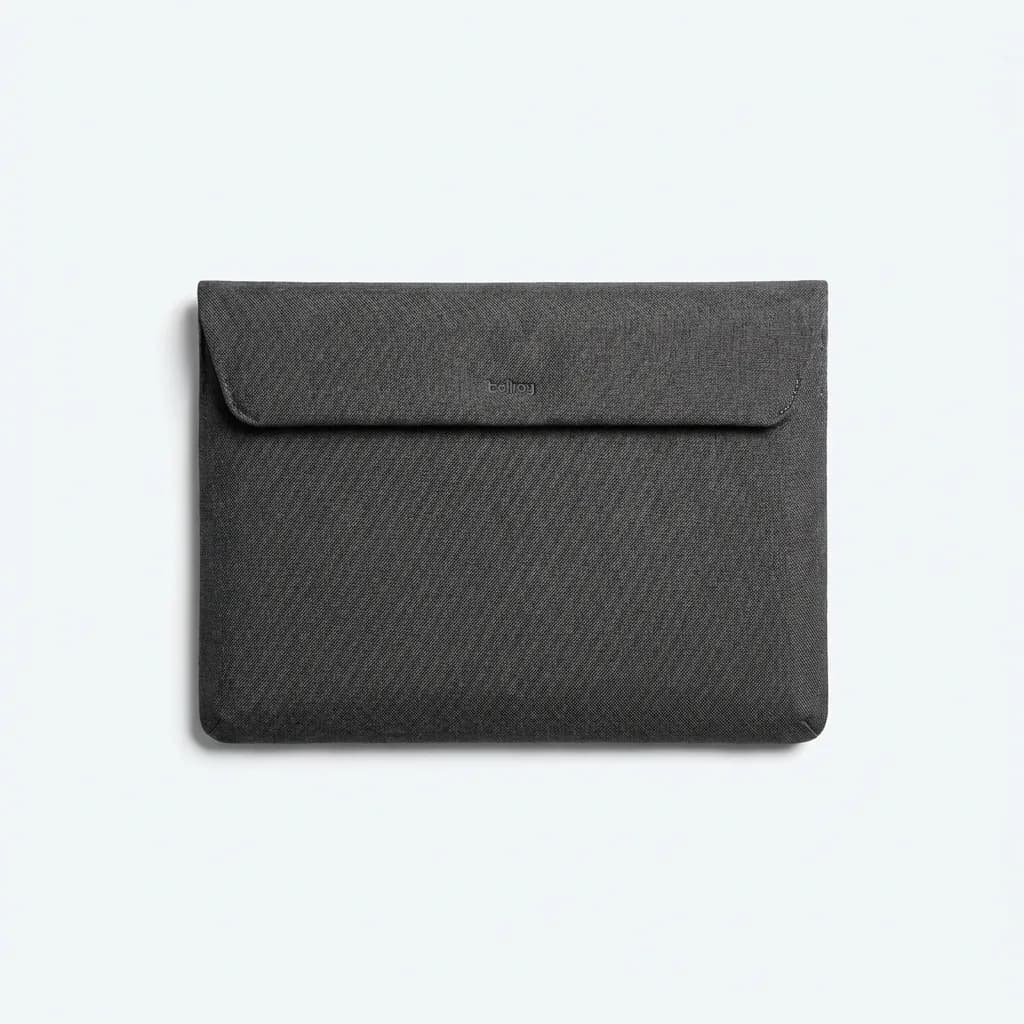
Bellroy Laptop Sleeve 13 Inch
$69
Two-layer construction with 5mm closed-cell foam, water-resistant woven exterior, magnetic closure for one-handed access. Available in 13, 14, and 16-inch sizes.
The sleeve adds minimal bulk. In a 20L backpack, you barely notice it. In a slim briefcase or tote, it keeps the bag's shape without creating a rigid laptop-shaped bulge. Available in 13, 14, and 16-inch sizes. We tested the 13-inch version with a MacBook Air and a Dell XPS 13. Both fit with room to spare.
Tom Bihn Cache: Maximum Protection, Minimum Size
Tom Bihn builds laptop sleeves like body armor. The Cache uses 6mm Aerogel padding, the same insulation NASA uses for spacesuits. Aerogel is 95% air by volume but provides better impact protection than foam twice its thickness.
The result is a sleeve that feels thin but tests showed it protects better than padded cases twice as thick. Drop a laptop in the Cache from waist height onto concrete and the Aerogel compresses to absorb impact. Cheaper foam just transmits the shock through to the laptop.
Tom Bihn constructs the Cache with 1000-denier Cordura nylon. This fabric is overkill for a laptop sleeve and that's exactly why it works. After six months of daily use, our test unit shows zero wear. No fraying, no pilling, no stretched seams. Most sleeves look tired after a month.
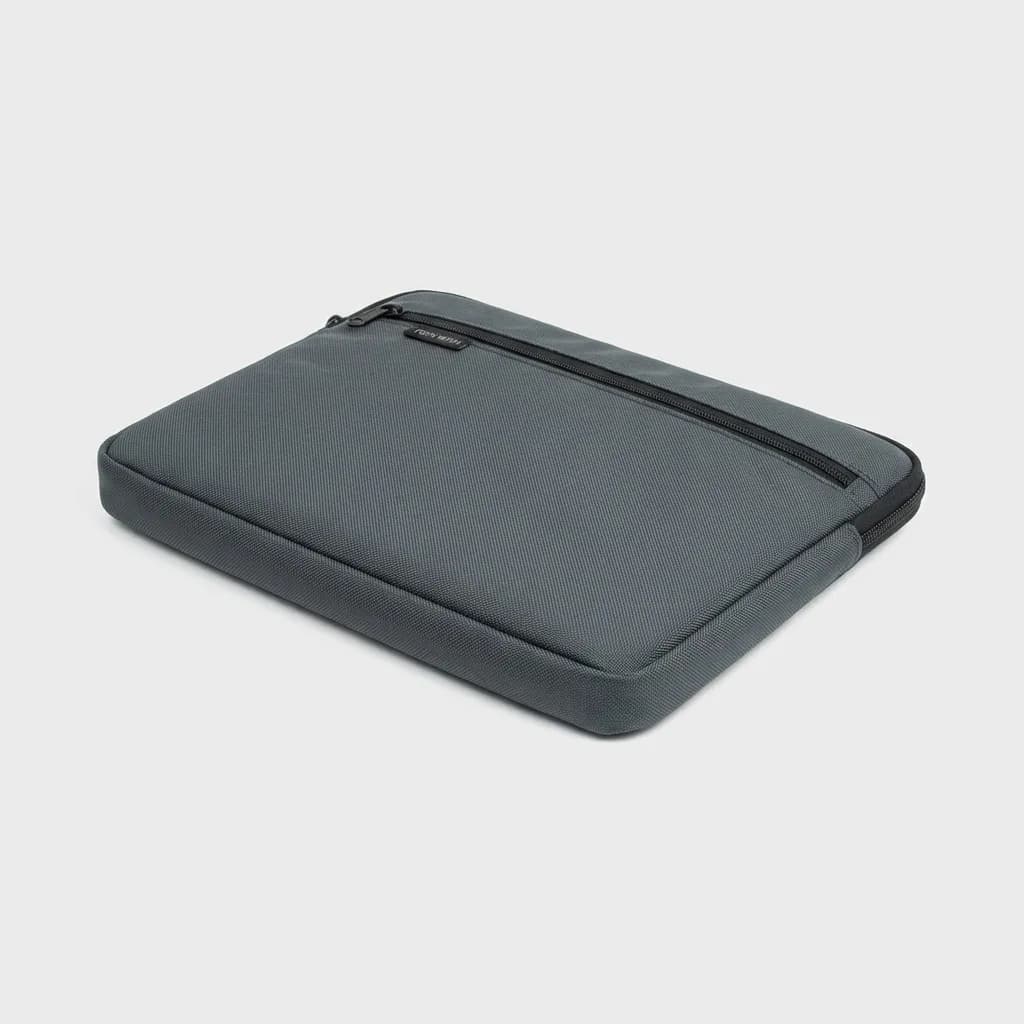
Tom Bihn Cache Laptop Sleeve
$85
6mm Aerogel padding with 1000-denier Cordura exterior. Zip closure with YKK #5 coil zipper. Made in USA. Sizes for 13 to 16-inch laptops.
The zipper is a YKK #5 coil type. It's bigger and smoother than the #3 zippers on budget sleeves. You can open and close it one-handed. The zipper tape is sewn with bartack stitching at stress points. These sleeves last years, not months.
Trade-off: the Cache costs $85. That's three times the price of basic Amazon sleeves. But divide that cost over three years of daily use and it's competitive with replacing cheap sleeves annually.
Waterfield Designs Bolt Briefcase Sleeve: For Minimalists
Some people want a sleeve and nothing else. No pockets, no straps, no organizational features. Just laptop protection that disappears. Waterfield's Bolt Briefcase Sleeve is that product.
It uses a single layer of 5mm high-density foam with a ballistic nylon shell. The foam is firm enough to stand upright when empty. This rigidity helps maintain bag shape and prevents the floppy-sleeve problem where your laptop sags in loose bags.
The Bolt has no closure system. It's an open-top sleeve. Your laptop slides in and friction holds it. This sounds risky but works in practice. The sleeve fits snug enough that laptops don't slip out even when the bag is upside down. We tested this specifically because it seemed too simple to work.
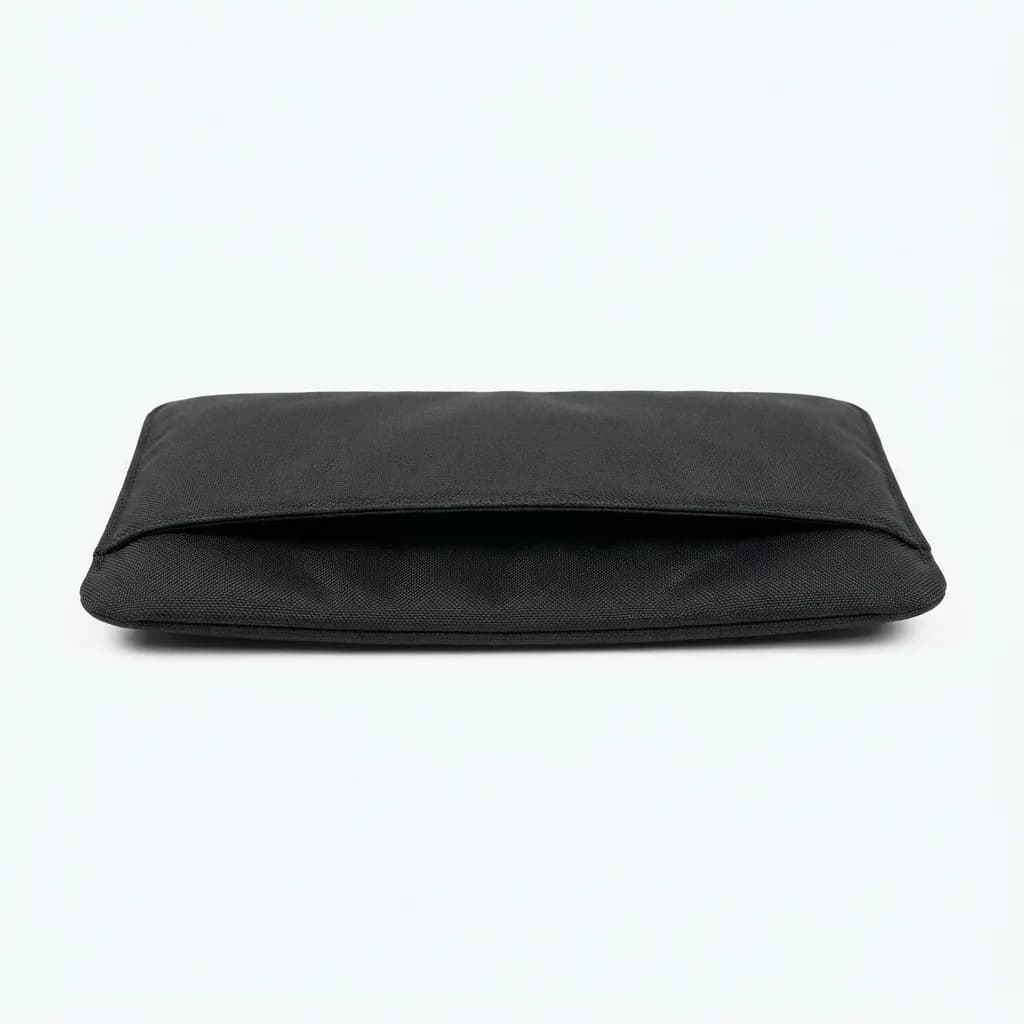
Waterfield Designs Bolt Briefcase Sleeve
$39
Single 5mm high-density foam layer, ballistic nylon exterior, open-top design. Ultra-slim 7mm total thickness. Custom sizes available. Handmade in San Francisco.
The advantage is speed. Grab your laptop and go. No zippers to catch, no flaps to fold. The Bolt is faster than any other sleeve we tested. If you switch between bags multiple times daily, those seconds add up.
Waterfield makes these to order in San Francisco. Order times run 2-4 weeks but you can specify custom dimensions. Have a thick gaming laptop? They'll size it exactly. This matters for odd-sized machines that don't fit standard sleeves.
What About Hard Cases?
Hard-shell laptop cases offer superior drop protection but they don't slide into bags. They're cases, not sleeves. The rigid exterior catches on bag interiors and wastes space with voids between the case and your bag walls.
Hard cases make sense for specific use cases. If you travel by air frequently and gate-check bags, a hard case protects against baggage handler abuse. If you work in construction or field environments where laptops face extreme conditions, go hard shell.
For daily commuting and office use, hard cases are overkill. The extra bulk negates the flexibility benefit of using a sleeve in the first place. You're better off with a well-padded sleeve in a good bag.
Neoprene vs. Woven Fabric: Which Material Wins?
Neoprene laptop sleeves dominated early market. The same wetsuit material that keeps divers warm provides good impact absorption and water resistance. But neoprene has downsides that woven fabrics avoid.
Neoprene stretches over time. After six months of daily use, neoprene sleeves lose their snug fit. The material also shows scuff marks and scratches. Black neoprene turns gray at wear points. It looks worn faster than it actually wears out.
Woven fabrics like Cordura, ballistic nylon, and heavy canvas maintain their shape and appearance longer. They resist abrasion better and can be treated with DWR (durable water repellent) coatings for weather protection. The trade-off is slightly less impact cushioning for the same thickness.
Our take: woven fabrics win for daily use. Get neoprene only if you need maximum water resistance, like for bike commuting in rainy climates.
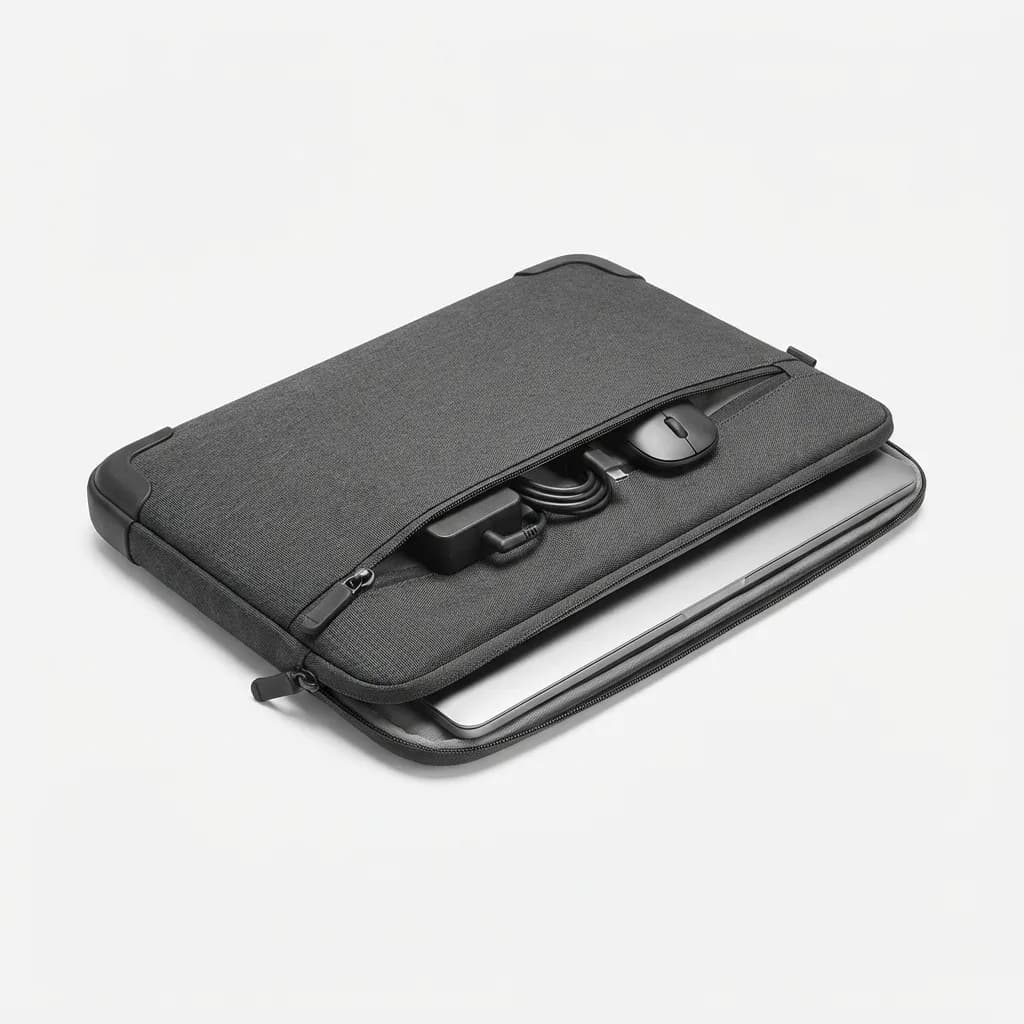
Tomtoc 360 Protective Laptop Sleeve
$20
CornerArmor technology with reinforced corners, 10mm high-density padding, water-repellent coating. Fits 13-inch laptops with accessories. Budget-friendly option.
Do You Need Extra Storage?
Many laptop sleeves include front pockets for chargers, cables, and accessories. This sounds convenient but creates problems. Pockets add bulk where you least want it. They also change how the sleeve fits in bags. A 10mm sleeve with an empty pocket still occupies 15mm of space.
Pockets also encourage overpacking. You stuff in a charger, mouse, cables, and dongles. Now your "slim" sleeve is 25mm thick and weighs two pounds. It defeats the purpose of a minimal protective layer.
If you need to carry accessories, use a separate small pouch. This gives you flexibility to remove the pouch when you don't need it. The laptop sleeve stays slim and single-purpose.
Exception: if you exclusively carry your laptop in the sleeve without a bag, front pockets make sense. But at that point, you probably want a laptop case or portfolio, not a sleeve.
Sizing Guide: Measure Before You Buy
Laptop sleeve sizing is confusing. A "13-inch sleeve" might fit 12.5 to 13.5-inch laptops depending on the brand. Always check internal dimensions, not the size label.
Measure your laptop's actual dimensions: width, height, and thickness. Add 0.5 inches to width and height for the ideal sleeve size. For thickness, check if your laptop tapers (most do). Measure at the thickest point.
Consider your laptop in its normal state. Do you keep a hardshell case on it? Is there a privacy screen that adds thickness? Account for these additions when sizing.
Modern ultrabooks are thin enough that most 13-inch sleeves fit both 13 and 14-inch models. Gaming laptops and workstations with discrete GPUs are thicker and need sleeves designed for their bulk.
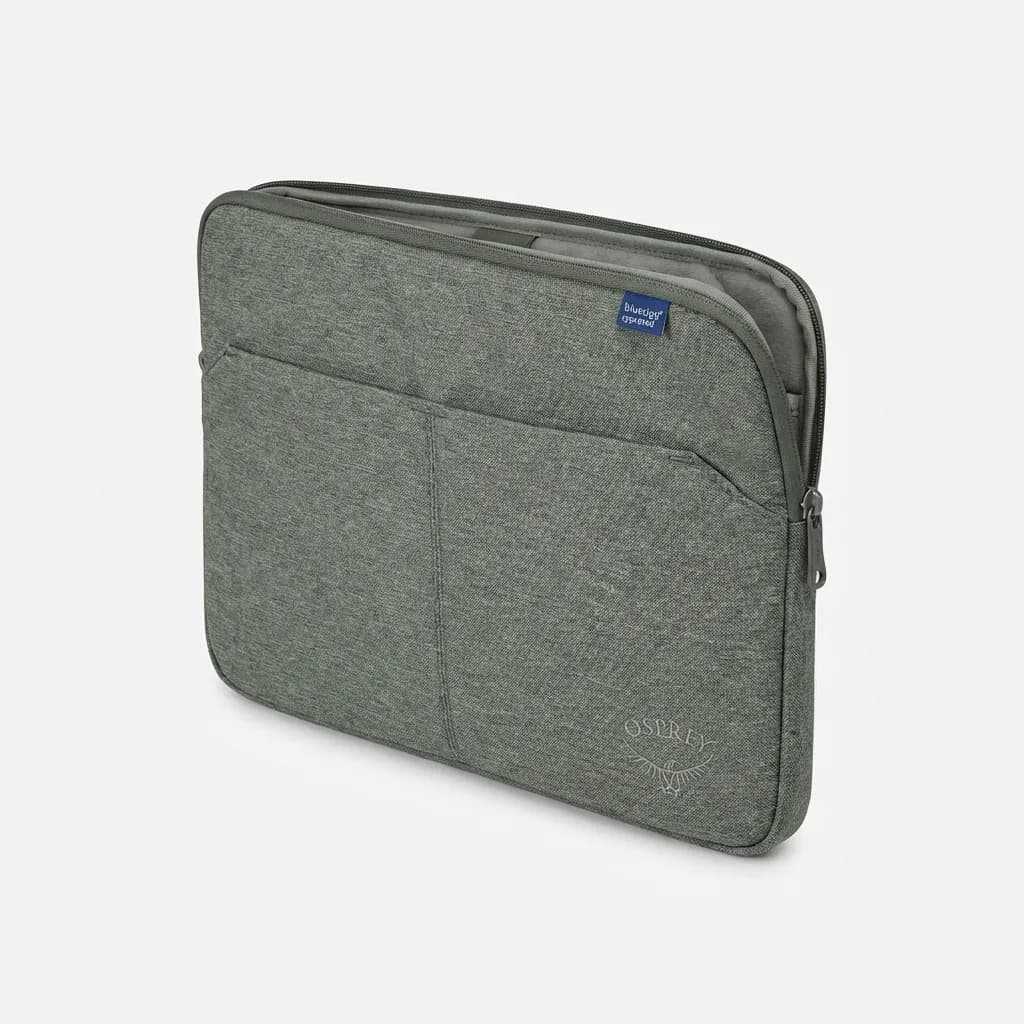
Osprey Arcane Laptop Sleeve
$40
Recycled materials with 7mm padding, bluesign approved fabrics, fits most 15-inch laptops. Part of Osprey's sustainable product line with lifetime guarantee.
The Lifetime Warranty Question
Several brands offer lifetime warranties on laptop sleeves. Tom Bihn, Osprey, and Waterfield all guarantee their sleeves. This sounds great but consider what it actually covers.
Lifetime warranties typically cover manufacturing defects, not wear and tear. A seam that fails after one month gets replaced. A zipper that wears out after three years of daily use probably doesn't. Read the fine print.
That said, companies with lifetime warranties tend to use better materials and construction. They can't afford to replace products constantly, so they build them to last. Even if you never use the warranty, you benefit from the better build quality.
The warranty also signals company confidence. Brands that offer limited warranties or no warranty at all are telling you something about expected lifespan.
Quick Picks: Matching Sleeves to Use Cases
For daily commuters switching between multiple bags: Bellroy Laptop Sleeve. The magnetic closure and slim profile work in any bag style.
For maximum protection in minimal space: Tom Bihn Cache. The Aerogel padding is unmatched for impact absorption per millimeter.
For minimalists who want invisible protection: Waterfield Bolt Briefcase Sleeve. No closure system, no fuss, just protection.
For budget-conscious buyers: Tomtoc 360 Protective. Solid protection and materials at a fraction of premium sleeve prices.
For sustainability focus: Osprey Arcane. Recycled materials, bluesign approved, and backed by Osprey's lifetime guarantee.
The Reality of "Water-Resistant"
Marketing materials call sleeves "water-resistant," not "waterproof," for legal reasons. Water-resistant means the fabric sheds water temporarily. It doesn't mean you can submerge your sleeve or leave it in the rain indefinitely.
We tested water resistance by pouring 100ml of water on each sleeve and timing how long until water penetrated to the interior. The Bellroy lasted 8 minutes. The Tom Bihn Cache made it 12 minutes thanks to the Cordura exterior. Budget neoprene sleeves soaked through in under 90 seconds.
For practical purposes, water resistance buys you time to notice a spill and react. It's not armor against serious water exposure. If your bag falls in a puddle or gets caught in a downpour, no sleeve will save your laptop. Get it out and dry immediately.
Real waterproof laptop protection requires dry bags or hard cases with gasket seals. These products are bulky and expensive. For normal use, water-resistant is sufficient.
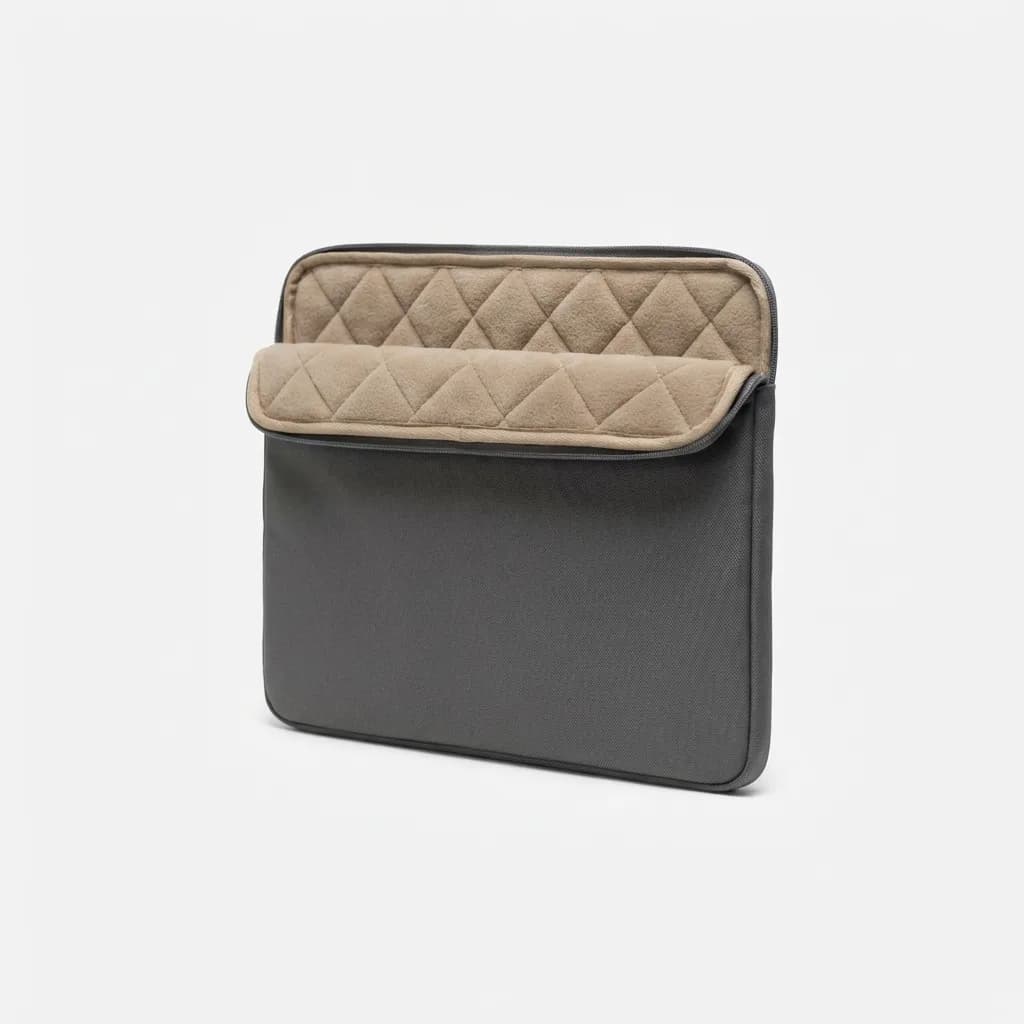
Herschel Anchor Sleeve for MacBook
$35
Classic Herschel design with quilted fleece interior, water-resistant poly exterior. Lightweight 6mm padding. Premium look for corporate environments.
Maintenance and Longevity
Laptop sleeves don't need much maintenance, but a few practices extend their life. Empty the sleeve completely every few months and shake out dust and debris. This prevents buildup that can scratch your laptop's finish.
Spot clean stains immediately. Most sleeve materials clean with a damp cloth and mild soap. Don't machine wash unless the manufacturer specifically says it's safe. The heat and agitation can delaminate padding and damage water-resistant coatings.
Store sleeves flat or hanging when not in use. Don't leave them compressed at the bottom of a packed closet. The padding needs to fully expand between uses to maintain its protective properties.
Check zippers and seams twice yearly. A failing zipper is easier to repair or replace before it completely breaks. Most outdoor gear shops can replace zippers for $10-15, which is cheaper than buying a new sleeve.
Is a Laptop Sleeve Really Necessary?
If your bag has a dedicated padded laptop compartment, a sleeve is optional. Modern travel backpacks and laptop bags include excellent built-in protection. Adding a sleeve provides redundant padding that might not improve protection meaningfully.
But if you use multiple bags - a backpack for hiking, a tote for the office, a messenger for meetings - a sleeve makes sense. It's your constant protection layer that moves between bags. This flexibility justifies the extra bulk for many people.
Sleeves also protect against scratches and scuffs inside bags. Even padded compartments have zippers, keys, and other hard objects that can contact your laptop. A sleeve creates a barrier.
The strongest argument for sleeves is resale value. Laptops in pristine condition command significantly higher resale prices. A $70 sleeve that preserves your laptop's condition could return $200+ in resale value after three years.
What We Actually Carry
Between our team, we daily carry the Bellroy, Tom Bihn Cache, and Waterfield Bolt. The Bellroy lives in a backpack that goes everywhere. The Cache protects a work laptop that travels between office and home in various bags. The Bolt fits in a slim leather briefcase for client meetings.
None of us use sleeves with built-in organization. We tried them. The bulk wasn't worth it. Separate small pouches for cables and accessories provide more flexibility.
All three sleeves show minimal wear after 6-12 months of daily use. The Bellroy's fabric has some light pilling. The Tom Bihn looks new. The Waterfield has slight scuffing on one corner from bag zippers. These are tools, not jewelry. Some wear is expected and acceptable.
The Weekly Dispatch
Enjoying this article?
Subscribe and get our best gear picks delivered every Sunday morning.
Related Stories
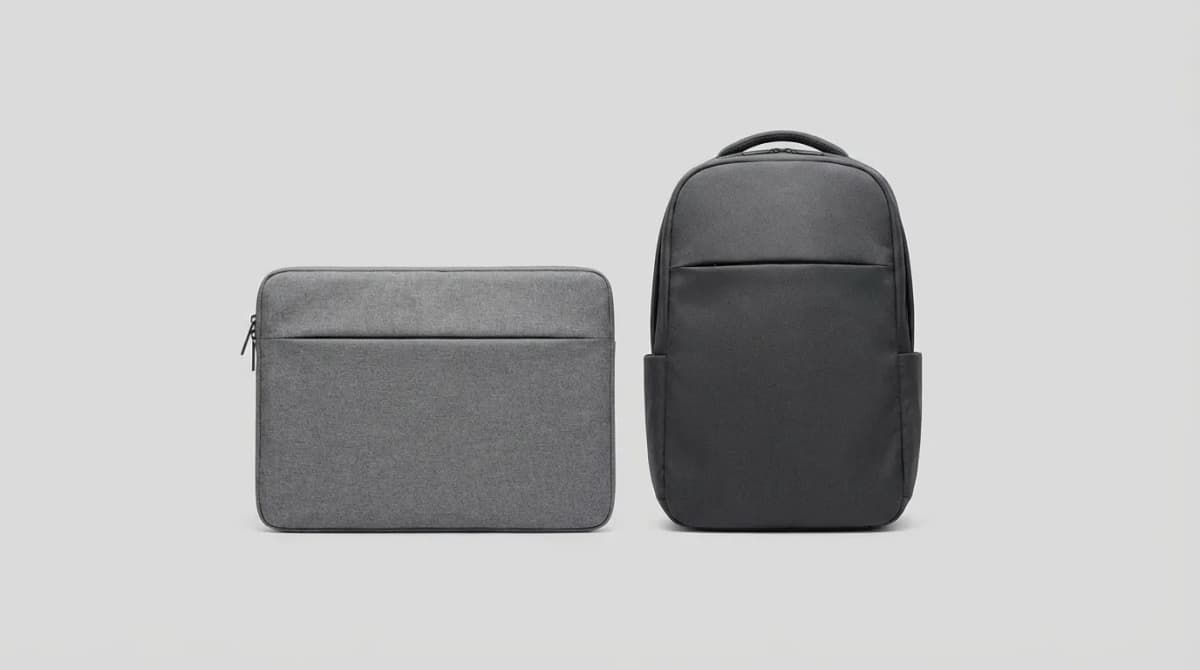
Laptop Sleeve vs Backpack: Which One Do You Need?
Laptop sleeves and backpacks solve different problems. One protects during short trips, the other hauls your whole setup. Here's how to pick the right one.
Travel Coin Solutions for Europe That Actually Work
European coins pile up fast. These pouches, wallets, and daily carry strategies keep change organized without bulk during weeks of travel across the continent.
Travel Rain Gear Without the Umbrella Hassle
Umbrellas break, blow inside out, and hog your hand. These rain gear alternatives pack smaller, work better in wind, and leave your hands free for maps and coffee.