Best Budget Gaming Keyboard Under $75 2026
Finding a gaming keyboard that performs well without emptying your wallet is easier than ever. These budget picks deliver mechanical switches and features that matter.
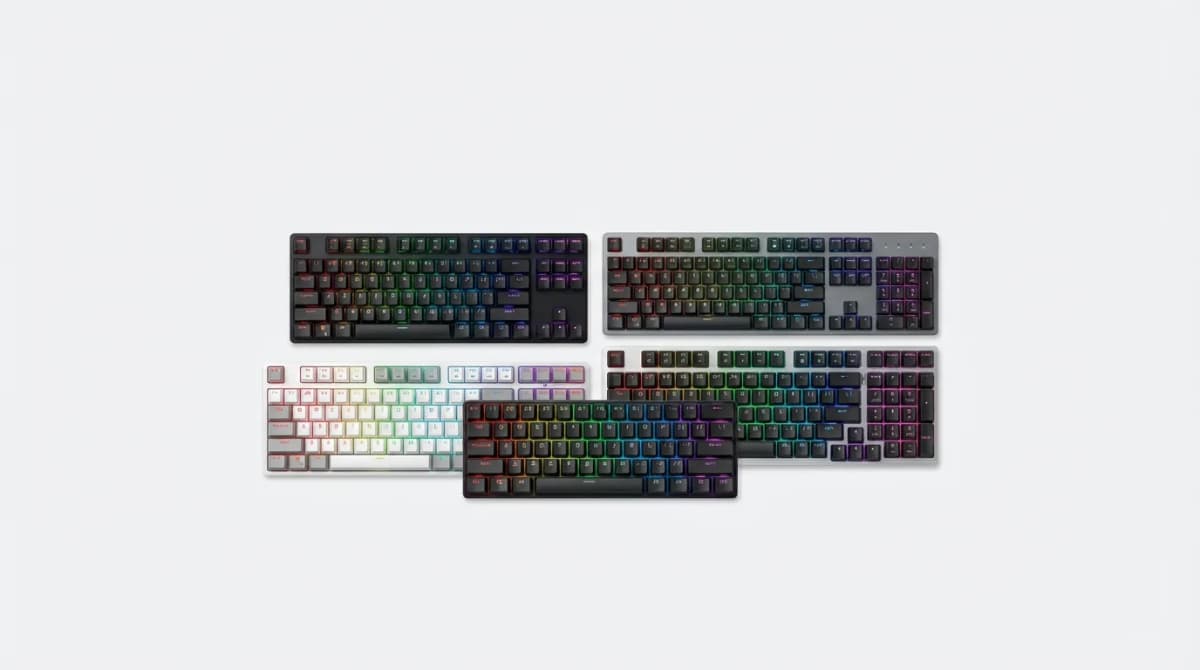
You don't need to spend $150 to get a keyboard that feels great and performs well in competitive games. The budget gaming keyboard market has exploded over the past few years, and manufacturers are finally putting quality switches, durable keycaps, and useful features into keyboards that cost less than a new game.
The difference between a $40 keyboard and a $70 keyboard is massive. The difference between a $70 keyboard and a $150 keyboard? Much smaller than you'd think. We've tested dozens of budget gaming keyboards to find which ones deliver the best typing feel, gaming performance, and build quality for under $75.
What actually matters in a gaming keyboard
Response time isn't the bottleneck you think it is. Modern budget keyboards poll at 1000Hz, which means a 1ms response time. Your reaction time is measured in hundreds of milliseconds, not single digits. What actually affects your gaming performance is consistency, key feel, and whether you can trust the keyboard to register every press without accidental double-taps.
Switch type matters more than brand. You'll see Cherry MX clones everywhere in this price range, and most of them are excellent. Gateron, Outemu, and Kailh all make switches that feel nearly identical to Cherry MX at a fraction of the cost. Linear switches (Red, Black) are popular for gaming because there's no tactile bump to slow you down. Tactile switches (Brown, Blue) give you feedback but can be slower for rapid key presses. The best switch is the one that feels right to you.
Build quality separates the keepers from the returns. A keyboard can have perfect switches and still feel terrible if the case flexes, the stabilizers rattle, or the keycaps are thin and slippery. We prioritize keyboards with solid plastic or metal frames, decent stabilizers on the larger keys, and keycaps thick enough that you won't see the backlight bleeding through after a month of use.
Redragon K552 - Best overall value
The K552 has been dominating the budget mechanical keyboard market for years because it gets the fundamentals right. It uses Outemu Blue switches (clicky and tactile) in a compact tenkeyless layout that saves desk space. The aluminum top plate makes it feel more solid than keyboards twice its price.
The backlighting is red-only, which sounds limiting until you realize RGB on budget boards usually looks cheap anyway. The single-color backlight is bright, even, and doesn't distract during gaming. The font on the keycaps is aggressive but the legends are clear and won't fade.
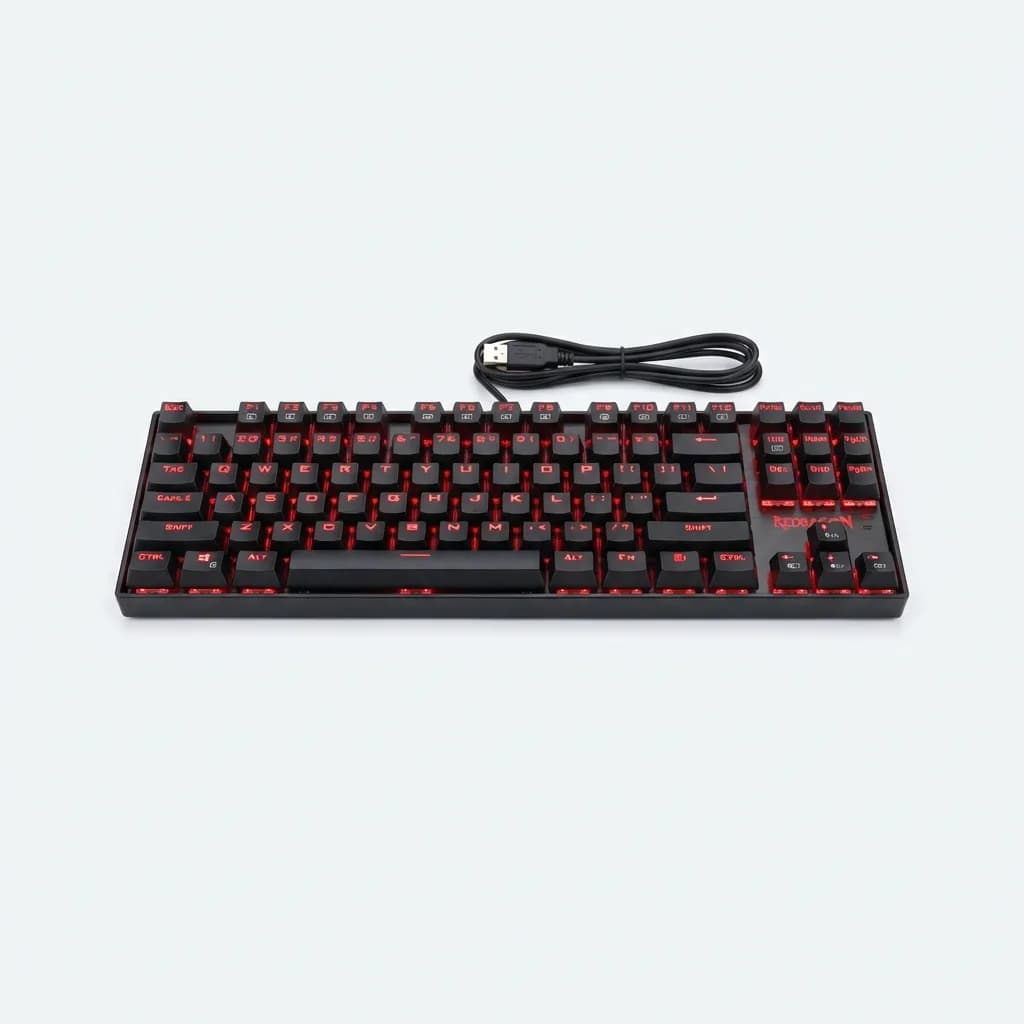
Redragon K552 Mechanical Gaming Keyboard
$35
Tenkeyless mechanical keyboard with Outemu Blue switches, metal construction, and red LED backlighting. Compact 87-key layout saves desk space.
The K552 comes in multiple switch options now, including Red (linear) and Brown (tactile). If you're not sure which switch type you prefer, start with Brown. It's the middle ground that works well for both gaming and typing.
HyperX Alloy Origins Core - Premium feel on a budget
HyperX's entry into the budget space brings their custom HyperX Red switches to a tenkeyless frame with aircraft-grade aluminum construction. These linear switches are smooth, consistent, and rated for 80 million keypresses. The short travel distance (3.8mm total, 1.8mm actuation) makes them fast for gaming.
The build quality here is a step above everything else in this price range. Zero flex in the frame, excellent stabilizers that don't rattle, and PBT keycaps that resist shine and feel textured instead of slippery. The RGB lighting is bright and customizable through HyperX's NGENUITY software, though the software itself is basic compared to Razer or Corsair.
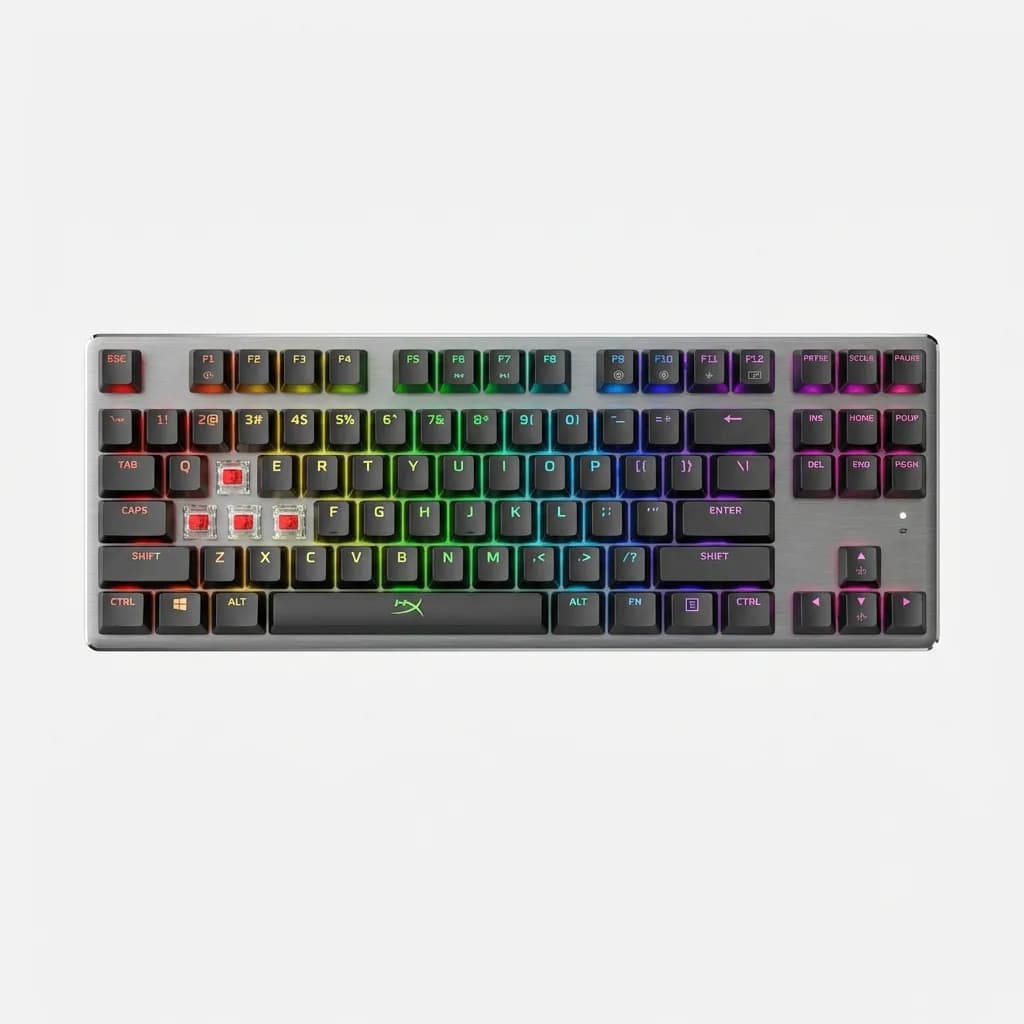
HyperX Alloy Origins Core Mechanical Gaming Keyboard
$70
Tenkeyless keyboard with HyperX Red linear switches, aluminum frame, and RGB backlighting. PBT keycaps and 80 million keypress lifespan.
The USB-C connection is detachable, which makes this keyboard genuinely portable. Pack it in a bag for a LAN party and you won't worry about snapping the cable. The compact size also means it's easier to position your mouse at a comfortable angle instead of cramping your arm to avoid hitting the numpad.
Corsair K55 RGB Pro - Best membrane alternative
Not everyone wants a mechanical keyboard. Mechanical switches are loud, they have a learning curve, and if you're used to membrane boards, the higher actuation force can cause finger fatigue. The K55 RGB Pro is the best gaming membrane keyboard under $75 because it focuses on what membrane boards do well: quiet operation, soft key feel, and even lighting.
Corsair's iCUE software is the best peripheral software on the market. You get per-key RGB customization, macro programming, and lighting effects that sync across all your Corsair gear. The K55 includes dedicated media keys and a volume roller, features that many mechanical keyboards skip to save cost.
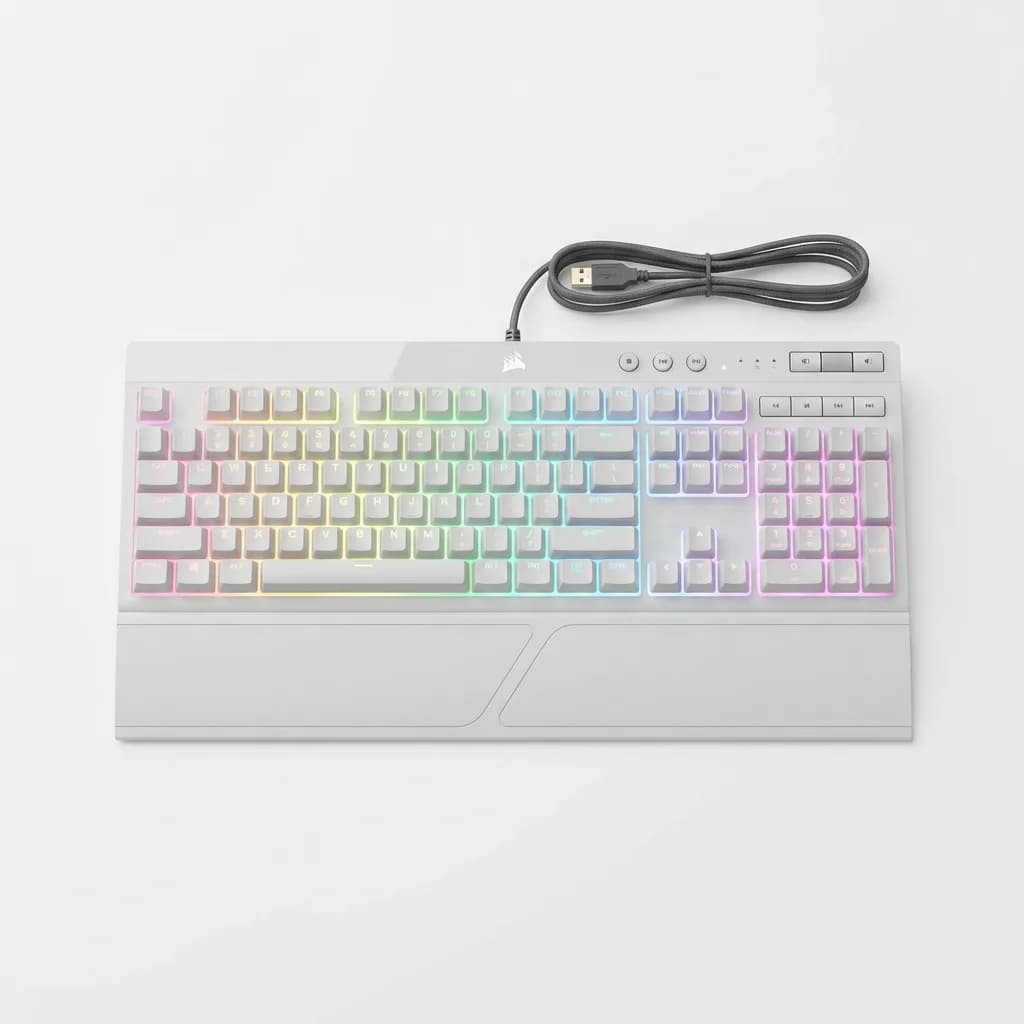
Corsair K55 RGB Pro Gaming Keyboard
$50
Full-size membrane keyboard with per-key RGB, dedicated media controls, and IP42 dust and spill resistance. Quiet operation and iCUE software support.
The IP42 dust and spill resistance rating means the K55 can survive a knocked-over drink better than most mechanical boards. Membrane switches are sealed by design, while mechanical switches have gaps that let liquid seep directly onto the PCB.
Royal Kludge RK61 - Best 60% compact option
The 60% layout removes the function row, arrow keys, and numpad to create the smallest functional keyboard possible. It's not for everyone, but if you have limited desk space or want maximum mouse movement room, the RK61 nails the compact format.
What makes the RK61 special is the triple-mode connectivity: wired USB-C, Bluetooth 5.0, and 2.4GHz wireless via USB dongle. Switch between three devices with a key combo and the keyboard remembers all three connections. The 1850mAh battery lasts about a week with RGB on, longer with it off.
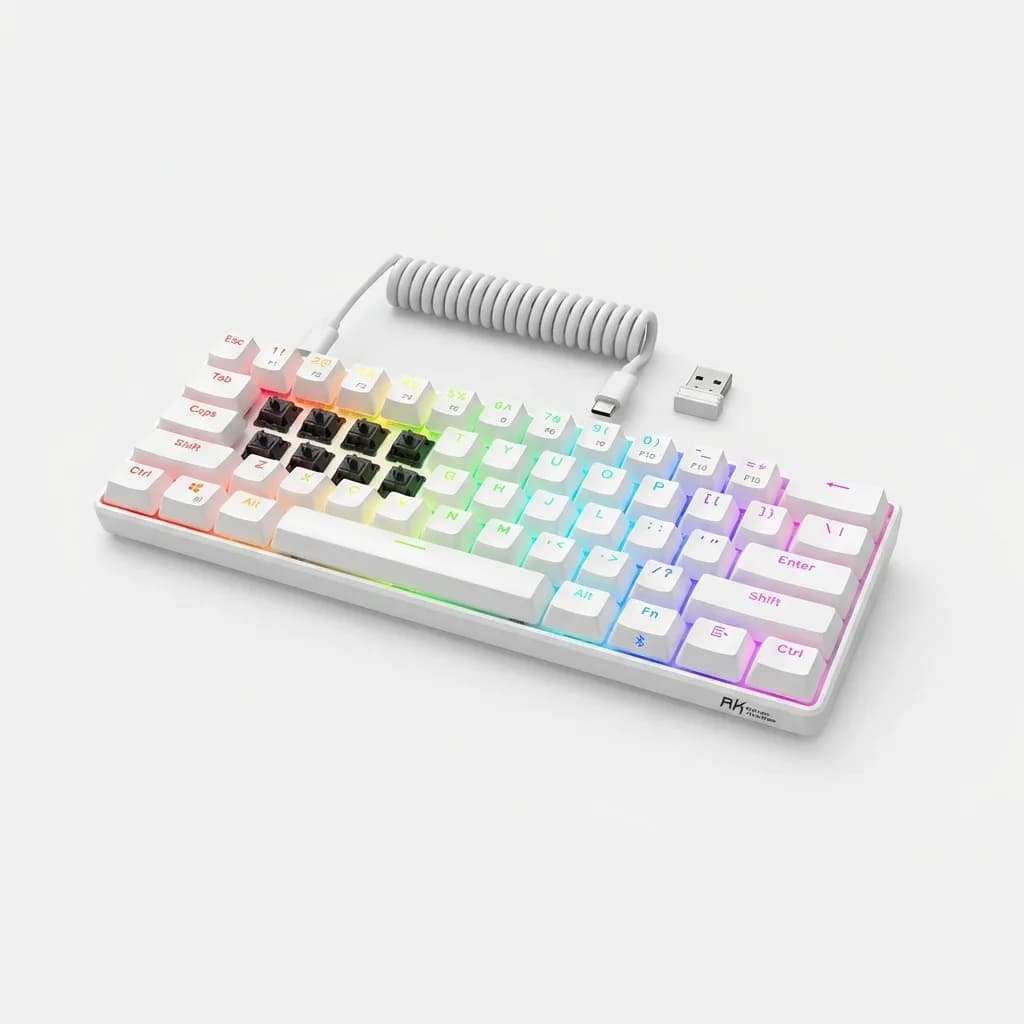
Royal Kludge RK61 Wireless Mechanical Keyboard
$60
60% layout mechanical keyboard with Gateron or RK switches, triple-mode connectivity (USB-C, Bluetooth, 2.4GHz), and RGB backlighting. Hot-swappable switch sockets.
The hot-swappable switch sockets are a huge bonus. You can pull switches out and replace them without soldering, which means you can try different switch types or replace a single failed switch instead of buying a new keyboard. Most budget boards are soldered permanently.
Learning the 60% layout takes about a week. Arrow keys are on WASD with the function key held down. Delete, Home, End, and Page Up/Down are on the number row. Once the muscle memory clicks, you won't want to go back to a larger board.
SteelSeries Apex 3 - Best for quiet gaming
The Apex 3 uses SteelSeries's proprietary "whisper quiet" membrane switches that are designed specifically to eliminate the loud clack of bottoming out. If you game late at night or share a space with others, this is the quietest gaming keyboard you can buy.
The per-key RGB is vivid and the lighting zones are more detailed than most mechanical keyboards in this range. SteelSeries Engine software lets you create custom lighting effects and sync them with in-game events through their GameSense API. Limited games support it, but when it works (CS2, Dota 2, Minecraft), it's impressive.
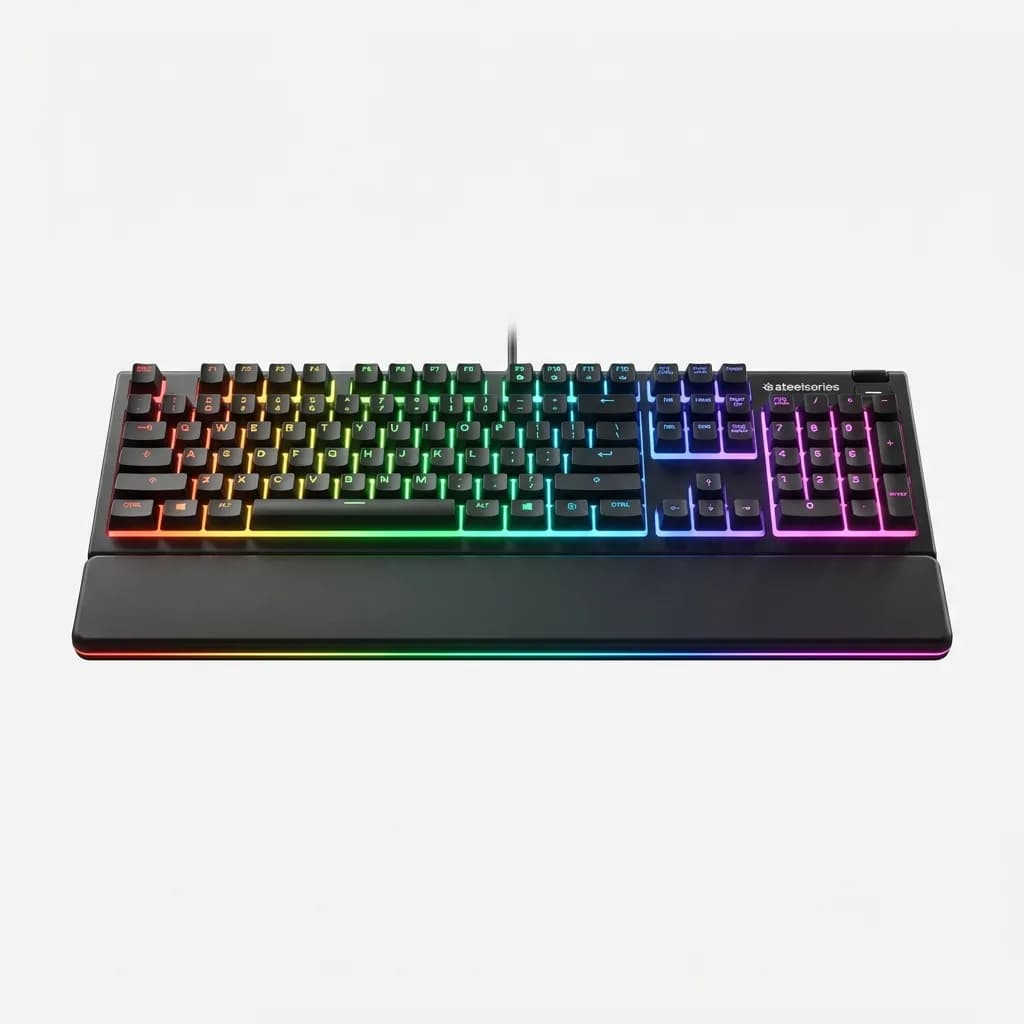
SteelSeries Apex 3 RGB Gaming Keyboard
$50
Full-size membrane keyboard with whisper-quiet switches, IP32 water resistance, and 10-zone RGB lighting. Magnetic wrist rest included.
The magnetic wrist rest is plush and actually stays in place, unlike the clip-on rests that slide around. IP32 water resistance protects against small spills, though you still shouldn't pour coffee directly on it. The USB passthrough port on the back is perfect for plugging in a wireless mouse dongle.
How to choose the right switch type
If you've never used a mechanical keyboard, the switch choice feels overwhelming. Here's the practical breakdown: Linear switches (Red, Black, Yellow) have no tactile bump and are smoothest for rapid keypresses. They're popular in competitive gaming because there's less resistance. The downside is you might accidentally press keys while resting your fingers.
Tactile switches (Brown, Clear, Orange) have a small bump partway through the keypress that tells you the switch has activated. This feedback helps with typing accuracy and some people find it helps with gaming precision too. The bump does slow you down slightly compared to linear switches.
Clicky switches (Blue, Green, White) have both the tactile bump and an audible click. They're the loudest option and they feel the most "mechanical." Great for typing, divisive for gaming. The noise can be distracting in fast-paced games and your teammates will hear every keypress if you use voice chat.
Switch weight matters too. Light switches (45g actuation) are easier to press rapidly but easier to press accidentally. Heavy switches (60g+) require more force but give you more control. Most people prefer something in the 50-55g range.
Common mistakes when buying budget keyboards
Assuming all mechanical keyboards are the same is the biggest error. A $35 board with scratchy switches, rattly stabilizers, and thin keycaps will feel worse than a good membrane keyboard. You're better off spending $60 on a well-built mechanical than $40 on a poorly-made one.
Don't buy based on RGB alone. Bright, customizable lighting is nice, but it doesn't affect performance and budget RGB often looks washed out or uneven. Prioritize build quality, switch feel, and layout over lighting effects.
Full-size keyboards waste desk space for most gamers. Unless you regularly use the numpad for work or accounting, a tenkeyless (87-key) or even 60% layout gives you more room for mouse movement. Competitive FPS players especially benefit from the extra space to use low-sensitivity mouse settings.
Wireless keyboards have improved dramatically, but check the specs. Single-device Bluetooth with 10ms input lag isn't good enough for competitive gaming. Look for 2.4GHz wireless with 1ms response time if you want wireless, or just get a quality wired board and eliminate the battery anxiety.
What you won't find under $75
Hot-swappable switches are rare in this price range, with the Royal Kludge RK61 being the exception. Most budget boards have switches soldered to the PCB, so if a switch fails, you need to either learn to solder or buy a new keyboard.
Premium keycaps are always the first cost-cutting measure. Budget keyboards use thin ABS plastic that develops shine after a few months. Some use pad-printing for legends that fade over time. Aftermarket PBT keycaps cost $30-50, which defeats the purpose of buying a budget board.
Advanced features like programmable layers, dedicated macro keys, onboard memory for profiles, and high-polling-rate (4000Hz+) gaming modes are all reserved for higher price tiers. You get basic RGB customization and maybe macro recording through software, but nothing deep.
Sound dampening is non-existent. Budget keyboards have hollow cases that amplify every keystroke. The result is a loud, echoey typing experience. Some enthusiasts add foam or silicone dampening pads inside the case, but that requires disassembly and voids warranties.
Is spending more worth it?
The jump from $75 to $120 gets you hot-swappable switches, better stabilizers, thicker keycaps, and usually more durable construction. If you're planning to use the same keyboard for 3-5 years, spending the extra $50 makes sense.
The jump from $120 to $200+ is where you're paying for brand names, premium materials like aluminum frames, and enthusiast features like gasket mounting, sound dampening, and multiple connectivity options. For pure gaming performance, it doesn't matter. For typing feel and long-term satisfaction, it might.
Budget keyboards are perfect for three types of people: first-time mechanical keyboard buyers who want to test the waters, gamers who prioritize performance over aesthetics, and anyone who just wants a solid keyboard without overthinking it. You don't need to spend $200 to game well. You need consistent switches, a layout that fits your space, and build quality that will last through thousands of hours of gaming.
The keyboards on this list all hit that mark. Start with your budget, decide between full-size and compact layouts, pick your switch type, and you'll end up with a keyboard that performs just as well as the high-end options.
The Weekly Dispatch
Enjoying this article?
Subscribe and get our best gear picks delivered every Sunday morning.
Related Stories
Best Gaming Headset with Microphone Under $100
Top gaming headsets under $100 that deliver clear audio and reliable mics without sacrificing comfort or build quality during long sessions.

Best Portable Gaming Monitor for Travel 2026
From 13-inch ultra-light screens to 17-inch powerhouses, we tested the best portable gaming monitors that actually fit in your travel setup.
Best Gaming Chair Under $300 Worth Buying 2026
Budget gaming chairs have improved dramatically. We tested the top options under $300 to find which ones actually deliver on comfort, build quality, and support.